The WordPress coreCoreCore is the set of software required to run WordPress. The Core Development Team builds WordPress. development team builds WordPress! Follow this site for general updates, status reports, and the occasional code debate. There’s lots of ways to contribute:
Found a bugbugA bug is an error or unexpected result. Performance improvements, code optimization, and are considered enhancements, not defects. After feature freeze, only bugs are dealt with, with regressions (adverse changes from the previous version) being the highest priority.?Create a ticket in the bug tracker.
GutenbergGutenbergThe Gutenberg project is the new Editor Interface for WordPress. The editor improves the process and experience of creating new content, making writing rich content much simpler. It uses ‘blocks’ to add richness rather than shortcodes, custom HTML etc.
https://wordpress.org/gutenberg/10.3.1 release.
Help test the WordPress 5.7.1 RC (RCrelease candidateOne of the final stages in the version release cycle, this version signals the potential to be a final release to the public. Also see alpha (beta). will land on the meeting day).
Monthly Plan for April 2021 (link to hopefully come by meeting time) and key project updates:
Global Styles.
BlockBlockBlock is the abstract term used to describe units of markup that, composed together, form the content or layout of a webpage using the WordPress editor. The idea combines concepts of what in the past may have achieved with shortcodes, custom HTML, and embed discovery into a single consistent API and user experience. based WidgetWidgetA WordPress Widget is a small block that performs a specific function. You can add these widgets in sidebars also known as widget-ready areas on your web page. WordPress widgets were originally created to provide a simple and easy-to-use way of giving design and structure control of the WordPress theme to the user. Editor.
Navigation block.
Full Site Editing.
Task Coordination.
Open Floor.
If you are not able to attend the meeting, you are encouraged to share anything relevant for the discussion:
If you have anything to share for the Task Coordination section, please leave it as a comment on this post.
If you have anything to propose for the agenda or other specific items related to those listed above, please leave a comment below.
WordPress 5.7.1 maintenance release. The following release schedule is being proposed: Release Candidaterelease candidateOne of the final stages in the version release cycle, this version signals the potential to be a final release to the public. Also see alpha (beta).: Wednesday 7 April, 2021 around 23:00 UTC. Final release: Wednesday 14 April, 2021 around 23:00 UTC.
GutenbergGutenbergThe Gutenberg project is the new Editor Interface for WordPress. The editor improves the process and experience of creating new content, making writing rich content much simpler. It uses ‘blocks’ to add richness rather than shortcodes, custom HTML etc.
https://wordpress.org/gutenberg/ 10.3
This week’s status report: ongoing work for the major tasks necessary for the MVPMinimum Viable Product"A minimum viable product (MVP) is a product with just enough features to satisfy early customers, and to provide feedback for future product development." - WikiPedia.
Navigation BlockBlockBlock is the abstract term used to describe units of markup that, composed together, form the content or layout of a webpage using the WordPress editor. The idea combines concepts of what in the past may have achieved with shortcodes, custom HTML, and embed discovery into a single consistent API and user experience.
The third round of testing finished last week and a summary post was added highlighting various issues found while people created wonderful, custom 404 pages.
There is another call for testing, building a restaurant themed header that hopefully will be both equally as fun and full of new insights about how to enhance the FSE experience.
Mainly focused on FSE Outreach program (daily fse testing, reporting issues, writing up summaries, writing tests, amplifying!) and a few CoreCoreCore is the set of software required to run WordPress. The Core Development Team builds WordPress. Editor Improvement post ideas in the pipeline.
Reporting issues and creating pull requests toward the FSE MVP.
Open Floor
Discussing the Full Site Editing MVP. To summarize the discussion that happened during the meeting and after, here are the top takeways:
There is confusion of what MVP for Full Site Editing consists of.
As has been previously shared, the MVP should make it possible to build a version of the Twenty Twenty-One theme, using only blocks, without any coding knowledge.
Widgets & Navigation work are not included in FSE but they are seen as complementary projects to help with adoption.
At the moment we have two targets: the full site editing MVP & what would be introduced in 5.8.
Welcome back to a new issue of Week in CoreCoreCore is the set of software required to run WordPress. The Core Development Team builds WordPress.. Let’s take a look at what changed on TracTracAn open source project by Edgewall Software that serves as a bug tracker and project management tool for WordPress. between March 29 and April 5, 2021.
25 commits
26 contributors
41 tickets created
5 tickets reopened
34 tickets closed
Reminder: WordPress 5.7.1 is planned for April 14, 2021, so we are currently in the development cycle of the next point releaseMinor ReleaseA set of releases or versions having the same minor version number may be collectively referred to as .x , for example version 5.2.x to refer to versions 5.2, 5.2.1, 5.2.3, and all other versions in the 5.2 (five dot two) branch of that software. Minor Releases often make improvements to existing features and functionality..
TicketticketCreated for both bug reports and feature development on the bug tracker. numbers are based on the Trac timeline for the period above. The following is a summary of commits, organized by component.
Code changes
Build/Test Tools
Rename some Grunt tasks to use hyphens instead of camelCase – #52625
Cleanup link-manager.zip after REST APIREST APIThe REST API is an acronym for the RESTful Application Program Interface (API) that uses HTTP requests to GET, PUT, POST and DELETE data. It is how the front end of an application (think “phone app” or “website”) can communicate with the data store (think “database” or “file system”)
https://developer.wordpress.org/rest-api/ tests are finished – #52579
Prevent the workflow for testing old branches from running on forks – #52653
Coding Standards
Give some variables in WP_Importer a more meaningful name – #52627
Use strict comparison in wp-admin/includes/class-wp-filesystem-*.php – #52627
Move some translator comments to the correct place – #52627
Remove some extra whitespace in get_item_schema – #52627
Removing unnecessary parentheses from require_once in wp-admin/options-privacy.php – #52627
Use strict comparison in wp-admin/includes/class-core-upgrader.php – #52627
Remove some extra whitespace in _wp_translate_postdata() – #52627
Documentation
Clarify return results for a non-existing ID in metadata functions – #51797
Document the import_id parameter of wp_insert_post() – #52943
Add documentation for the ::setup_export_contents_test method used in personal data export tests – #51423
Fix indentation for wp_term_query->construct method parameters – #52839
Editor
Update the default writing prompt to match the blockBlockBlock is the abstract term used to describe units of markup that, composed together, form the content or layout of a webpage using the WordPress editor. The idea combines concepts of what in the past may have achieved with shortcodes, custom HTML, and embed discovery into a single consistent API and user experience. editor – #52948
Consolidate enqueueing block editor assets in wp-includes/default-filters.php – #52920
Enqueue assets for format library for the block editor – #52920
Please welcome our 3 new Core contributorsCore ContributorsCore contributors are those who have worked on a release of WordPress, by creating the functions or finding and patching bugs. These contributions are done through Trac.
https://core.trac.wordpress.org of the week ♥️ @stefanjoebstl, @davidkryzaniak, and @icopydoc.
This is the weekly meetings summary of the WordPress CoreCoreCore is the set of software required to run WordPress. The Core Development Team builds WordPress. team. The facilitator for this week’s chats was @markparnell at 05:00 UTC and @francina at 20:00 UTC. Here is the meeting agenda.
Release Candidaterelease candidateOne of the final stages in the version release cycle, this version signals the potential to be a final release to the public. Also see alpha (beta).: Wednesday 7 April, 2021 around 23:00 UTC
Final release: Wednesday 14 April, 2021 around 23:00 UTC
3 are fixed and reopened for proper backportbackportA port is when code from one branch (or trunk) is merged into another branch or trunk. Some changes in WordPress point releases are the result of backporting code from trunk to the release branch.
@audrasjb announced a new bugbugA bug is an error or unexpected result. Performance improvements, code optimization, and are considered enhancements, not defects. After feature freeze, only bugs are dealt with, with regressions (adverse changes from the previous version) being the highest priority. scrub right after the devchat, and will run another one on Tuesday April 6, 2021 at 20:00 UTC.
Note: At the time this meeting recap is published, there are now 31 tickets in the milestone. 12 are fixed, 4 are reopened. The ticketticketCreated for both bug reports and feature development on the bug tracker. with the higher priority was fixed (#52822).
Please note that this WordPress 5.7 board is the one to watch for GutenbergGutenbergThe Gutenberg project is the new Editor Interface for WordPress. The editor improves the process and experience of creating new content, making writing rich content much simpler. It uses ‘blocks’ to add richness rather than shortcodes, custom HTML etc.
https://wordpress.org/gutenberg/ updates that will need to land in this release.
WordPress 5.8
@francina shared some blogposts worth reading, where a new, experimental, release cycle is proposed, and the early bug scrubs schedule is now available.
Some thoughts were shared about the last item (Add a testing template to TracTracAn open source project by Edgewall Software that serves as a bug tracker and project management tool for WordPress.). People are invited to comment in the blog post.
Build/Test Tools (@sergeybiryukov): Work has continued on backporting recent build and test tool improvements to the older branches still receiving security updates. See ticket #52653 for more details.
Menus (@audrasjb): JB did some TriagetriageThe act of evaluating and sorting bug reports, in order to decide priority, severity, and other factors. last week.
@chanthaboune shared that the recent Slack outage caused some additional things to break, so if folks see things that usually work but aren’t now, please feel free to let her know.
The first quarter of the year is coming to an end, and with it, GutenbergGutenbergThe Gutenberg project is the new Editor Interface for WordPress. The editor improves the process and experience of creating new content, making writing rich content much simpler. It uses ‘blocks’ to add richness rather than shortcodes, custom HTML etc.
https://wordpress.org/gutenberg/ 10.3 comes as well! This release brings us some important changes to Global Styles, as well as several improvements to blocks such as the Navigation blockBlockBlock is the abstract term used to describe units of markup that, composed together, form the content or layout of a webpage using the WordPress editor. The idea combines concepts of what in the past may have achieved with shortcodes, custom HTML, and embed discovery into a single consistent API and user experience., enhancements to the inserter, an editor performance boost, and even a few new blocks! As always, many bugbugA bug is an error or unexpected result. Performance improvements, code optimization, and are considered enhancements, not defects. After feature freeze, only bugs are dealt with, with regressions (adverse changes from the previous version) being the highest priority. fixes are included, too.
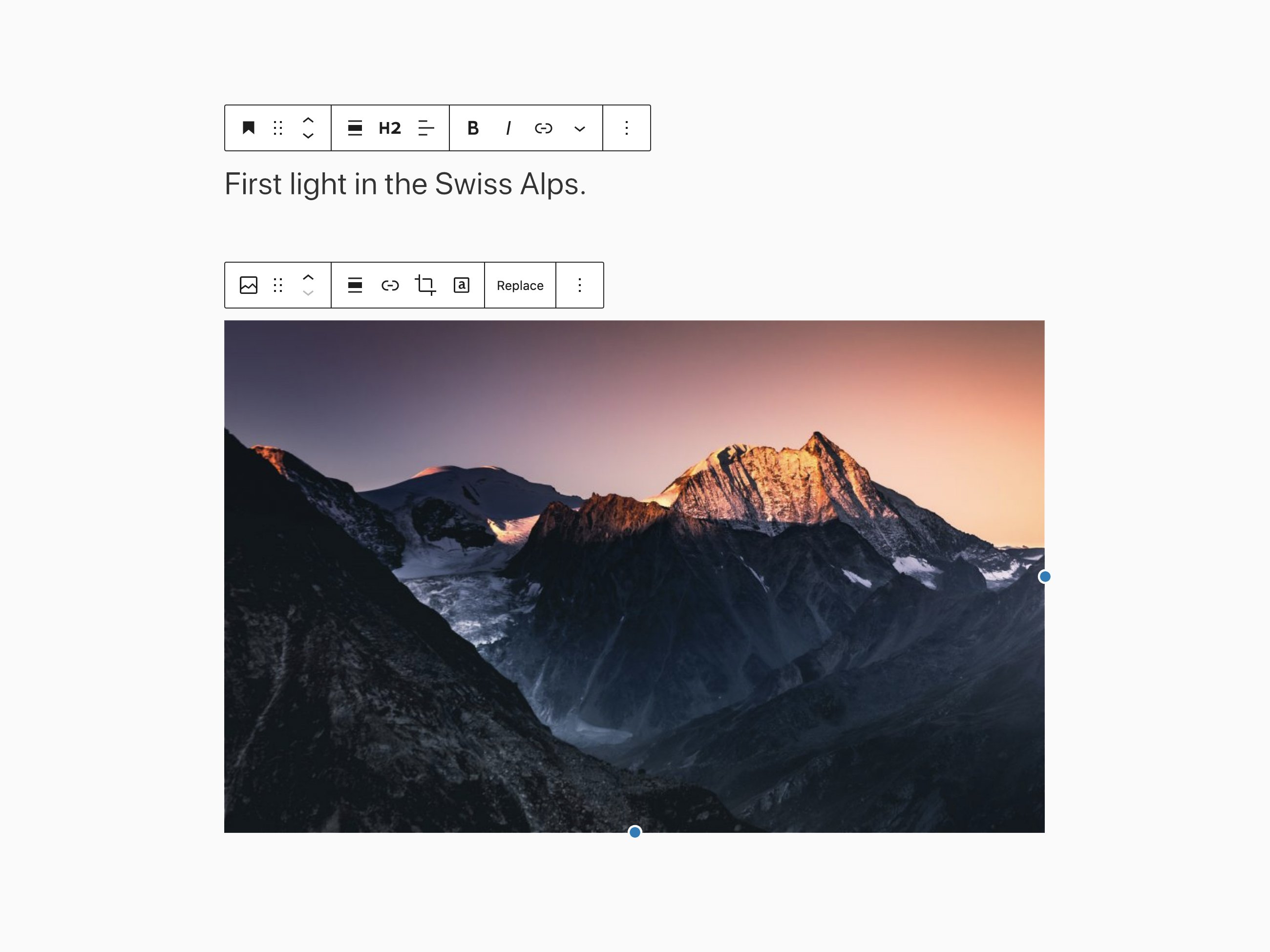
Improving the Block toolbar
In order to provide a consistent UIUIUser interface across blocks, blocks have seen their toolbars rearranged following a standard grouping layout. While the last release saw the Image block have its toolbar standardized, this time a whole set of blocks have been normalized as well, including blocks such as Button, Buttons, List, Heading, Paragraph, Quote, Audio, File, Media and Text, Video, Site Logo, Cover, and Post Featured ImageFeatured imageA featured image is the main image used on your blog archive page and is pulled when the post or page is shared on social media. The image can be used to display in widget areas on your site or in a summary list of posts. blocks.
Introducing layout configuration in theme.jsonJSONJSON, or JavaScript Object Notation, is a minimal, readable format for structuring data. It is used primarily to transmit data between a server and web application, as an alternative to XML.
Themes have always had the responsibility of defining alignments in the frontend through CSSCSSCascading Style Sheets. rules. They also define different widths for both the editor and frontend. The content width, whether they support wide alignments or not, and the CSS to support all these combinations can be very hard to write properly.
With Full Site Editing, the templates are written in blocks and edited in the site editor. This means that the editor has to match the front end as much as possible while allowing theme authors to tweak these alignments and widths in the editor. If this doesn’t happen, it causes confusion and frustration as seen in the feedback from the FSE Outreach Program.
To address these requirements and to simplify the way themes define and style alignments, Gutenberg 10.3 introduces the concept of layout and layout configuration, a feature automatically enabled when you rely on a theme.json file (experimental-theme.json file at the moment).
Theme authors should be able to make use of this feature by adding a layout config to their theme.json file and indicating in their block templates which containers inherit that config. The layout config is also automatically applied to the post editor.
If you’re using the experimental theme.json file already, you should be able to follow these two pull requests that update the empty theme and the twenty twenty-one blocks theme to use this feature.
Changes in theme.json block supports and supported styles
Block supports are no longer used to decide whether the styles in the theme.json file for a block should be used or not. However, block supports are still used to show UI controls in both the block & global styles sidebarSidebarA sidebar in WordPress is referred to a widget-ready area used by WordPress themes to display information that is not a part of the main content. It is not always a vertical column on the side. It can be a horizontal rectangle below or above the content area, footer, header, or any where in the theme., but themes can now use any theme.json style property that exists in any block:
New “Theme” categoryCategoryThe 'category' taxonomy lets you group posts / content together that share a common bond. Categories are pre-defined and broad ranging. (left); multiple keywords in the slash inserter (right).
More theme blocks
With the goal of providing classic template tagtagA directory in Subversion. WordPress uses tags to store a single snapshot of a version (3.6, 3.6.1, etc.), the common convention of tags in version control systems. (Not to be confused with post tags.) features with blocks, up to three new blocks are introduced in this release. The LogIn/Out block is now available to provide login and logout links. Optionally, it can display the login form instead of a link by setting the available block attribute.
Two new blocks for archive pages are also available. The Term Description block displays the description of categories, tags, and custom taxonomies. On the other hand, the Archive Title block displays the title of the archive itself.
Login/Out block (left); Archive Title and Term Description blocks as seen in the editor (right).
Cover block improvements
The Cover block now supports drag and drop for replacing the background image.
Editor performance improvements
In recent releases, the time it took for the editor to load increased slightly due to the growing number of patterns available in the Inserter. Gutenberg 10.3 fixed this so that the editor performs well regardless of the number of available patterns!
10.3
Enhancements
Add since versions to the deprecated features. (30072)
Blocks: Add “theme” category and better present Template Parts in the inserter. (30020)
Open adminadmin(and super admin) sidebar menu over editor on small screens. (29955)
Block Library:
Cover: Allow drag and drop media replacement. (29813)
File: Make the editor markup match the frontend. (30148)
Social Links: Improve selected state of empty block. (29756)
Standardize the groups in the block toolbar. (30012, 29247, 29863)
Verse block: Add support for the padding to the verse block. (29820)
Components: Allow multiple words in the autocomplete phrase matcher. (29939)
Gutenberg PluginPluginA plugin is a piece of software containing a group of functions that can be added to a WordPress website. They can extend functionality or add new features to your WordPress websites. WordPress plugins are written in the PHP programming language and integrate seamlessly with WordPress. These can be free in the WordPress.org Plugin Directory https://wordpress.org/plugins/ or can be cost-based plugin from a third-party.: Improved cache bust without filemtime for assets. (29775)
Icons: Hint the lowercase icon by 0.15px to correct the font weight appearance. (29754)
Media: Use image default size from settings. (29966)
Fix regressionregressionA software bug that breaks or degrades something that previously worked. Regressions are often treated as critical bugs or blockers. Recent regressions may be given higher priorities. A "3.6 regression" would be a bug in 3.6 that worked as intended in 3.5. with multi select style. (30128)
Fix the issue with block style preview when example missing. (29894)
Fix sibling block inserter displaying at end of block list. (29920)
Revert showing empty paragraphs on fronted. (29809)
Show the active block variation’s icon in Select mode. (30143)
Blocks: Adding onRemove event to verse block. (30104)
Block Library:
Cover: Improve disabled media buttons check for placeholder. (29858)
Embed:
Fix overzealous aspect ratio scaling for embeds. (29510)
Fix block reset sizes on external URLURLA specific web address of a website or web page on the Internet, such as a website’s URL www.wordpress.org change. (26879)
Update the layout alignment description for better clarity. (29974)
Gutenberg Plugin: Update “requires at least” value to 5.6. (29646)
E2E Tests: Stabilize randomly failing tests in trunktrunkA directory in Subversion containing the latest development code in preparation for the next major release cycle. If you are running "trunk", then you are on the latest revision.. (29836)
Navigation Component: Align item text to the left/right. (30083)
CustomizerCustomizerTool built into WordPress core that hooks into most modern themes. You can use it to preview and modify many of your site’s appearance settings.: Add widgets customize inspector. (29755)
Full-Site Editing:
Add a layout configuration to the Group block and theme.json and make alignments declarative. (29335)
Add client ID trees selectors in block navigation. (29902)
Add description field to Post Content block. (29971)
Add preload_paths filterFilterFilters are one of the two types of Hooks https://codex.wordpress.org/Plugin_API/Hooks. They provide a way for functions to modify data of other functions. They are the counterpart to Actions. Unlike Actions, filters are meant to work in an isolated manner, and should never have side effects such as affecting global variables and output. for widgets screen and full site editing. (28701)
Add support for experimental layout in Post Content block. (29982)
Add layout support to the Template Part block. (30077)
Add link color option in Site Title block. (29924)
Automatically open the sidebar to the appropriate menu. (26964, 30098)
Close navigation panel after template selection. (29956)
Expose Template Part block variations to the Inserter. (30032)
First step towards hybrid themes – fallback to PHPPHPThe web scripting language in which WordPress is primarily architected. WordPress requires PHP 7.4 or higher templates. (29026)
Fix block toolbar from overlapping navigation panel. (29918)
Fix different markup in the editor and on the frontend for the Site Title block. (29021)
Fix edge case where the default layout could be undefined. (30024)
Fix persistence of Preferences in site editor. (30019)
Fix Query LoopLoopThe Loop is PHP code used by WordPress to display posts. Using The Loop, WordPress processes each post to be displayed on the current page, and formats it according to how it matches specified criteria within The Loop tags. Any HTML or PHP code in the Loop will be processed on each post. https://codex.wordpress.org/The_Loop block margin. (30078)
Remove alignments from the root level of the site editor. (30079)
Remove headerHeaderThe header of your site is typically the first thing people will experience. The masthead or header art located across the top of your page is part of the look and feel of your website. It can influence a visitor’s opinion about your content and you/ your organization’s brand. It may also look different on different screen sizes. toolbar transition in reduced-motion mode. (29764)
Remove unused QueryProvider in Query block. (29947)
Template Part: Identify template parts in error messages. (28398)
Increase importance of submenus staying open. (30169)
Keep submenus open on select in the editor. (29713)
Match editor markup to rendered in Navigation Link block. (29935)
Move theme location settings to navigation editor sidebar. (29458)
Navigation MenuNavigation MenuA theme feature introduced with Version 3.0. WordPress includes an easy to use mechanism for giving various control options to get users to click from one place to another on a site.: Show submenus only on select in the editor. (29869)
Unset font weight and text decoration inheritance in Navigation block. (30011)
Use the interface package for the navigation screen. (30013)
Visual and design improvements for List View. (29769)
Widgets Editor:
Fix warning when widgets block editor is disabled. (30318)
Iterate on widgets REST APIREST APIThe REST API is an acronym for the RESTful Application Program Interface (API) that uses HTTP requests to GET, PUT, POST and DELETE data. It is how the front end of an application (think “phone app” or “website”) can communicate with the data store (think “database” or “file system”)
https://developer.wordpress.org/rest-api/ endpoints. (29649)
Load block editor assets in the navigation and widgetWidgetA WordPress Widget is a small block that performs a specific function. You can add these widgets in sidebars also known as widget-ready areas on your web page. WordPress widgets were originally created to provide a simple and easy-to-use way of giving design and structure control of the WordPress theme to the user. editors. (30076)
Unify menu item styles for Navigation Block and Page List blocks. (29975)
Use a default sans serif font for the widget screen. (30084)
Remove superfluous sentence in create block tutorial. (30062)
Update block design principles with a new section on how to group controls. (29816)
Update broken link to Getting Started for the ReactReactReact is a JavaScript library that makes it easy to reason about, construct, and maintain stateless and stateful user interfaces.
https://reactjs.org Native based Mobile Gutenberg. (30162)
Update the quick view image on the documentation homepage. (29808)
Editor: Clarify the purpose of the @wordpress/editor package. (30136)
I18ni18nInternationalization, or the act of writing and preparing code to be fully translatable into other languages. Also see localization. Often written with a lowercase i so it is not confused with a lowercase L or the numeral 1. Often an acquired skill.: Replace dead link in README.md. (29699)
Interface: Fix typos in interface package. (29740)
Code Quality
APIAPIAn API or Application Programming Interface is a software intermediary that allows programs to interact with each other and share data in limited, clearly defined ways. Fetch:
Move is-typing and is-outline-mode classes up the tree. (30106)
Move nav mode exit from writing flow to block props. (30175)
Block Library:
Refactor ServerSideRender to use React hooksHooksIn WordPress theme and development, hooks are functions that can be applied to an action or a Filter in WordPress. Actions are functions performed when a certain event occurs in WordPress. Filters allow you to modify certain functions. Arguments used to hook both filters and actions look the same.. (28297)
Remove obsolete editor styles for List block. (30094)
Set delay to zero in the reduce-motion mixin and tests. (29762)
Eslint Plugin: Add TypeScript as peer dependency and make it optional. (29942)
GitHubGitHubGitHub is a website that offers online implementation of git repositories that can easily be shared, copied and modified by other developers. Public repositories are free to host, private repositories require a paid subscription. GitHub introduced the concept of the ‘pull request’ where code changes done in branches by contributors can be reviewed and discussed before being merged by the repository owner. https://github.com/ Workflows:
Use Gutenberg token for version bump, changelog commits. (30212)
Packages: Enforce version bump for production packages after WP major. (29903)
Unit Testing: Allow TypeScript modules for transpiled packages. (29873)
Performance Benchmark
The following benchmark compares performance for a particularly sizeable post (~36,000 words, ~1,000 blocks) over the last releases. Such a large post isn’t representative of the average editing experience but is adequate for spotting variations in performance.
Version
Loading Time
KeyPress Event (typing)
Gutenberg 10.3
4.90s
31.86ms
Gutenberg 10.2
5.15s
31.41ms
WordPress 5.7
4.88s
25.24ms
Kudos to all the contributors that helped with the release! 👏
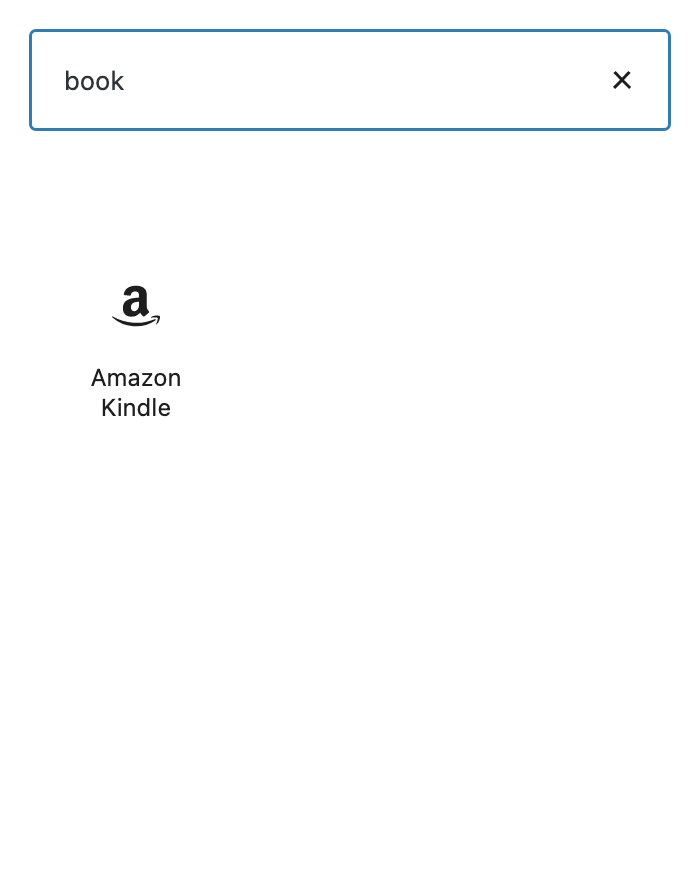
There’s something magical about finding the exact blockBlockBlock is the abstract term used to describe units of markup that, composed together, form the content or layout of a webpage using the WordPress editor. The idea combines concepts of what in the past may have achieved with shortcodes, custom HTML, and embed discovery into a single consistent API and user experience. you want exactly when you need it. When the Block Directory came to WordPress in 5.5, the aim was to allow a seamless way to add individual block plugins so you can create what you want when you want without ever leaving the editor. In GutenbergGutenbergThe Gutenberg project is the new Editor Interface for WordPress. The editor improves the process and experience of creating new content, making writing rich content much simpler. It uses ‘blocks’ to add richness rather than shortcodes, custom HTML etc.
https://wordpress.org/gutenberg/’s 10.2 release, to build on that foundation, you will now still get results from the Block Directory even if you have a block already available that might do the trick. This helps surface even more options so you can find the perfect fit. Inspired by having more time to read books, check out the example below to see how the experience has changed!
Before
After
If you find yourself searching and still unable to find the block you’re looking for, consider creating and submitting your very own block pluginPluginA plugin is a piece of software containing a group of functions that can be added to a WordPress website. They can extend functionality or add new features to your WordPress websites. WordPress plugins are written in the PHP programming language and integrate seamlessly with WordPress. These can be free in the WordPress.org Plugin Directory https://wordpress.org/plugins/ or can be cost-based plugin from a third-party. to the directory to be found and used by anyone using WordPress 5.5+! Be sure to check out the guidelines and the block tutorial to get started.
Do you have something to propose for the agenda, or a specific item relevant to our standard list above?
Please leave a comment, and say whether or not you’ll be in the chat, so the group can either give you the floor or bring up your topic for you, accordingly.
This meeting happens in the #core channel. To join the meeting, you’ll need an account on the Making WordPress Slack.
To be determined, but as soon as possible after being greenlighted
Feature freeze/Bug Fixes
May 25, 2021
91 days after Alpha
BetaBetaA pre-release of software that is given out to a large group of users to trial under real conditions. Beta versions have gone through alpha testing in-house and are generally fairly close in look, feel and function to the final product; however, design changes often occur as part of the process. 1
June 8, 2021
14 days after Feature Freeze
Release Candidaterelease candidateOne of the final stages in the version release cycle, this version signals the potential to be a final release to the public. Also see alpha (beta). 1
June 29, 2021
21 days after Beta 1
General release
July 20, 2021
21 days after RC1
What’s this “Feature Freeze” step?
As previously discussed (first post, second post), mixing defect work and beta testing is not great for a number of reasons:
As a project, we want to respect the beta testers efforts by not introducing new bugs (defect work fixes) in areas they’ve already tested.
A mature software project has a beta period during which the focus is on testing changes made during alpha period to ensure its stability.
Having a separate deadline for enhancements/features and bugs is beneficial to allow developers to switch focus after the first deadline to address a slew of outstanding bugs.
Enter the “Feature Freeze” step: two weeks where contributors and committers can take care of the thousands of defect tickets in TracTracAn open source project by Edgewall Software that serves as a bug tracker and project management tool for WordPress..
This process should allow time to dedicate appropriate attention to those tickets, without taking attention and resources away from beta testing, which needs to be a priority, especially in this release.
Squad
With such a complex release, Core needs a group of experienced contributors leading the release. For this release, the ride-along/mentorship will pause so that the leads, with previous experience in releases, can focus on the process.
Pre WP5.8 Squad – Skeleton Crew
The period leading to the go/no go step, will need a minimal squad that will focus on:
bugbugA bug is an error or unexpected result. Performance improvements, code optimization, and are considered enhancements, not defects. After feature freeze, only bugs are dealt with, with regressions (adverse changes from the previous version) being the highest priority. hunting for WP5.7.x minor releases
triagetriageThe act of evaluating and sorting bug reports, in order to decide priority, severity, and other factors. and group tickets into future milestones
test Core and FSE tickets and PRs
We are kicking off with a minimal squad of three roles:
Once we’re past the go/no go dates the skeleton crew, together with the project leadership, will determine which skills are needed to successfully complete the cycle.
What about scope?
The focus of the release is full site editing. As suggested in the recent FSE FAQ, the specific scope is to merge the interface that allows for template interaction outside of content, as well as 20+ new blocks, and design tools. This part of the FSE merge will not be offered to users by default, but instead will be geared toward our extender community (theme authors, pluginPluginA plugin is a piece of software containing a group of functions that can be added to a WordPress website. They can extend functionality or add new features to your WordPress websites. WordPress plugins are written in the PHP programming language and integrate seamlessly with WordPress. These can be free in the WordPress.org Plugin Directory https://wordpress.org/plugins/ or can be cost-based plugin from a third-party. developers, agencies, builders, etc) so that they can experiment with their users in mind.
As with other releases, it is possible to include more features, provided someone can spearhead them.
I will start a round of check-ins with component maintainers as soon as the timeline is confirmed.






You must be logged in to post a comment.