Real-time collaboration will not ship in WordPress 7.0

Today, @matt made the decision to remove real-time collaboration from WordPress 7.0 and shared that he is not confident the current approach is robust enough to include in CoreCore Core is the set of software required to run WordPress. The Core Development Team builds WordPress. at this time, citing concerns around surface area, race conditions, server load, memory efficiency, and recurring bugs found through fuzz testing.

This is a difficult decision, especially given the amount of work that has gone into the feature, but it is being made in service of shipping a stable and reliable WordPress 7.0 release for our users. Work to remove the feature from the release is being organized in #65205 and in the #feature-realtime-collaboration. At this time, the release schedule remains as is and further updates will be provided if the schedule needs to change to unwind this feature.

Real-time collaboration remains an important and exciting feature for WordPress. Once the immediate release work is complete, a plan will be shared for broader testing and continued iteration to help prepare the feature for a future release. Thank you to everyone who has contributed to this work so far from so many angles.

#7-0, #feature-real-time-collaboration

What’s new in Gutenberg 23.1? (07 May)

What’s new in GutenbergGutenberg The Gutenberg project is the new Editor Interface for WordPress. The editor improves the process and experience of creating new content, making writing rich content much simpler. It uses ‘blocks’ to add richness rather than shortcodes, custom HTML etc. https://wordpress.org/gutenberg/ 23.1? (07 May)

“What’s new in Gutenberg…” posts (labeled with the #gutenberg-new tag) are posted following every Gutenberg release on a biweekly basis, showcasing new features included in each release. As a reminder, here’s an overview of different ways to keep up with Gutenberg and the Editor.

What’s New In
Gutenberg 23.1?

Gutenberg 23.1 has been released and is available for download!

This release introduces two new experiments aimed at managing content inside the editor. A Custom Taxonomies management screen lets you create and edit taxonomies from Settings, and a new Media Editor brings better image manipulation into the WordPress media flow. Outside of the editor, the @wordpress/ui package gains new compound primitives, Drawer and Autocomplete, alongside overlay polish. Other changes include an experiment to hide the classic blockBlock Block is the abstract term used to describe units of markup that, composed together, form the content or layout of a webpage using the WordPress editor. The idea combines concepts of what in the past may have achieved with shortcodes, custom HTML, and embed discovery into a single consistent API and user experience. from the inserter, parallel thumbnail uploads, an early developer preview of @wordpress/grid, and a batch of real-time collaboration reliability fixes.

Faster image upload finalization

Sideload requests for an image’s generated thumbnail sizes used to run sequentially within a single upload. They now run in parallel up to the existing concurrency limit, which speeds up upload completion. (#75888)

The speed improvement is most noticeable on bulk uploads via the Gallery block, large images, and slower connections.

@wordpress/ui primitives

The @wordpress/ui package gains two new primitives and polish across overlay components.

Two new compound primitives ship in 23.1:

  • Drawer, for slide-in side panels and bottom sheets. (#76690)
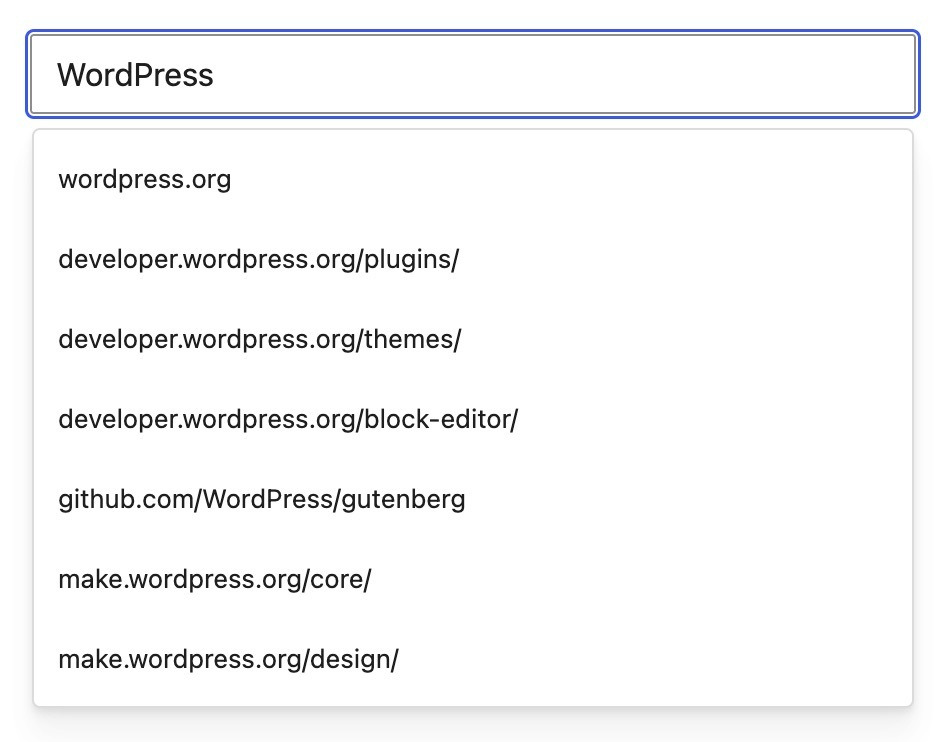
  • Autocomplete, a low-level form primitive for combobox-style inputs. (#77642)

Other polish across overlay components:

  • The Dialog component gains a new Description subcomponent, plus several tweaks to its spacing and typography to align it better with Drawer. Additionally, its Backdrop only dims the page when the Dialog is modal. (#77194)
  • Dialog, AlertDialog, and Drawer now support sticky headers and footers when their content scrolls vertically. (#77559)
  • All overlays *.Popup subcomponents gain a new portal prop which, combined with new optional *.Portal subcomponents, allows for better customization of the portaling behavior. (#77452)

Other Notable Highlights

  • Custom Taxonomies management (Experiment). An experimental UIUI User interface for managing custom taxonomies inside WordPress adminadmin (and super admin). With the “Content types: manage custom taxonomies” experiment enabled, a new Taxonomies screen lets you create, edit, activate or deactivate, and delete taxonomies without writing PHPPHP The web scripting language in which WordPress is primarily architected. WordPress requires PHP 7.4 or higher. Enable it via Gutenberg → Experiments → “Content types: manage custom taxonomies”, then visit Settings → Taxonomies. (#77497, #77524, #77657, #77697)
  • Image Editor with Freeform Cropper (Experiment). A new experimental Image Editor modal for image manipulation in the Block Editor. The modal enables freeform cropping and other manipulation tools for Image and Site Logo blocks. To test it out, enable the experiment via Gutenberg → Experiments → Media Editor Modal, then, in the editor, click on the Crop icon in the block toolbar. (#77479, #77537, #77540, #77585, #77641)
  • Disable Classic Block from the inserter. The “Disable TinyMCE” experiment was refocused and landed to disable the Classic block from the inserter. The reason for the change is that removing TinyMCE everywhere broke too many existing flows. Existing Classic block instances continue to work normally, since the change only affects the inserter. A new wp_classic_block_supports_inserter filterFilter Filters are one of the two types of Hooks https://codex.wordpress.org/Plugin_API/Hooks. They provide a way for functions to modify data of other functions. They are the counterpart to Actions. Unlike Actions, filters are meant to work in an isolated manner, and should never have side effects such as affecting global variables and output. was introduced to allow controlling this behavior. (#77747, #77838, #77840, #77845, #77911)
  • @wordpress/grid package (developer preview). A new @wordpress/grid package introduces DashboardGrid, a two-dimensional grid component with drag-to-reorder and resize handles for dashboard-style surfaces. The package is in active development, and the APIAPI An API or Application Programming Interface is a software intermediary that allows programs to interact with each other and share data in limited, clearly defined ways. is expected to evolve in upcoming releases. (#77562)
  • Real-time Collaboration reliability improvements. Several fixes improve RTC reliability and load behavior. The “Connection Lost” dialog no longer appears when a page registers more sync rooms than the server’s per-request cap. A client/server size-check mismatch that could reject large Yjs updates has been corrected. When two offline users reconnect and both push compactions, they no longer end up in a divergent state. Sync observers also attach after the persisted CRDT document is hydrated, which avoids redundant block re-parsing during editor load. (#77631, #77669, #77980, #77966)

Changelog

Features

  • Upload Media: Enable concurrent sideload uploads. (75888)
  • Experimental Image Cropper: Tweak the keyboard interactions with drag handles and canvas. (77639)
  • Admin UI: Change default heading level from h2 to h1. (77617)
  • CoreCore Core is the set of software required to run WordPress. The Core Development Team builds WordPress. Data: Remove redundant memoization wrapper from ‘getQueriedItems’. (77483)
  • I18Ni18n Internationalization, or the act of writing and preparing code to be fully translatable into other languages. Also see localization. Often written with a lowercase i so it is not confused with a lowercase L or the numeral 1. Often an acquired skill.: Polyfill script module translations for WordPress < 7.0. (77214)

Enhancements

  • Storybook: Add global preview styles for @wordpress/ui overlays. (77451)
  • Widgets: Add widgetWidget A WordPress Widget is a small block that performs a specific function. You can add these widgets in sidebars also known as widget-ready areas on your web page. WordPress widgets were originally created to provide a simple and easy-to-use way of giving design and structure control of the WordPress theme to the user.-types data layer. (77752)

Components

  • Admin UI: Add visual prop to Page headerHeader The header of your site is typically the first thing people will experience. The masthead or header art located across the top of your page is part of the look and feel of your website. It can influence a visitor’s opinion about your content and you/ your organization’s brand. It may also look different on different screen sizes. component. (76469)
  • Admin UI: Ensure consistent header spacing with and without actions. (76683)
  • Admin UI: Use UI Text component in header. (77372)
  • DataForm: Render field description as help text in the array control. (77554)
  • ExternalLink: Align appearance with Link from @wordpress/ui. (77790)
  • Link: Honor openInNewTab consistently. (77422)
  • Menu popover render + surface/motion split. (77460)
  • Refactor Admin UI / Breadcrumbs to use DS components and design tokens. (77012)
  • UI: Add Drawer primitive. (76690)
  • UI: Portal prop and Portal subcomponents for overlay Popups. (77452)
  • UI: Upgrade title validation to cleanup-based re-validation. (77165)
  • UI: Use Text in Notice.ActionLink typography. (77332)
  • FormTokenField: Add help prop to render additional help text below the field. (77552)
  • design-system-mcp: Add new package for design system MCP tooling. (77159)
  • ui/Dialog, ui/AlertDialog, ui/Drawer: Support sticky header and footer. (77559)
  • ui: Forward style and className on *.Popup to inner Base UI Popup. (77693)
  • ui: Uniform title and description styles across overlays. (77692)
  • ui: Unify hairline border across overlay popups. (77691)

Post Editor

  • Notes: Compute note positions centrally in useFloatingBoard. (77433)
  • Notes: Refactor internals into smaller components. (77614)
  • Notes: Refactor to use new ‘wordpress/ui’ components. (77589)

Block Library

  • Ensure Post Template fallback styles don’t apply when minimumColumnWidth is defined. (77411)
  • Tabs: Handle duplicating tabs. (76449)
  • Tabs: Rename tabs blocks to follow WCAGWCAG WCAG is an acronym for Web Content Accessibility Guidelines. These guidelines are helping make sure the internet is accessible to all people no matter how they would need to access the internet (screen-reader, keyboard only, etc) https://www.w3.org/TR/WCAG21/. Tabs pattern. (77418)

Block Editor

  • Embed: Restore paragraph with URLURL A specific web address of a website or web page on the Internet, such as a website’s URL www.wordpress.org when undoing paste-to-embed transform. (77551)
  • UI: Add Autocomplete primitive. (77642)

New APIs

  • Add @wordpress/grid package. (77562)

Guidelines

  • Extract initial public API methods. (77643)
  • Split singleton REST APIREST API The REST API is an acronym for the RESTful Application Program Interface (API) that uses HTTP requests to GET, PUT, POST and DELETE data. It is how the front end of an application (think “phone app” or “website”) can communicate with the data store (think “database” or “file system”) https://developer.wordpress.org/rest-api/ into dedicated /content-guidelines route. (77734)

Bug Fixes

  • Core Abilities: Export initialization promise as ready. (77254)
  • Disable Custom CSSCSS Cascading Style Sheets. command for non-block themes. (77685)
  • Grid: Fix width: 'fill' when tiles span multiple rows. (77769)
  • Tests: Connectors point to the right page. (77272)
  • PluginPlugin A plugin is a piece of software containing a group of functions that can be added to a WordPress website. They can extend functionality or add new features to your WordPress websites. WordPress plugins are written in the PHP programming language and integrate seamlessly with WordPress. These can be free in the WordPress.org Plugin Directory https://wordpress.org/plugins/ or can be cost-based plugin from a third-party.: Gutenberg Experiments: Ensure the experiment is active before outputting flags. (77728)
  • Connectors: Treat networknetwork (versus site, blog)-active plugins as active. (77661)
  • Command Palette: Fix macOs label for sites unable to determine UA via PHP. (77638)
  • Design Tools: viewport visibility — use ‘key’ instead of ‘value’ for device type. (77410)
  • Layout: Ensure layout classnames are applied to the inner blocks wrapper and not to its siblings. (77408)
  • Global Styles: Fix pseudo selector block style rendering in the editor. (76879)
  • Data Layer: Media — move image output format filtering to upload response. (75793)
  • Media Upload Modal: Fix pagination and search. (77872)

Block Library

  • Embed: Fix variation upgrade undo trap. (77546)
  • Accordion: Add missing dimension controls and limited customization. (77780)
  • Featured ImageFeatured image A featured image is the main image used on your blog archive page and is pulled when the post or page is shared on social media. The image can be used to display in widget areas on your site or in a summary list of posts.: Change toggle label to ‘Make image a link’. (71931)
  • Image: Preserve aspectRatio and scale when switching to wide/full alignment. (76914)
  • Form blocks: Update block categories for form, form-input, form-submission-notification, and form-submit-button. (61916)
  • Image: Fix non-local image ID removal undo trap. (77367)
  • Latest Comments: Fix uneven padding causing mis-alignment. (77379)
  • Tabs: Add classic theme styles to reset button defaults. (77607)
  • Tabs: Lock top-level structure and disable visibility controls. (77370)
  • Video Block: Update z-index for tracks popover to ensure proper stacking context. (77517)

Components

  • CollapsibleCard: Prevent focus ring clipping by content overflow. (77667)
  • Add cursor pointer to the ariakit menu item component. (70412)
  • Link: Remove underline from unstyled icon links. (77420)
  • Storybook: Fix ‘Open sourceOpen Source Open Source denotes software for which the original source code is made freely available and may be redistributed and modified. Open Source **must be** delivered via a licensing model, see GPL. file’ links for storybook-local stories. (76758)
  • Storybook: Fix component descriptions in manifest files. (77112)
  • Text: Apply both heading and paragraph CSS defenses unconditionally. (77461)
  • UI: Fix focus-trap broken by ThemeProvider’s display: contents. (77381)
  • UI: Update @base-ui/react from 1.4.0 to 1.4.1. (77520)

Block Editor

  • Fix blockGap fallback handling for nested var() fallback values. (77750)
  • Block-mover: Fix button tooltip position. (77588)
  • Block-mover: Fix horizontal tooltip position. (77597)
  • Strip per-block custom CSS on save for users without edit_css. (76650)
  • Writing Flow: Fix arrow keys skipping paragraph containing link. (77474)

Post Editor

  • Edit-post: Fix back button tooltip position. (77587)
  • Lock post saving during media uploads. (76973)
  • Template parts: Make ‘Detach’ context menu item consistent across patterns and template parts. (77581)

Client Side Media

  • Deduplicate client-side image sizes with matching dimensions. (77036)
  • Declare convert_format as boolean arg on sideload route. (77565)
  • Upload Media: Use .jpg extension for HEIC-to-JPEG client conversion. (77506)

Collaboration

  • RTC: Fix “Connection Lost” dialog when too many entities are loaded. (77631)
  • RTC: Fix connection-lost error on large updates caused by mismatch between update size bounds check and expanded base64 update size. (77669)
  • RTC: Fix divergence when two offline users reconnect. (77980)

AccessibilityAccessibility Accessibility (commonly shortened to a11y) refers to the design of products, devices, services, or environments for people with disabilities. The concept of accessible design ensures both “direct access” (i.e. unassisted) and “indirect access” meaning compatibility with a person’s assistive technology (for example, computer screen readers). (https://en.wikipedia.org/wiki/Accessibility)

  • RevisionsRevisions The WordPress revisions system stores a record of each saved draft or published update. The revision system allows you to see what changes were made in each revision by dragging a slider (or using the Next/Previous buttons). The display indicates what has changed in each revision.: Improve screen reader accessibility for diff markers region and slider. (77660)
  • Fix accessibility issues in admin Font Library. (77482)

Connectors

  • Add role="list" wrapper to connector cards for valid ARIA structure. (77689)
  • Keep focus on action Button during install. (77544)

Components

  • CollapsibleCard: Fix missing keyboard focus ring on the header chevron icon when rendered inside wp-admin. (77468)
  • Tabs: Fix missing keyboard focus ring on the panel in Windows High Contrast mode when rendered inside wp-admin. (77469)

Performance

Post Editor

  • Notes: Extract floating notes state into a dedicated store. (77424)
  • Notes: Reduce passes in useBlockComments memo and rename outputs. (77440)
  • RTC: Attach sync observers after hydrating persisted CRDT doc. (77966)

Experiments

  • Add custom taxonomies. (77497)
  • Add delete action to taxonomyTaxonomy A taxonomy is a way to group things together. In WordPress, some common taxonomies are category, link, tag, or post format. https://codex.wordpress.org/Taxonomies#Default_Taxonomies. management. (77524)
  • Dashboard: Register admin page route + sidebarSidebar A sidebar in WordPress is referred to a widget-ready area used by WordPress themes to display information that is not a part of the main content. It is not always a vertical column on the side. It can be a horizontal rectangle below or above the content area, footer, header, or any where in the theme. menu (shell). (77573)
  • Fix console errors/warnings for taxonomies. (77601)
  • Follow up improvements on taxonomies (#77497). (77567)
  • Improve taxonomies DataViews height. (77603)
  • Improve taxonomy edit action. (77605)
  • Render taxonomy status as a Badge. (77635)
  • Split status action to two actions, make them bulk-capable. (77637)
  • Taxonomies: Implement auto-fill labels. (77786)
  • Taxonomies: New package and add/edit screens. (77657)
  • Taxonomies: Add spacing above Add Taxonomy modal actions. (77523)
  • Taxonomies: Declare @wordpress/base-styles dependency. (77543)
  • Taxonomies: Warn when editing an existing taxonomy’s slug. (77527)
  • User Taxonomies: REST controller. (77697)
  • User Taxonomies: Show Public field in create/edit form. (77802)
  • Disable Classic block: Control inserter support via filter. (77845)
  • Register gutenberg-dashboard-widgets flag. (77569)

Media

  • Image editor: Fix locked-ratio resize driver-axis on non-square images. (77664)
  • Image editor: Formalize cropper contract. (77668)
  • Image editor: Hold Shift while resizing to lock current aspect ratio. (77663)
  • Image editor: Reserve inner gutter so crop handles stay accessible. (77547)
  • Media Editor Modal: Render cropper in canvas for images. (77537)
  • Media Editor Modal: Save via Core’s /edit modifiers. (77641)
  • Media Editor Modal: Surface save failures as scoped snackbar notices. (77733)
  • Media Editor experiment: Add experimental image editor and cropper. (77479)
  • Media Editor: Add cropper controls to the media editor modal. (77540)
  • Media Editor: Add zoom control and hide fine rotation on narrow viewports. (77585)
  • Media editor modal: Add interactive grid. (77771)
  • Media editor: Avoid double-mount flicker on open. (77732)
  • Media editor: Confirm before discarding unsaved changes. (77730)
  • Update labels for media experiments to better clarify what they do. (77536)
  • Media Upload Modal: Add MIME type filtering to support text/vtt tracks. (77550)
  • Experimental Image Cropper: Ensure focus is on canvas when dragging. (77591)

Block Library

  • Disable TinyMCE: Warn instead of redirecting directly. (77747)
  • Site Logo Block: Enable the media editor modal experiment for the crop button. (77548)
  • Classic Block: Unwrap experiment to hide it from inserter. (77911)
  • Disable Classic block: Always register, hide from inserter conditionally. (77840)
  • Disable TinyMCE: Repurpose experiment as Classic block removal. (77838)

Post Editor

  • Image Editor experiment: Pass theme aspect ratios to media editor. (77665)
  • Media Editor Modal: Add a media editor modal experiment. (77480)

Documentation

  • Base styles: Update changelog to be clearer. (77767)
  • Docs: Add ESLint v10 migrationMigration Moving the code, database and media files for a website site from one server to another. Most typically done when changing hosting companies. guide and polish documentation. (77217)
  • Docs: Update parameter type from number to int. (77519)
  • UI/Docs: Clarify package setup for custom WP Admin pages. (77338)

Code Quality

  • Adopt --wpds-cursor-control design token across the codebase. (77373, 77335, 77368, 77369, 77360, 77376, 77357, 77354, 77358)
  • Test (Integration): Migrate test/integration into @wordpress/integration-tests workspace. (77556)
  • Base Styles: Remove stale z-index entries. (77714)
  • ComplementaryArea: Inline z-index values. (77717)
  • ESLint: Consolidate configuration into tools/eslint/ workspace package. (77215)
  • Env: Minor refactoring of cacheDirectoryPath evaluation. (77799)
  • GlobalStylesUI: Remove unused CSS rule. (77456)
  • Grid: Add @types/jest devDependency. (77801)
  • Media editor: Remove unused dependency. (77438)
  • Blocks: Port over type information for @wordpress/blocks from DefinitelyTyped. (77393, 77437)
  • Refactor: Migrate tests/unit to npm workspace @wordpress/unit-tests. (77063)
  • Experiments: Declare @wordpress/base-styles dependency. (77684)
  • Data: Export and consolidate onSubKey helper. (77364)
  • Remove ZebulanStanphill from CODEOWNERS. (77586)
  • ESLint Plugin: Recommend EmptyState from @wordpress/ui. (77765)
  • Experiments: Rebuild the wp-admin Experiments screen on the wp-build routes pattern. (77443)

Components

  • Add no-unsafe-render-order ESLint rule. (77428)
  • ButtonGroup: Inline z-index. (77621)
  • Card: Remove unused CardContext. (77463)
  • CircularOptionPicker: Inline z-index values. (77715)
  • FormToggle: Inline z-index. (77619)
  • ResizableBox: Inline handle z-index. (77620)
  • Theme: Update Terrazzo packages to 2.0. (77432)
  • Tooltip: Fix flaky unit testunit test Code written to test a small piece of code or functionality within a larger application. Everything from themes to WordPress core have a series of unit tests. Also see regression.. (77751)
  • UI: Recommend Link component for use. (77505)
  • UI: Start recommending new Card components. (77423)
  • UI: Use shared style-imports types. (77388)
  • VisuallyHidden: Recommend @wordpress/ui and migrate usages. (77575)
  • ui/Tabs: Fix act() warnings in tests. (77319)
  • ui: Align WithCustomZIndex Storybook examples across overlays. (77648)

Block Library

  • Accordion: Remove invalidinvalid A resolution on the bug tracker (and generally common in software development, sometimes also notabug) that indicates the ticket is not a bug, is a support request, or is generally invalid. isBlock prop from ToggleControl. (77776)
  • Paragraph: Refactor replacement logic in useOnEnter hook. (77383)
  • Stylelint: Add cursor-pointer rule and block-library override. (77501)
  • Tabs: Clean up Edit components. (77426)
  • Tabs: Remove redundant version field from block.json. (77417)

Post Editor

  • ESLint: Add use-import-as rule. (77389)
  • Notes: Refactor and extract offset calculation logic. (77414)
  • TypeScript: Share ReactReact React is a JavaScript library that makes it easy to reason about, construct, and maintain stateless and stateful user interfaces. https://reactjs.org CSS custom properties typing. (77394)
  • TypeScript: Migrate keyboard-shortcuts to TS. (76287)
  • Admin UI: Move to CSS modules and implement logical properties. (77088)

Block Editor

  • Fix import order in block-editor custom-css.js. (77566)
  • Remove stale reusable block z-index styles. (77774)

Site Editor

  • Edit Site: Move show-icon-labels handling to specific edit-site call sites. (77287)
  • EditSite: Remove unused CSS rule. (77494)

Build Tooling

  • Build: Skip sourcemaps for WASM-inlined script module workers. (75993)
  • ESLint: Introduce bulk suppressions workflow. (77392)
  • Add descriptive name for docker container images. (67827)
  • ESLint: Improve design token linting for CSS declaration strings. (77384)
  • Externalize react-dom/client. (77326)
  • Use node_modules/.bin/stylelint to avoid npm warnings on Node 24. (77512)
  • Jest setup: Remove unneeded rAF and URL polyfills. (77378)
  • Revert tsgo update (#77177) that broke trunktrunk A directory in Subversion containing the latest development code in preparation for the next major release cycle. If you are running "trunk", then you are on the latest revision.. (77680)
  • wp-build: Widen optional peer dependency ranges. (77568)

Testing

  • Menu: Fix flaky submenu focus test. (77430)
  • Tests: Remove duplicate mentions spec. (77593)
  • e2e: Shorten visit-site-editor canvas-loader visible wait. (77725)
    Connectors: Stop end-to-end capabilitycapability capability is permission to perform one or more types of task. Checking if a user has a capability is performed by the current_user_can function. Each user of a WordPress site might have some permissions but not others, depending on their role. For example, users who have the Author role usually have permission to edit their own posts (the “edit_posts” capability), but not permission to edit other users’ posts (the “edit_others_posts” capability). restriction from leaking across specs. (77857)
  • Fix PHP multisitemultisite Used to describe a WordPress installation with a network of multiple blogs, grouped by sites. This installation type has shared users tables, and creates separate database tables for each blog (wp_posts becomes wp_0_posts). See also network, blog, site tests. (77825)
  • RTC: Fix compaction unit test. (77986)

First-time contributors

The following PRs were merged by first-time contributors:

  • @adithya-naik: Image: Preserve aspectRatio and scale when switching to wide/full alignment. (76914)
  • @danluu: RTC: Fix connection-lost error on large updates caused by mismatch between update size bounds check and expanded base64 update size. (77669)
  • @hi0001234d: Connectors: Add role="list" wrapper to connector cards for valid ARIA structure. (77689)
  • @rajanarahul93: Featured Image: Change toggle label to ‘Make image a link’. (71931)
  • @vishnupprajapat: Taxonomies: Add spacing above Add Taxonomy modal actions. (77523)
  • @wwahammy: TypeScript: Migrate keyboard-shortcuts to TS. (76287)

Contributors

The following contributors merged PRs in this release:

@adamsilverstein @Adi-ty @adithya-naik @aduth @alecgeatches @amitraj2203 @andrewserong @CGastrell @ciampo @danluu @DarkMatter-999 @dpmehta @ellatrix @glendaviesnz @gziolo @hbhalodia @hi0001234d @himanshupathak95 @jameskoster @jorgefilipecosta @joshualip-plaudit @jsnajdr @juanmaguitar @kraftbj @Mamaduka @manzoorwanijk @mcsf @mikachan @mirka @Mustafabharmal @ntsekouras @peterwilsoncc @R1shabh-Gupta @rajanarahul93 @ramonjd @retrofox @SainathPoojary @shrivastavanolo @simison @Soean @t-hamano @Takshil-Kunadia @tellthemachines @tyxla @USERSATOSHI @vishnupprajapat @westonruter @wwahammy @yogeshbhutkar @yuliyan @ZebulanStanphill

#block-editor, #core-editor, #gutenberg, #gutenberg-new

Dev Chat Agenda – May 6, 2026

The next WordPress Developers Chat will take place on Wednesday, May 6, 2026, at 15:00 UTC in the core channel on Make WordPress Slack.

The live meeting will focus on the discussion for upcoming releases, and have an open floor section.

The various curated agenda sections below refer to additional items. If you have ticketticket Created for both bug reports and feature development on the bug tracker. requests for help, please continue to post details in the comments section at the end of this agenda or bring them up during the dev chat.

Announcements 📢

WordPress 7.0

  • RC3 (“new Beta 1”) scheduled for this Friday, May 8th
  • Call for RTC testing from hosts. Submissions still welcome.
  • Thank you to Bluehost, Kinsta, XServer, GoDaddy, WordPress.comWordPress.com An online implementation of WordPress code that lets you immediately access a new WordPress environment to publish your content. WordPress.com is a private company owned by Automattic that hosts the largest multisite in the world. This is arguably the best place to start blogging if you have never touched WordPress before. https://wordpress.com/, Ionos, and any other hosts for helping test RTC!

General

Discussions 💬

The discussion section of the agenda is for discussing important topics affecting the upcoming release or larger initiatives that impact the CoreCore Core is the set of software required to run WordPress. The Core Development Team builds WordPress. Team. To nominate a topic for discussion, please leave a comment on this agenda with a summary of the topic, any relevant links that will help people get context for the discussion, and what kind of feedback you are looking for from others participating in the discussion.

Open floor  🎙️

Any topic can be raised for discussion in the comments, as well as requests for assistance on tickets. Tickets in the milestone for the next major or maintenance release will be prioritized.

Please include details of tickets / PRs and the links in the comments, and indicate whether you intend to be available during the meeting for discussion or will be async.

#7-0, #agenda, #core, #core-privacy, #dev-chat

Performance Chat Summary: 5 May 2026

The full chat log is available beginning here on Slack.

WordPress Performance TracTrac An open source project by Edgewall Software that serves as a bug tracker and project management tool for WordPress. tickets

  • @spacedmonkey asked whether commits to trunktrunk A directory in Subversion containing the latest development code in preparation for the next major release cycle. If you are running "trunk", then you are on the latest revision. are currently allowed or if only RTC-related changes should be committed. @westonruter clarified that trunk is still frozen, except for 7.0-specific fixes that get back-ported, and testing commits.
    • @spacedmonkey said they would hold off committing any performance-related changes for now and asked others to pingPing The act of sending a very small amount of data to an end point. Ping is used in computer science to illicit a response from a target server to test it’s connection. Ping is also a term used by Slack users to @ someone or send them a direct message (DM). Users might say something along the lines of “Ping me when the meeting starts.” them if anything needs review or commit.
    • @westonruter added that @pbearne already has a few PRs for testing changes that could be moved forward for commit now, though not performance-related.
    • @pbearne mentioned that there are more PRs to come.
  • @westonruter shared that there is about a 10% regressionregression A software bug that breaks or degrades something that previously worked. Regressions are often treated as critical bugs or blockers. Recent regressions may be given higher priorities. A "3.6 regression" would be a bug in 3.6 that worked as intended in 3.5. in TTFB in WordPress 7.0 compared to 6.9, based on benchmarking noticed by @mukesh27. @westonruter mentioned that TTFB-LCP does not show a regression, so this appears to be additional PHPPHP The web scripting language in which WordPress is primarily architected. WordPress requires PHP 7.4 or higher processing slowing things down, but no single cause has stood out yet.
  • @westonruter also shared ticketticket Created for both bug reports and feature development on the bug tracker. #65165, which was recently opened, about script modules depending on classic scripts. @westonruter noted that this is related to performance because it can reduce the amount of scripts loaded on the page thanks to dynamic imports, which are non-blocking, and mentioned that the ticket had just come in and had not yet been reviewed in depth.
  • @westonruter further pointed out ticket #64696, which focuses on improving the scalability of real-time collaboration via HTTPHTTP HTTP is an acronym for Hyper Text Transfer Protocol. HTTP is the underlying protocol used by the World Wide Web and this protocol defines how messages are formatted and transmitted, and what actions Web servers and browsers should take in response to various commands. polling and its impact on persistent post caches, noting that things seem to have gone a bit quiet on that ticket.

Performance Lab PluginPlugin A plugin is a piece of software containing a group of functions that can be added to a WordPress website. They can extend functionality or add new features to your WordPress websites. WordPress plugins are written in the PHP programming language and integrate seamlessly with WordPress. These can be free in the WordPress.org Plugin Directory https://wordpress.org/plugins/ or can be cost-based plugin from a third-party. (and other performance plugins)

  • @westonruter shared that PR #2461 which updates @wordpress/scripts and related packages while fixing backward compatibility issues, is currently top of mind.

    Open Floor

    • @westonruter shared a LinkedIn post highlighting that appending <link rel="preload"> tags late in the <head> can be too late for optimal performance if an initial chunk of HTMLHTML HyperText Markup Language. The semantic scripting language primarily used for outputting content in web browsers. is sent without those tags, which can happen when a lot of CSSCSS Cascading Style Sheets. is inlined. @westonruter noted that this is relevant for Optimization Detective, since it currently appends these preload tags to the end of the head.
      • @westonruter mentioned that HTTP Link headers are also being sent, so in practice this might not be an issue. However, @westonruter pointed out issue #2304, where large Link headers can exceed NginxNGINX NGINX is open source software for web serving, reverse proxying, caching, load balancing, media streaming, and more. It started out as a web server designed for maximum performance and stability. In addition to its HTTP server capabilities, NGINX can also function as a proxy server for email (IMAP, POP3, and SMTP) and a reverse proxy and load balancer for HTTP, TCP, and UDP servers. https://www.nginx.com/. limits and cause 502 errors.

    Our next chat will be held on Tuesday, May 19, 2026 at 16:00 UTC in the #core-performance channel in Slack.

    #core-performance, #hosting, #performance, #performance-chat, #summary

    Proposal: Auto-generate Block Editor Handbook docs from block.json

    Updated: May 18, 2026 with video recording and transcript of the Hallway Hangout (bph)

    The Block Editor Handbook is one of the primary resources for developers building with GutenbergGutenberg The Gutenberg project is the new Editor Interface for WordPress. The editor improves the process and experience of creating new content, making writing rich content much simpler. It uses ‘blocks’ to add richness rather than shortcodes, custom HTML etc. https://wordpress.org/gutenberg/ and WordPress coreCore Core is the set of software required to run WordPress. The Core Development Team builds WordPress.. Keeping it accurate and up-to-date as the editor evolves is an ongoing challenge.

    Recently, a detailed Core Blocks reference section was proposed for the Handbook — providing structured APIAPI An API or Application Programming Interface is a software intermediary that allows programs to interact with each other and share data in limited, clearly defined ways. documentation for every blockBlock Block is the abstract term used to describe units of markup that, composed together, form the content or layout of a webpage using the WordPress editor. The idea combines concepts of what in the past may have achieved with shortcodes, custom HTML, and embed discovery into a single consistent API and user experience. shipped in Gutenberg. The approach was to auto-generate these pages directly from each block’s block.json file, the single source of truth for a block’s attributes, supports, and metadata.

    The initial pull request (#77350) was merged but subsequently reverted (#77590) due to insufficient community discussion before landing. That feedback was valid, and this post is the next step: bringing the proposal to the wider community before moving forward.

    The updated proposal is in PR #77612: Docs — Auto-generate per-block API reference pages from block.json.

    The problem

    Understanding how a core block works today means reading its source code directly. A block is defined by attributes, supports, context, selectors, and parent/child relationships — but none of these are documented in context for any individual block. To learn about a specific block, a developer has to read its block.jsonJSON JSON, or JavaScript Object Notation, is a minimal, readable format for structuring data. It is used primarily to transmit data between a server and web application, as an alternative to XML. file — which shows the values but does not explain what they mean — and then separately hunt through the general documentation to understand each property. Per-block documentation with contextual links to each concept would close that gap entirely.

    The same problem affects LLMs: without documented context for each property, they have to parse source files to infer semantics, spending more tokens and filling context unnecessarily. This is important for AI-assisted creation of templates, template parts, patterns, and other block editor content.

    Most of this detail already exists in the codebase. If it can be surfaced automatically, there’s no good reason to leave it buried.

    The proposed solution

    The proposal introduces an automated pipeline that generates per-block API reference pages by reading each block’s block.json at build time. This means:

    • Every block shipped in Gutenberg automatically gets a documentation page reflecting its current attributes, supports, selectors, and other metadata.
    • Keeping docs in sync becomes a byproduct of keeping block.json accurate — which developers already do.
    • The Block Editor Handbook gains a canonical, always-current API reference for all core blocks.

    The generated docs would live at paths like: developer.wordpress.org/block-editor/reference-guides/core-blocks/[block-category]/[block-name] and would look like this:

    README.md per block in the repository

    A key part of the proposal is that documentation is generated into a README.md file inside each block’s source directory — for example, packages/block-library/src/paragraph/README.md.

    This follows the same convention already established for component documentation, where gen-components-docs generates a README.md inside each component’s directory at packages/components/src/{component}/README.md.

    Having documentation live next to the code has a specific benefit: it allows hand-written narrative and auto-generated API reference to coexist in the same file. Generated content is wrapped in token delimiters (<!-- START TOKEN / END TOKEN -->), so any hand-written prose above the token is preserved across regenerations. The Navigation block README is a working example of this.

    This mirrors the approach already used by the package API docs generator (update-api-docs.js) to document each package API inside each package README.md.

    What this means for contributors

    For block developers

    • No separate docs PR is needed when you add or change a block.json attribute — the reference page updates automatically.
    • The README.md lives next to the block’s source, making the API surface discoverable when browsing the codebase.
    • The expectation for what constitutes “well-documented” becomes clearer and more tractable.

    For documentation contributors

    • A reliable, auto-generated foundation means energy can be focused on narrative guides and tutorials rather than maintaining API reference tables.
    • Custom hand-written explanations in a block’s README.md are preserved across regenerations, so narrative docs and API reference can grow independently.
    • Having a public view of block documentation may encourage contributors to get involved by creating issues or PRs if they find errors.

    For users of the Handbook

    • Reference pages stay current with each Gutenberg release rather than drifting behind.

    Open questions — we want your input

    1. README.md in the repo vs. the docs site: Should per-block README.md files live in the Gutenberg repository, or be generated solely at the docs site level (as PHPPHP The web scripting language in which WordPress is primarily architected. WordPress requires PHP 7.4 or higher references currently are)?
    2. Process fit: Does auto-generating docs from block.json fit naturally into the existing contribution workflow? Where might it break down?
    3. block.json as source of truth: Are there things about a block that can’t or shouldn’t be derived from block.json? How should those gaps be handled?
    4. Anything we’re missing: What challenges or risks hasn’t this proposal addressed?

    Get involved

    Review the PR: #77612 — Docs: Auto-generate per-block API reference pages from block.json

    Share feedback:

    • Comment on this post
    • Comment directly in the pull request discussion

    Join the conversation live: We’ll be hosting a Hallway Hangout with Docs and Core team members approximately two weeks after this post. Details will be shared in the comments — watch this post if you’d like to join. The Meeting link will be shared in the #core-editor channel the day of the Hallway Hangout.

    Video transcript (click to expand)

    Birgit Pauli-Haack:
    All right, so welcome everybody and those who come in today. And for those are watching the recording, this is a hallway hangout for the proposal Juan Ma posted on the make blogblog (versus network, site) on Auto Generate Block Editor handbook documentation from the block JSON. And the proposal is very detailed on things. What we’re going to do today is that Juan Ma is going to talk us through a little bit about the goals and about the reasons how it’s implemented. And then he also has his local development set up so he can demo things, how it’s going to be, how it’s going to be displayed, published on the developer.WordPress.orgWordPress.org The community site where WordPress code is created and shared by the users. This is where you can download the source code for WordPress core, plugins and themes as well as the central location for community conversations and organization. https://wordpress.org/ block editor handbook and also how it’s going to show up on the GitHubGitHub GitHub is a website that offers online implementation of git repositories that can easily be shared, copied and modified by other developers. Public repositories are free to host, private repositories require a paid subscription. GitHub introduced the concept of the ‘pull request’ where code changes done in branches by contributors can be reviewed and discussed before being merged by the repository owner. https://github.com/ repo. And then. Well, I’m sure Juan Ma will be open for questions and we can also discuss next steps or how the documentation team can, can come in and make updates, or how contributors globally, contributors to code or contributors to the documentation team can augment some of the documentation that’s going to be automatically created. But there are some manual places where you can fit in some additional explanations. All right, I think you’re up now. Thank you for coming. Yeah. And taking the time.

    JuanMa Garrido:
    Yeah, thank you so much, Birgit, for facilitating this meeting and helping unblocking this, this whole change and thank you Andrea, for, for attending. Yeah. So this proposal is to. The goal of, of this proposal is to make the life easier for developers to understand blocks, to understand how they are built, how they are supposed to be used, and to surface a lot of information that was kind of hidden in the code, but displaying that in a more friendly way for developers and for the final users. Because what we have now is this. What we have now is a very brief list of the properties that define each block and a quick. And a link to the source code. So this is what we have right now. So there’s no context about what supports mean, there’s no context about what attributes mean, there’s no context about what, what does it mean allowed blogs and that makes it hard for people. They need to really do their own research. So I’m thinking from the perspective of a first time user that arrives to this place, they don’t know anything about blocks and they find this and that’s really hard to grasp, to understand. And I think we can do better in that sense. Also as a reference for developers. This is also not super useful. I mean you can get the list of supports here, but for example, you don’t have an explanation of what’s the meaning of each report and that’s something that could be improved. There’s no example of how the markup is supposed to work for each blog. So I think there could be a better way to show this information. And I would like to highlight that this is not only important for developers, but also for artificial intelligence. Because in this era I think AI models are the first users of the and I think having better a more detailed information for each block available in the repository, but also the documentation is going to be very helpful for models to then recommend a specific developments using blockchain block markup, for example, I’m thinking about patterns or templates or any other thing that would mean, I don’t know, less tokens and less hallucinations from the model. So for all those reasons there was a conversation that we had like with Birgi, then with Jonathan and Justin and Ryan within the team and with we discussed about this and Jonathan started a first attempt of doing this and then I continued the work and what I got was this. So this is what we have right now in production and I’m going to show how this would look like in production if this pull request is merged. So we would get something like this. This is the same page done before, but now we have now a section for each block categoryCategory The 'category' taxonomy lets you group posts / content together that share a common bond. Categories are pre-defined and broad ranging.. So my approach with this was okay, let’s keep the current page because I like having in one page all the blocks, but let’s expand this with more pages and with more detailed information about each block. So we have here all the blocks, but then the thing is that we have now links to both the category that the block belongs to and the detailed information. So let’s take the first one, Core accordion. If we go to this page we can see that this is below design blocks. But we have also a page for each block category, Media blocks, reusable blocks, text blocks. So we have like these two ways of. See the list of blocks available in Core. But if we go for example to the details block, we can see the detailed page for the details block. And which information do we have here? All this information is in the code. But now we have surfaced this. So we have the internal name for the block, the category and this is a link to the category this block belongs to. So we can see it’s siblings, so to speak. We have the version and here we have information about the versions. So we are starting adding more context about each piece of information. Then we have the block type and we get linked to a page where this thing is explained. Because blocks can be like Purely static, purely dynamic, or they can mix both approaches. So here based on the existence of specific files, it kind of categorized them between static, dynamic or hybrid. I think this is good information to have then internal keywords for the block and then the attributes. So we get this from the blood JSON, but we get more context because we can actually link to the parts of the documentation where each one of these things are explained. For example, the type of an attribute is we have here the value, but we can get a link to what does it mean and what are the possible values an attribute can have for this, the default value. And we get here a link to the part of the documentation, the attributes page where this is explained the rest for source role Regarding supports, I think this is really cool because it not only detail, it not only details the list of supported properties, but also we get a link to the the explanation of each one of these supports, which I think is really cool. And as you can see, all this information provides a better experience for someone approaching to the blog or even for an experienced developer because it really saves a lot of time. If I want to understand quickly what is something, then we have an example of the markup of each block. And I think this is really cool because this information is is taken for the fixtures that are used to test the block. So this information is used internally to verify that the block behaves or that the, the. The block does what it’s supposed to do. And, and there are a lot of, they are called fixtures in testing terms. But this information is a good reference for anyone that wants to use this this block. So we can also surface this surface that automatically. And then finally we get a link to the, to the, to the source of this information. We get a link to the blog JSON for each block. And also here we have a reference of the explanation of the block JSON. So we are again adding more context to that. And then finally we get a link to the, to the whole directory with all the files that define each block. And all this process is generated automatically using a script.

    Andrea Roenning:
    So

    JuanMa Garrido:
    I don’t know if there are any questions about this before I enter into the explanation of the technical aspects of the this change.

    Birgit Pauli-Haack:
    Andrea, everything is clear.

    Andrea Roenning:
    Yes, I have some specific questions, but they can wait.

    JuanMa Garrido:
    Okay.

    Birgit Pauli-Haack:
    Okay,

    JuanMa Garrido:
    so what I can do is I can explain how this works internally, how these pages are generated, when will they be generated and yeah, some aspects of the implementation. So the pull request is this one?

    Birgit Pauli-Haack:
    Yeah, I shared it in the chat window just in case.

    JuanMa Garrido:
    So first of all, this Pull request will add a lot of markdowns because it’s the first time that is generated, it will add a REDMI MD for each one of the blocks. This is a one time thing because after that all those redmis will be updated only when there are changes to that affect these Redmi MDs. Second thing that I think is important is that this pull request provides a way to that two type of information coexist, like manual information and automatically generated information. So for each block. And we can see an example here in the navigation block which is here. And we can go to View file and I can show the row.

    Birgit Pauli-Haack:
    So that’s a little small.

    JuanMa Garrido:
    Yes. Yes. Let me.

    Birgit Pauli-Haack:
    You need to squint a bit. Yeah. So very good.

    JuanMa Garrido:
    Yeah. Is it fine now?

    Birgit Pauli-Haack:
    Yeah.

    JuanMa Garrido:
    Okay. So the navigation block, it had some previous information. In fact, I think it was the only REDMI MD that was created for a block. Only a few of them, this one and some other one that it has some information that was manually added. So this change will only generate automatic content between these tokens. Everything that is between these tokens will be automatically generated. So as long as we don’t touch these tokens, we can add any manual information outside. And there’s a message here clarifying that this follows the same approach that is being used for the REDMI mds for the packages. Because the packages I can go, maybe I can quickly go and check the REDMI MD for. If we go to packages, each package it has this part, the API. If we go edit redmi. Yeah, as you can see, there’s also information that is manually added. But then we have a start token. All this part is automatically generated. So it’s using the same, the same idea, the same approach. We can have manual and automatic content coexisting in the same REDMI md. Another technical detail that I think is relevant is to explain how we can trigger the generation of this content. And this is managed by a new script that has been add it here is called Docs Block Detail. This is part of package JSON and it has been added to the family of DOCS scripts. There are a lot of Docs script. For example, there is Docs API Ref is the script that generates the API content for each package, like as we saw a minute ago. So now there’s a new script called Docs Block Detail that generates the readme if it doesn’t exist or it updates the readme for the affected changes. Another. Let me see if I can show this. Another interesting thing is that it has been added this Script this. To the lint state. So if I not run. In the same way that we have API ref and the block details will be launched for each. For each. So every time there is a change in a block JSON, it will. It will trigger these scripts in the same way that we are calling the other ones. Okay, what else? And basically I have tried to. Make this implementation as close as other things that are already happening. So the same things we do for other parts of the documentation now we are also doing that for blocks. For example, there is a automatic process for components. There is an automatic process for the REDMI MD of each package. And now we have another one for blocks. For blocks detail this docs blocks is the automatic process that generates the current page we have. This is the current page we have. And this is triggered by this process. Now we have another process that updates this page and also updates or generates the other Redmi MDs for each block and the categories pages. And what else can I say about this? I think I have covered like what was on my mind that I think could be relevant. So yeah, I’m going to stop talking now and answer to listen to any questions.

    Andrea Roenning:
    One question I have is, is it going to be clear if changes in the Gutenberg repository versus the core update?

    JuanMa Garrido:
    That’s a very good question. I haven’t included the change in this pull request. So we could do this in two ways. I could expand this pull request and make it bigger and try to other information. The thing is that that information is not available for any API in the Gutenberg repo. So maybe my. My feeling is that I agree that this should be added to this information, but maybe this pull request is not the place to add that. So in fact I was mentioning this to bitgit earlier. I have opened this issue to actually surface that information to this issue I opened was most referred to the API of each package because each function there is no clear information about which Gutenberg version it belongs to or if it’s available in Core or not. And I agree that this is essential information to have. But this is using some internal processes because I have opened the issue, but I have already some work in progress for this. So I think the same internal processes could be applied to the blocks as well. So yeah, maybe and that would be my. My approach is that adding the Gutenberg version where each block was included or if it’s available in WordPress Core or not, maybe that should be added as a. In a pull request after this is merged.

    Birgit Pauli-Haack:
    That makes sense to me. Yeah, yeah. I Agree too because I think it’s important to have the processes to get all the documentation in the document on the handbook first and then wiggle it down to what are the other details that we need and do we need to have it for a process on the repo and then make it for, for every function, for every block, for every. Yeah. Detail that is in the block editor. And that’s a, it’s a much bigger conversation because the developers need to be kind of, it needs to be clear which, which version that is. And, and that’s. I, I think one of the biggest Gutenberg plug repo problems is we have three different, well, even four. No, we have WordPress core, we have Gutenberg and we have the Gutenberg experiments. And then. So it’s a three version process. And yeah, it’s going to be really interesting to see how to implement that, but I don’t want to. I definitely, personally, I don’t think we should delay this process because it’s such fundamental change and so much more helpful than this other detail here. What other questions do you have, Andrea?

    Andrea Roenning:
    One other question I have is, is it possible to have blocks grouped in more than one category?

    JuanMa Garrido:
    Is it possible to do that from a block JSON?

    Andrea Roenning:
    Yeah, I think. Well, I think it is, but I think the reason why it would be nice is it would be good to have a deprecated category because I think we have like a handful of deprecated blocks and it would be nice to kind of see them at a GL. But that could be a future Mr. As well. I don’t know if that makes sense in this scope of work.

    JuanMa Garrido:
    Well, that information is, I think is included. Let me see.

    Birgit Pauli-Haack:
    I’ve seen it.

    JuanMa Garrido:
    So what was added was a call out at the beginning of each block? No, I don’t think so. What was added was a call out with the experimental blocks. But I don’t think because deprecated blocks. Yeah, they also exist in the repository. But yeah, I haven’t thought of that. That could be something interesting to add in this pull request. Yeah, you’re right.

    Andrea Roenning:
    I’ll add a note to the PR just so that it’s documented there or

    JuanMa Garrido:
    maybe later not sure if a category is the best place because there is an idea of category and I think it could be, could be confusing for people to add a category that is not really a category.

    Andrea Roenning:
    Yeah, but it could be something else, some other attributes.

    JuanMa Garrido:
    But for example here, that could be a specific section. Yeah, I don’t know.

    Birgit Pauli-Haack:
    Yeah, I did a similar kind of dive into After I saw what you did, who am I? I did a similar thing to just have a, a call out on the Gutenberg Knightley on what are the experiments blocks in the experiments. And I saw the deprecated part and I had the code discarded and that was relatively easy to do, to not display. So there is already a, A, a place where that is communicated. So yeah, that can certainly be part of the page. Yeah. Even if so they don’t, I, I, I understand that you say, okay, I want it in a category because I have a list of all of it. Yeah. But it could be probably even a deprecated page separately, but have it in a separate pr. Yeah, I can see that.

    JuanMa Garrido:
    Yeah. The advantage of having all blocks here is that we could look for specific terms. So if we add deprecated here, you can access to all the deprecated blocks. So that could be a first and maybe that’s enough. But a second thing that could be done here is to maybe group them in a specific section and maybe adding a notice here highlighting that there are some deprecated blocks. Click here to see all of them and that could link to maybe a section that is at the end of the, of this doc listing all the deprecated blocks. Yeah, something. That is useful, but maybe that doesn’t add more noise to the whole block directory.

    Birgit Pauli-Haack:
    Yeah, I like it. Yeah.

    Andrea Roenning:
    And at a minimum, even just adding a bullet there that some blocks are deprecated, maybe that would be a good first step.

    JuanMa Garrido:
    I think that information could be automatically generated. So maybe we could add directly here like a call out saying please take into account that the following blocks are deprecated, blah, blah, blah and blah, and we can link to the blocks or something. That could be done.

    Birgit Pauli-Haack:
    Good. Andrea, do you have any more questions?

    Andrea Roenning:
    No, I’ll just share. So I’m a contributor for the Help Hub user. Facing Docs team and keeping up with changes between WordPress core versions is a challenge. A lot of times there are attributes coming in and it’s hard to know which blocks are getting them. So this will be helpful even just to be able to have a place to easily look at it without digging through block JSON. But yeah, down the road, if there was a change log or some way where we can see fit text is stored differently than it was before that, that kind of thing, I, I’m it, that would be lovely, but I don’t think that needs to be part of this. Mr. A changelog would be great.

    Birgit Pauli-Haack:
    Yeah. Yeah. It’s really hard for the user documentation to make Anything automatic. Yeah, because it has all the different screens that you need for that. What is in the block settings? What’s it’s in. How does a block look like? I don’t envy you. I did this probably for a year and a half back in 2020 to kind of try to figure out how to do end user documentation. So, yeah, I think with Play, I don’t know, are you experimenting with Playground on that?

    Andrea Roenning:
    I use Playground to take, you know, videos of the blocks in action. For example, we’ve got Nikon and Breadcrumb blocks coming in. And then I read through the prs and I look through the block. Yeah, so it’s. But yeah, it’s. And the source of truth is hugely helpful. I appreciate that.

    Birgit Pauli-Haack:
    So thank you. Yeah, yeah, yeah.

    Andrea Roenning:
    Keeping track of all of the incoming changes for Core is challenging, but I think this would be very helpful and it would also be helpful to get other developers involved. If they see a change on the readme, they can open a pull request and make an update, I think.

    Birgit Pauli-Haack:
    Yeah, yeah, yeah. That brings me to my question that I have for one. So if I see something that’s not correct, what would be my step after?

    JuanMa Garrido:
    Something that is something that is not correct in the content or in the implementation?

    Birgit Pauli-Haack:
    No, in the. Think about it. Okay, you have it all merged and now it’s on auto processing. But I’m now a developer and try to figure out what do I do with this block or I want to style it. Now I find it difficult to get to that information and think I need to add something to that styling for that block, like accordion block or a tabs block or something like that. Yeah. So what would I do?

    JuanMa Garrido:
    Yeah, well, all the tools that are used internally in Gutenberg to generate content automatically for docs, they are all in two places. One of them is Tools API docs, and this is where the specific tool for the blocks will live if we go to the pull request. So talking about fine tuning the output, for example, of the. The blocks that would belong to. Yeah, this is too big for this. That would belong to this script. This is where all the. All the magic happens, so to speak. This is where this is all was created with the help of cloud code. So, yeah, maybe if there’s. I think this is enough, but maybe we could simplify the way to, I don’t know, create a template that can be modified without affecting the process. But from a developer perspective, if I want to fine tune the output for each page, this is. The file should be updated.

    Birgit Pauli-Haack:
    Okay. So if I don’t want to update all the pages. I only want to have a certain block documentation. I go to the package block library and then to the readme of that block.

    JuanMa Garrido:
    Yes. If I want to add manual information to a specific block, what can we do is go to. Because all the. So what this pull request is going to do is going to add a REDMI MD to each one of the blocks that are available in the block library package. The block library package contains all the core blocks. So in terms of code, if we go to Gutenberg packages block library now necessary, we have all the blocks. But right now no block has a REDMI md. So this pull request will add a REDMI MD inside the folder of each block, which makes a lot of sense because it’s kind of a description of what’s going on here. So what we can do is to add the manual information for that block with a pull request using the process we use for other changes in the repository. And any information that is outside of these tokens will be respected, will not be modified by any process. So, for example, if we want to add custom information for the accordion heading, we can just add here whatever information we want or even after the token and that will be respected in the automatic process. It won’t be removed.

    Birgit Pauli-Haack:
    Super. And it would follow normal markdown formation format. And then somebody needs to review it and then it will be merged. And then after the merge, within a day or within an hour, I think the block editor handbook will be updated. Right. Good.

    JuanMa Garrido:
    I think every 15 minutes or something like that. Right.

    Birgit Pauli-Haack:
    That’s pretty fast for someone who’s a new contributor and just wants to update the documentation and kind of see, oh, this is not clear. Let’s do some manual, some additional explanation, then that can be done. That’s wonderful. Excellent. Yeah. Because right now it’s a really, really more difficult to do that. Yeah, you raised your hand, Andrea.

    Andrea Roenning:
    Yeah, I was going to propose that, you know, maybe towards the bottom, if we were going to list out accessibilityAccessibility Accessibility (commonly shortened to a11y) refers to the design of products, devices, services, or environments for people with disabilities. The concept of accessible design ensures both “direct access” (i.e. unassisted) and “indirect access” meaning compatibility with a person’s assistive technology (for example, computer screen readers). (https://en.wikipedia.org/wiki/Accessibility) issues or, you know, maybe link to open accessibility tickets, that would be a lovely place to do it. So they’re not like the very first thing you see, but if. Right. It’s nice that we’ve got kind of the ice cream sandwich where we’ve got manual data and then generated data and then we can still add manual data at the bottom, if that makes sense.

    Birgit Pauli-Haack:
    Totally. Yeah. Yeah. Especially because accessibility issues was one of the comments on the proposal by Joe Dawson. And I think it definitely needs somebody from the accessibility team to kind of add some information to each blocks readme and then it can be automatically added to the developer handbook.

    JuanMa Garrido:
    Yeah, Jodo suggested that. And yeah, the way to add this information, there is no way to get that information automatically as of today. But now we will have a place to add that information in the redmi and manually. So it’s available.

    Birgit Pauli-Haack:
    It’s very good. Yeah. No, I like that. Hybrid. Yeah. Automate what’s possible. Yeah. And then manage manually what is different or what needs additional. Additional explanation because it’s outside of the ordinary. Yeah. So I think, Andrea, are you any closer to understanding this process or are you. Do you have any more questions?

    Andrea Roenning:
    No more questions on my end. This is really exciting. I think it would be very helpful.

    Birgit Pauli-Haack:
    Yeah, I think so too. Yeah. All right. Joan, Mo, anything you want to add?

    JuanMa Garrido:
    Well, I would like to kind of share my impression about where we are now and what would be the next steps. So from the moment this new pull request, because the history of this pull request is that it was open, it was reviewed by different developers, like three or four developers. It was merged, but then it was reverted because there were concerns that this was. This wasn’t discussed enough and there wasn’t a good consensus about that. So after that this pull request was opened and there was a more formal process to gather feedback and we published the post and make a WordPress core. Now we’re having this Halloway hangout. The feedback timeline ends next Monday, so there’s still time to provide feedback. But I would like to summarize the state of the pull request right now. I think that the consensus for the Docs team, I would consider it given. I mean, I would consider that the Docs team has supported this feature as per the comments in the proposal and the comments in the SlackSlack Slack is a Collaborative Group Chat Platform https://slack.com/. The WordPress community has its own Slack Channel at https://make.wordpress.org/chat/ channel. So that’s like a new thing that we didn’t have before. And also the specific technical aspects because there were a lot of suggestions to improve the code that all those things were addressed in the previous pull request. But in this pull request there are new things. Most of them have been addressed. There are only a few ones that I didn’t address until I knew for sure that we were going to move forward with this task. But one big one was this about that George asked if, because yeah, this pull request is going to add a lot of new ReadMe files in the repository. That means a lot of new lines. So that’s a really valid concern. But even with that, I think this is still the best way to tackle this theme because that information will live in the repository. Which I think is where it should live. And then the documentation is just like a nicer way to to provide that information. And also I think it’s important that that information is available from both repository and from the documentation so there are no gaps. So if you access to the info from the repo or from the documentation site, the info is already there. And Dion from the metaMeta Meta is a term that refers to the inside workings of a group. For us, this is the team that works on internal WordPress sites like WordCamp Central and Make WordPress. team also thinks that this is the way to go. So in that sense I think the major concerns are now addressed and there are clear responses to all those things. But as I said, there’s still time to ask questions to raise more concerns and to provide more feedback. But I think we are in a better place now to move forward with this.

    Birgit Pauli-Haack:
    Yeah, so you heard it. If you’re listening to this before May 25, you still get a chance to have put in your feedback. Your Yes, I love this. Or well if you do this, there are some concerns. Yeah. Either way, leave it on the make blog post or on the pull request. That’s definitely the two places to to leave that. Feed your feedback there and we close this horror hangout now. Thank you both Andrea and Juan Ma for being here and have a discussion on this. And Fuanli, I’m really excited about it because I couldn’t really make a visual thing so I asked Juan Ma if he would demo some of the things. So I’m really happy that we did this. I will post the link to the video on the proposal and also in the channel doc’s channel as well as the co editor channel once it’s ready. And I’m also find a tool that does the transcript so we can publish both of that. And I wish you all a wonderful week and hope to see you the next time when we have something like this exciting to propose. Bye everybody.

    Andrea Roenning:
    Thank you.

    JuanMa Garrido:
    Thank you.

    Birgit Pauli-Haack:
    Bye.

    JuanMa Garrido:
    Thank you. Very good. Thank you Andrea.

    Timeline

    MilestoneDate
    Feedback period opens5th May
    Hallway Hangout (Zoom) 18th May – 14:00 UTC
    Feedback period closes25th May
    Next steps announcedShortly after close

    Feedback collected from the community will help refine the proposal and inform next steps for implementation.

    Props to @bph, @huzaifaalmesbah and @awetz583 for reviewing this post

    #block-editor-handbook, #block-editor, #blocks, #docs, #handbooks

    X-post: Urgent: Testing request to Web hosts for collaborative editing by May 4th

    X-comment from +make.wordpress.org/hosting: Comment on Urgent: Testing request to Web hosts for collaborative editing by May 4th

    Dev Chat Agenda – April 29, 2026

    The next WordPress Developers Chat will take place on Wednesday, April 29, 2026, at 15:00 UTC in the core channel on Make WordPress Slack.

    The live meeting will focus on the discussion for upcoming releases, and have an open floor section.

    The various curated agenda sections below refer to additional items. If you have ticketticket Created for both bug reports and feature development on the bug tracker. requests for help, please continue to post details in the comments section at the end of this agenda or bring them up during the dev chat.

    Announcements 📢

    WordPress 7.0

    General

    Discussions 💬

    The discussion section of the agenda is for discussing important topics affecting the upcoming release or larger initiatives that impact the CoreCore Core is the set of software required to run WordPress. The Core Development Team builds WordPress. Team. To nominate a topic for discussion, please leave a comment on this agenda with a summary of the topic, any relevant links that will help people get context for the discussion, and what kind of feedback you are looking for from others participating in the discussion.

    • WordPress 7.0 is currently on track for May 20th. Temperature check: How are folks feeling?

    Open floor  🎙️

    Any topic can be raised for discussion in the comments, as well as requests for assistance on tickets. Tickets in the milestone for the next major or maintenance release will be prioritized.

    Please include details of tickets / PRs and the links in the comments, and indicate whether you intend to be available during the meeting for discussion or will be async.

    Props to @kirasong for proofreading and review

    #7-0, #agenda, #core, #core-privacy, #dev-chat

    Presence API Feature Plugin

    The Presence API is an experimental feature pluginFeature Plugin A plugin that was created with the intention of eventually being proposed for inclusion in WordPress Core. See Features as Plugins that provides a system-wide awareness layer — who is logged in, what adminadmin (and super admin) screens they are on, and which posts they are editing.

    This idea of presence I think is really cool and seeing where people are… you log into your WordPress, I see oh Matias is moderating some comments, Lynn is on the dashboard maybe reading some news… that idea of like you log in and you can kind of see the neighborhood of like who else is also there.

    Matt Mullenweg, WordPress 7.0 planning session

    Problems this aims to solve

    • There is currently no way to see who else is logged into the WordPress admin at the same time.
    • Posts being actively edited by another user are only surfaced when a lock collision occurs, by which point work may already overlap.
    • The post list provides no indication of which posts have active editors until a user tries to open one.

    Here’s what that looks like in practice:

    Try it yourself in WordPress Playground: 5-user blueprint. The blueprint creates 5 editor accounts with live presence spread across admin screens and posts, so the widgets, admin bar, and post list are populated the moment Playground boots — no second browser or incognito window needed.

    See it at scale: 40-user blueprint. Same setup, 40 seeded editors — useful for seeing how the widgets, admin bar, and post list handle density.

    What the pluginPlugin A plugin is a piece of software containing a group of functions that can be added to a WordPress website. They can extend functionality or add new features to your WordPress websites. WordPress plugins are written in the PHP programming language and integrate seamlessly with WordPress. These can be free in the WordPress.org Plugin Directory https://wordpress.org/plugins/ or can be cost-based plugin from a third-party. provides

    • Dashboard widgets: “Who’s Online” and “Active Posts”
    • Admin bar online indicator with avatarAvatar An avatar is an image or illustration that specifically refers to a character that represents an online user. It’s usually a square box that appears next to the user’s name. stack for on-screen presence
    • Post list “Editors” column
    • Users list “Online” filterFilter Filters are one of the two types of Hooks https://codex.wordpress.org/Plugin_API/Hooks. They provide a way for functions to modify data of other functions. They are the counterpart to Actions. Unlike Actions, filters are meant to work in an isolated manner, and should never have side effects such as affecting global variables and output.
    • REST endpoints and WP-CLIWP-CLI WP-CLI is the Command Line Interface for WordPress, used to do administrative and development tasks in a programmatic way. The project page is http://wp-cli.org/ https://make.wordpress.org/cli/ commands
    • Post-lock bridge (coexists with existing _edit_lock behavior)

    All features are gated on the edit_posts capabilitycapability capability is permission to perform one or more types of task. Checking if a user has a capability is performed by the current_user_can function. Each user of a WordPress site might have some permissions but not others, depending on their role. For example, users who have the Author role usually have permission to edit their own posts (the “edit_posts” capability), but not permission to edit other users’ posts (the “edit_others_posts” capability).. Full technical details are in the GitHub repository.

    Background

    During WordPress 7.0 development, discussion in #64696 identified that storing high-frequency ephemeral data in shared tables causes persistent cache invalidation site-wide. This feature plugin was built to test that workload independently using a dedicated ephemeral data table with a 60-second TTL. Data flows through the existing Heartbeat API. The plugin was presented at a coreCore Core is the set of software required to run WordPress. The Core Development Team builds WordPress. dev chat and subsequently transferred to the WordPress GitHubGitHub GitHub is a website that offers online implementation of git repositories that can easily be shared, copied and modified by other developers. Public repositories are free to host, private repositories require a paid subscription. GitHub introduced the concept of the ‘pull request’ where code changes done in branches by contributors can be reviewed and discussed before being merged by the repository owner. https://github.com/ organization. It was submitted to the WordPress.orgWordPress.org The community site where WordPress code is created and shared by the users. This is where you can download the source code for WordPress core, plugins and themes as well as the central location for community conversations and organization. https://wordpress.org/ plugin directory on April 6, 2026.

    Feedback welcome

    This plugin is experimental. Feedback on the following is especially helpful:

    • Are the UIUI User interface surfaces (widgets, admin bar, post list) useful as presented?
    • Are there admin screens or workflows where presence would be valuable?

    Discussion and development: #feature-presence-api on WordPress SlackSlack Slack is a Collaborative Group Chat Platform https://slack.com/. The WordPress community has its own Slack Channel at https://make.wordpress.org/chat/

    Bug reports and discussion: GitHub Issues

    Thank you to @jorbin and @desrosj for helping to stand up this feature plugin.

    Props @peterwilsoncc, @mindctrl, @czarate, @davidbaumwald, @dd32, @maxschmeling, and @westonruter for the architectural discussion in #64696 that informed this work.

    #performance, #presence-api

    What’s new in Gutenberg 23.0? (22 April)

    “What’s new in GutenbergGutenberg The Gutenberg project is the new Editor Interface for WordPress. The editor improves the process and experience of creating new content, making writing rich content much simpler. It uses ‘blocks’ to add richness rather than shortcodes, custom HTML etc. https://wordpress.org/gutenberg/” posts (labeled with the #gutenberg-new tagtag A directory in Subversion. WordPress uses tags to store a single snapshot of a version (3.6, 3.6.1, etc.), the common convention of tags in version control systems. (Not to be confused with post tags.)) are posted following every Gutenberg release on a biweekly basis, showcasing new features included in each release. As a reminder, here’s an overview of different ways to keep up with Gutenberg and the Editor.

    What’s New In
    Gutenberg 23.0?

    Gutenberg 23.0 has been released and is available for download!

    This release introduces a revisionsRevisions The WordPress revisions system stores a record of each saved draft or published update. The revision system allows you to see what changes were made in each revision by dragging a slider (or using the Next/Previous buttons). The display indicates what has changed in each revision. panel for templates, template parts, and patterns (experimental), and extends the Site Editor’s Design › Identity panel with Site Title and Site Tagline fields, completing the set alongside the previously added Site Logo and Icon. Real-time collaboration gains compatibility with legacy metaMeta Meta is a term that refers to the inside workings of a group. For us, this is the team that works on internal WordPress sites like WordCamp Central and Make WordPress. boxes and a range of reliability improvements, while the blockBlock Block is the abstract term used to describe units of markup that, composed together, form the content or layout of a webpage using the WordPress editor. The idea combines concepts of what in the past may have achieved with shortcodes, custom HTML, and embed discovery into a single consistent API and user experience. editor receives several quality-of-life refinements.

    A total of 174 PRs were merged in Gutenberg 23.0, with 8 first-time contributors.

    Table of contents

    1. Revisions panel in templates, template parts, and patterns (experimental)
    2. Site Title and Site Tagline in the Design › Identity panel
    3. Other Notable Highlights
    4. Note for users of the Guidelines experiment
    5. Changelog
      1. Enhancements
      2. Bug Fixes
      3. Accessibility
      4. Performance
      5. Experiments
      6. Documentation
      7. Code Quality
      8. Tools
    6. First-time contributors
    7. Contributors

    Revisions panel in templates, template parts, and patterns (experimental)

    Editing a template, template part, or pattern now surfaces the same Revisions panel previously available only for posts and pages. When any of these entities has revisions, a Revisions row appears in the sidebarSidebar A sidebar in WordPress is referred to a widget-ready area used by WordPress themes to display information that is not a part of the main content. It is not always a vertical column on the side. It can be a horizontal rectangle below or above the content area, footer, header, or any where in the theme. with access to review and restore prior versions, matching the behavior already in place for regular post types.

    This is part of the ongoing Editor Inspector: Use DataForm experiment, which is progressively rolling out a unified DataForm-based inspector across all post types. Enable the experiment from Gutenberg → Experiments to try it in the Site Editor or while editing a template from the Post Editor. (#77008)

    Site Title and Site Tagline in the Design › Identity panel

    The Design › Identity panel — introduced in 22.8 with Site Logo and Site Icon — now also includes Site Title and Site Tagline. All four identity settings sit in a single panel, editable directly from the Site Editor without a trip to Settings → General. Because the title and tagline fields write to the same root/site entity that the Site Title and Site Tagline blocks read from, edits show up live in the editor canvas as you type. The panel uses consistent field styling across text and media controls, so the four settings read as one unified form. (#76264)

    Other Notable Highlights

    • Real-time Collaboration, legacy meta box compatibility. PluginPlugin A plugin is a piece of software containing a group of functions that can be added to a WordPress website. They can extend functionality or add new features to your WordPress websites. WordPress plugins are written in the PHP programming language and integrate seamlessly with WordPress. These can be free in the WordPress.org Plugin Directory https://wordpress.org/plugins/ or can be cost-based plugin from a third-party. authors can now mark individual meta boxes as RTC-compatible using a new __rtc_compatible_meta_box flag, so the presence of a legacy meta box no longer unconditionally disables collaboration. Site administrators can also apply the flag to third-party meta boxes via the existing filter_block_editor_meta_boxes hook. (#76939)
    • Real-time Collaboration, reliability. Concurrent edits to array-type block attributes — such as table rows — are now preserved when the array is restructured (#77164). A single corrupted sync update no longer crashes the whole poll cycle and disconnects every room (#76968). Gutenberg’s activation hook now honors the CoreCore Core is the set of software required to run WordPress. The Core Development Team builds WordPress. WP_ALLOW_COLLABORATION constant, giving hosts a reliable kill switch (#77084).
    • Keyboard shortcuts for moving blocks surface in tooltips. The block toolbar’s move-up / move-down tooltips now display their keyboard shortcuts. (#76992)
    • Spacing side controls re-order when unlinked. When link mode is off, the four side inputs are arranged in a more predictable order. (#66317)
    • Separator block honors the --- shortcut’s default variation. Inserting a Separator via the Markdown-style --- shortcut now applies the block’s default style variation, matching the behavior of inserting it through the inserter. (#77135)

    Note for users of the Guidelines experiment

    If you had the Guidelines experiment enabled in a previous release, 23.0 renames its internal identifiers from content-guidelines / content_guideline to guidelines / guideline. The rename covers the custom post typeCustom Post Type WordPress can hold and display many different types of content. A single item of such a content is generally called a post, although post is also a specific post type. Custom Post Types gives your site the ability to have templated posts, to simplify the concept. slug, REST base, meta keys, experiment flag, and Redux store. Because the experiment flag itself is renamed, it will appear disabled after updating — you’ll need to re-enable it from Gutenberg → Experiments and re-enter any previously saved guidelines. (#77147, #77223)

    Changelog

    Enhancements

    Components

    • wordpress/ui: Add global CSSCSS Cascading Style Sheets. defense module. (76783)
    • Adminadmin (and super admin) UIUI User interface: Increase page headerHeader The header of your site is typically the first thing people will experience. The masthead or header art located across the top of your page is part of the look and feel of your website. It can influence a visitor’s opinion about your content and you/ your organization’s brand. It may also look different on different screen sizes. vertical padding. (77152)
    • Admin UI: Update Page background color to surface-neutral. (76869)
    • Autocomplete: Remove getAutoCompleterUI factory pattern. (77048)
    • DataForm: Add min/max date range support for date and datetime fields. (77201)
    • DataForm: Show tooltip in edit button in panel layout. (77024)
    • DataForm: Support disabled controls. (77090)
    • FormToggle: Update disabled styles. (77208)
    • Media Upload Modal: Persist view configuration. (77288)
    • Text: Remove UA margins. (76970)
    • UI Text: Mark as recommended. (77044)
    • UI/Dialog: Add explicit margin-inline-end rule to Title. (77334)
    • UI: Update @base-ui/react from 1.3.0 to 1.4.0. (77308)
    • UI: Use Text component for Badge typography. (77295)
    • Use --wpds-cursor-control design token for interactive controls. (76786), (77259)
    • @wordpress/ui: Add Popover. (76438)
    • ui/AlertDialog: Better async confirm APIs, fully use base ui’s AlertDialog. (76937)
    • ui/Dialog: Update Header layout, refactor Title to use Text. (77161)
    • ui: Expose container portal prop on all overlay Popup components. (77163)

    Block Library

    • Add context for next/previous enlarge image. (76967)
    • Image block: Validate attachment ID exists before treating image as local. (77178)
    • Search Block: Ensure color settings apply to input field when button is disabled. (77219)
    • Tab Menu Item: Simplify active tab menu item style. (77195)
    • Tabs: Remove sequential numbering from new tab labels. (77321)
    • Use entity link title for link control preview. (77155)

    Guidelines

    • Guidelines CPT: Rename from “content guidelines” to “guidelines” (slug, classes, routes). (77147), (77223)
    • Guidelines: Make the CPT type-aware. (77491)
    • Improve guideline revision UXUX User experience. (76560)
    • Registers wp_guideline_type taxonomyTaxonomy A taxonomy is a way to group things together. In WordPress, some common taxonomies are category, link, tag, or post format. https://codex.wordpress.org/Taxonomies#Default_Taxonomies.. (77156)
    • Update actions-section and import/export workflow. (76621)

    Post Editor

    • DataViews: Simplify defaultLayouts prop. (77232)
    • RTC: Add filterable flag for meta box RTC compatibility. (76939)
    • RTC: Change SyncConnectionModal to isSyncConnectionErrorHandled filterFilter Filters are one of the two types of Hooks https://codex.wordpress.org/Plugin_API/Hooks. They provide a way for functions to modify data of other functions. They are the counterpart to Actions. Unlike Actions, filters are meant to work in an isolated manner, and should never have side effects such as affecting global variables and output. and drop IS_GUTENBERG_PLUGIN check. (76853)

    Block Editor

    • Display shortcuts for moving blocks via tooltips. (76992)
    • Re-order spacing side controls when unlinked. (66317)

    Connectors

    • Update the AI plugin settings page slug we link to after activation. (77336)

    DataViews

    • Classify admin-ui and dataviews to components. (76959)

    Global Styles

    • Renamed focus visible label. (77292)

    REST APIREST API The REST API is an acronym for the RESTful Application Program Interface (API) that uses HTTP requests to GET, PUT, POST and DELETE data. It is how the front end of an application (think “phone app” or “website”) can communicate with the data store (think “database” or “file system”) https://developer.wordpress.org/rest-api/

    • Add date field in templates and template parts. (77134)

    Media

    • Media Modal Experiment: Set matching picker grid layout properties for when a user switches layouts. (77118)

    Collaboration

    • Backportbackport A port is when code from one branch (or trunk) is merged into another branch or trunk. Some changes in WordPress point releases are the result of backporting code from trunk to the release branch.: Improve validation and permission checks for WP_HTTP_Polling_Sync_Server. (76987)
    • RTC: Add optional shouldSync function to entity sync configuration. (76947)
    • RTC: Respect WP_ALLOW_COLLABORATION in Gutenberg for activation hook. (77084)

    Site Editor

    • Add Site Tagline and Site Title to Design > Identity panel. (76264)

    Bug Fixes

    Components

    • Calendar: Fix disabled styles. (77138)
    • Card: Set default foreground color on root. (77013)
    • Checkbox: Fix disabled styles. (77132)
    • DataForm: Remove text-transform from panel field labels. (77196)
    • DataViews: Fix compact density clipping and remove top/bottom padding. (77054)
    • Fix autocomplete overlapping trigger matching. (77018)
    • FormTokenField: Fix disabled styles. (77137)
    • RTC: Fix inline inserter reset on update sync. (76980)
    • RadioControl: Add support for disabling radio group. (77127)
    • Remove sandbox allow-same-origin for core/htmlHTML HyperText Markup Language. The semantic scripting language primarily used for outputting content in web browsers. blocks. (77212)
    • TextArea: Add disabled styles. (77129)
    • UI: Normalize render prop and ref forwarding patterns. (77160)

    Block Library

    • Cover block: Fix embed video background Error 153 in editor. (76904)
    • Fix overflow of highlighted white-space in Code Block. (77085)
    • Image block: Hide drag handles while an upload is in progress. (77121)
    • Paragraph: Prevent onEnter splitting of parent block when insertion of that block type is not allowed. (77291)
    • Post Author Biography: Preserve occurrence of white spaces. (71133)
    • RTC: Core/cover block minor compatibility fixes. (76916)
    • Search block: Match behavior of global styling for border and color with local styling (inspector controls) to remove inconsistency. (77060)
    • Search block: Derive ‘isSearchFieldHidden’ value. (77082)
    • Separator Block: Apply default block variation when inserting via --- shortcut. (77135)
    • Upload external media: Ensure notice only fires once. (77218)

    Block Editor

    • Fix SyntaxError in Autocompleter UI when pasting matching content. (76961)
    • LinkPicker: Decode HTML entities in link preview title. (77170)
    • Prevent Enter key from inserting paragraphs in contentOnly sections. (76989)
    • RTC: Fix “Edit as HTML” content reset during collaboration. (77043)
    • Writing Flow: Fix format toolbar not appearing when selecting text from block edge. (77136)
    • contentOnly template lock: Fix block insertion and removal rules. (77119)
    • Fix numeric value clearing in preset input controls. (77139)

    Guidelines

    • Guidelines CPT: Skip registration when post type already exists. (77486)

    Data Layer

    • Core Data: Fix ‘useEntityProp’ for raw attributes. (77120)
    • Core Data: Fix incorrect pagination for non-paginated entities. (76406)
    • RTC: Fix core/table cell merging. (76913)
    • RTC: Fix orphaned meta causing dirty editor state. (77529)
    • RTC: Improve array attribute stability when structural changes occur. (77164)
    • getMergedItemsIds: Receive full page bigger than perPage. (77262)

    Connectors

    • Account for mu-plugins when resolving plugin.file status. (76994)
    • Don’t clobber third-party custom render in registerDefaultConnectors. (77116)
    • Hide Akismet unless already installed. (76962)
    • Replace speak() with notice store for state changes. (77174)
    • Update help text from ‘reset’ to ‘manage’. (76963)

    Post Editor

    • Fields: Fix postContentInfoField when there are edits. (76901)
    • Fix: Restore editor canvas padding in classic themes. (76864)
    • RTC: Fix button flickering on retry dialog. (77234)
    • RTC: Predefined retry schedules for disconnect dialog, make more lenient. (76966)
    • Revision: Fix ‘Show changes’ button reset state. (77122)

    Collaboration

    • Fix failing ‘WP_HTTP_Polling_Sync_Server’ unit testunit test Code written to test a small piece of code or functionality within a larger application. Everything from themes to WordPress core have a series of unit tests. Also see regression.. (77025)
    • RTC: Fix disconnect dialog due to uneditable entity. (77242)
    • RTC: Isolate sync update failures to prevent full disconnect. (76968)

    Global Styles

    • Fix duotone filter not applying on style variation switch. (77229)
    • Global Styles Revisions: Fix footer overflow. (77103)

    DataViews

    • Fix Gutenberg_REST_View_Config_Controller_7_1 PHPPHP The web scripting language in which WordPress is primarily architected. WordPress requires PHP 7.4 or higher warnings. (77290)

    Patterns

    • Fix custom categoryCategory The 'category' taxonomy lets you group posts / content together that share a common bond. Categories are pre-defined and broad ranging. in site editor not displaying pattern actions. (77251)

    Media

    • MediaEdit: Handle ‘*’ wildcard in validateMimeType. (77168)

    Client Side Media

    • Use image.copyMemory() for batch thumbnail generation. (76979)

    AccessibilityAccessibility Accessibility (commonly shortened to a11y) refers to the design of products, devices, services, or environments for people with disabilities. The concept of accessible design ensures both “direct access” (i.e. unassisted) and “indirect access” meaning compatibility with a person’s assistive technology (for example, computer screen readers). (https://en.wikipedia.org/wiki/Accessibility)

    Components

    • ValidatedRangeControl: Fix aria-label rendered as [object Object]. (77042)

    Performance

    Post Editor

    • Autocompleters: Move and improve links search. (76995)

    Client Side Media

    • Add performance metrics for client-side media processing. (76792)

    Experiments

    Post Editor

    • Add revisions panel to templates, template parts and patterns. (77008)

    Documentation

    • Add missing documentation in collaboration.php. (77173)
    • Autocomplete: Clarify ‘isDebounced’ setting limitation. (77062)
    • Docs: Add README for DatePicker and TimePicker Components. (70365)
    • Editor: Fix ‘selectedNote’ action JSDoc. (77080)
    • Eslint: Suggest alternative in no-setting-ds-tokens rule. (77154)
    • Fix: A sentence has no ending punctuation in README.md file. (77027)
    • HStack, VStack: Mark as not recommended for use. (77041)
    • Improve CSS setup instructions in package readmes. (76975)
    • Storybook: Enable theming toolbar for wp-components. (77038)
    • Storybook: Fix “Default” cursor option in theming toolbar. (77037)
    • UI/Tooltip: Add usage guidelines documentation. (77158)
    • UI: Use Link component in details story example. (76997)
    • iAPI Docs: Fix typos, code errors, and inaccuracies in the documentation. (76636)
    • ui/docs: Add additional global css setup instructions. (77228)

    Code Quality

    • TypeScript: Migrate a11yAccessibility Accessibility (commonly shortened to a11y) refers to the design of products, devices, services, or environments for people with disabilities. The concept of accessible design ensures both “direct access” (i.e. unassisted) and “indirect access” meaning compatibility with a person’s assistive technology (for example, computer screen readers). (https://en.wikipedia.org/wiki/Accessibility) package to TS. (70680)

    Components

    • Add .scss files to CSS module linting. (77140)
    • Block Directory: Use --wpds-cursor-control design token. (77330)
    • Autocomplete: Refactor useAutocomplete to use useReducer. (77020)
    • BoxControl: Remove unused state for icon side. (77143)
    • Build Tools: Update TypeScript to 6.0.2. (77010)
    • Button: Remove obsolete Safari + VoiceOver workaround. (77107)
    • Button: Remove unused Storybook stylesheet. (77031)
    • Dataviews: Remove unneeded ref callbacks. (77179)
    • Extract the autocomplete matcher into a separate function. (76957)
    • FormTokenField: Remove unnecessary styles. (77263)
    • Textarea: Remove unnecessary styles. (77221)
    • Theme: Rename typography tokens to use “typography” prefix. (76912)
    • Update ReactReact React is a JavaScript library that makes it easy to reason about, construct, and maintain stateless and stateful user interfaces. https://reactjs.org function names for better ESLint detection. (77148)
    • i18ni18n Internationalization, or the act of writing and preparing code to be fully translatable into other languages. Also see localization. Often written with a lowercase i so it is not confused with a lowercase L or the numeral 1. Often an acquired skill.: Make sprintf return FormattedText for type-safe createInterpolateElement. (76974)
    • ui/Card: Remove redundant margin reset from Card.Title. (77187)
    • ui/VisuallyHidden: Standardize composition pattern. (77190)

    Block Editor

    • Block Editor store: Refactor controlledInnerBlocks to Set. (77094)
    • Global Styles: Move pseudo-state slicing logic into useStyle hook. (77104)
    • BlockMover: Remove unused disabled button props. (76993)
    • Extract getElementCSSRules from useBlockProps. (77327)
    • updateBlockListSettings: Convert state to Map, do all updates in one action. (46392)

    Post Editor

    • BlockStyleVariationOverridesWithConfig: Change name and fix lint errors. (77130)
    • ESLint plugin: Disable jsx-a11y/heading-has-content. (77073)
    • Edit Post: Fix warning in ‘useMetaBoxInitialization’ hook. (77311)
    • RTC: Store metaboxes RTC-compatible flag on location entries. (77361)
    • Revisions: Simplify fetching. (77086)

    Block Library

    • Tabs: Simplify anchor handling. (77189)
    • TypeScript: Migrate packages/list-reusable-blocks package to TypeScript. (70518)
    • TypeScript: Migrate viewport package. (71118)

    Data Layer

    • Remove remaining esModuleInterop usage. (77095)
    • Blocks: Convert blocks package to TypeScript. (76312)

    Guidelines

    • Remove jsxRuntime pragma. (77255)

    Icons

    • Override WP_Icons_Registry singleton with Gutenberg icons registry. (76455)

    Annotations

    • TypeScript: Migrate annotations package to TS. (70602)

    Tools

    Testing

    • Autocomplete: Fix flaky end-to-end tests. (77322)
    • E2E Tests: Ensure artifacts generate correctly and remove unnecessary artifacts. (77093)
    • Fix page.waitForFunction call arguments in e2e tests. (77300)
    • Guidelines: Add end-to-end tests based on the Settings page testing instructions. (77192)
    • Remove ‘Home’ and ‘End’ key usage from Navigation tests. (77102)
    • Restore original template registration tests alongside activation variants. (77068)
    • Tests: Auto-fix some new ‘eslint-plugin-playwright’ warnings. (77314)
    • Tests: Fix workspace test scripts (wp-env not found, argument forwarding). (77055), (77083)

    Build Tooling

    • Add iteration issue template. (77113)
    • Build: Fix glob ignore patterns in dot-prefixed directories. (75114)
    • Convert directories in test/ to workspaces. (74684)
    • Env: Fix loopback requests when running on non-default ports. (77057)
    • Fix lint-staged APIAPI An API or Application Programming Interface is a software intermediary that allows programs to interact with each other and share data in limited, clearly defined ways. documentation path. (77203)
    • Resolve package-lock.jsonJSON JSON, or JavaScript Object Notation, is a minimal, readable format for structuring data. It is used primarily to transmit data between a server and web application, as an alternative to XML. inconsistency for @babel/eslint-parser. (77256)
    • Storybook: Fix end-to-end subpath exports and add CI build smoke test. (77034)
    • Refactor: Migrate bin/api-docs to tools/api-docs as workspace @wordpress/api-docs-generator. (77019)
    • Upgrade ESLint to v10. (76654)

    Data Layer

    • Fix pre-existing lint errors across the codebase. (77002)
    • Remove unused catch block variables across the codebase. (76969)

    First-time contributors

    The following PRs were merged by first-time contributors:

    • @DarkMatter-999: Fix numeric value clearing in preset input controls. (77139)
    • @dkotter: Update the AI plugin settings page slug we link to after activation. (77336)
    • @dpmehta: Search block: Match behavior of global styling for border and color with local styling (inspector controls) to remove inconsistency. (77060)
    • @mehrazmorshed: Fix: A sentence has no ending punctuation in README.md file. (77027)
    • @prachigarg19: Fix duotone filter not applying on style variation switch. (77229)
    • @samvaidya: Image block: Validate attachment ID exists before treating image as local. (77178)
    • @sandipr942: Added missing documentation in collaboration.php. (77173)
    • @superdav42: Connectors: Don’t clobber third-party custom render in registerDefaultConnectors. (77116)

    Contributors

    The following contributors merged PRs in this release:

    @adamsilverstein @Adi-ty @aduth @alecgeatches @andrewserong @annezazu @aswasif007 @BugReportOnWeb @CGastrell @chriszarate @ciampo @coderGtm @DAreRodz @DarkMatter-999 @dinhtungdu @dkotter @dpmehta @ellatrix @gziolo @hbhalodia @iamchughmayank @Infinite-Null @ingeniumed @jameskoster @jeryj @jorgefilipecosta @jsnajdr @kushagra-goyal-14 @madhusudhand @MaggieCabrera @Mamaduka @manzoorwanijk @mehrazmorshed @mirka @nerrad @ntsekouras @oandregal @prachigarg19 @R1shabh-Gupta @ramonjd @samvaidya @sandipr942 @scruffian @shail-mehta @Shekhar0109 @shrivastavanolo @superdav42 @Swanand01 @t-hamano @talldan @tyxla @USERSATOSHI @yashjawale @yogeshbhutkar

    Roster of design tools per block (WordPress 7.0 edition)

    Below you find a table that lists all coreCore Core is the set of software required to run WordPress. The Core Development Team builds WordPress. blocks available in the inserter marks in the grid the feature they support in the blockBlock Block is the abstract term used to describe units of markup that, composed together, form the content or layout of a webpage using the WordPress editor. The idea combines concepts of what in the past may have achieved with shortcodes, custom HTML, and embed discovery into a single consistent API and user experience. editor. It’s a basic lookup table that helps developers to find the information quickly.

    While this post is released as part of 6.8, the content summarizes changes between 6.1 and 7.0. This is an updated of the 6.8 edition and provides a cumulative list of design supports added with the last ten WordPress releases. The icon ☑️ indicates new in 6.9 or 7.0.

    The features covered are:

    • Align
    • Typography
    • Color
    • Dimension
    • Border
    • Layout
    • Gradient
    • Duotone
    • Shadow
    • Background image

    Changes to Blocks

    • The Verse block was renamed to Poetry block in WordPress 7.0
    • New Blocks added
      • Accordion with Accordion Heading, Accordion Item, Accordion Panel
      • Breadcrumbs
      • Icon
      • Math
      • Post Time to Read
      • Term Query with Term Template, Term Count, Term Name

    Table changes

    In previous editions of this roster, the PO/BB column tracked a small, hardcoded set of core blocks where Pattern Overrides and Block Bindings were manually enabled — Button, Image, Paragraph, and Heading. That model no longer reflects how the feature works. WordPress 6.9 moved Block Bindings to a server-communicated list of supported attributes via the block_bindings_supported_attributes filterFilter Filters are one of the two types of Hooks https://codex.wordpress.org/Plugin_API/Hooks. They provide a way for functions to modify data of other functions. They are the counterpart to Actions. Unlike Actions, filters are meant to work in an isolated manner, and should never have side effects such as affecting global variables and output., and WordPress 7.0 extended that same mechanism to Pattern Overrides, so any block attribute that opts into Block Bindings now also supports Pattern Overrides — including custom blocks. Because support is opt-in per block, per attribute, and per site, a single check mark in a lookup table can no longer represent it accurately. The column has been removed in favor of a note pointing readers to the Pattern Overrides in WP 7.0 and Block Bindings improvements in 6.9 dev notesdev note Each important change in WordPress Core is documented in a developers note, (usually called dev note). Good dev notes generally include a description of the change, the decision that led to this change, and a description of how developers are supposed to work with that change. Dev notes are published on Make/Core blog during the beta phase of WordPress release cycle. Publishing dev notes is particularly important when plugin/theme authors and WordPress developers need to be aware of those changes.In general, all dev notes are compiled into a Field Guide at the beginning of the release candidate phase..

    Props to @awetz583, @westonruter, and @blackstar1991 for review.

    #7-0, #dev-notes, #dev-notes-7-0, #editor