The WordPress coreCoreCore is the set of software required to run WordPress. The Core Development Team builds WordPress. development team builds WordPress! Follow this site for general updates, status reports, and the occasional code debate. There’s lots of ways to contribute:
Found a bugbugA bug is an error or unexpected result. Performance improvements, code optimization, and are considered enhancements, not defects. After feature freeze, only bugs are dealt with, with regressions (adverse changes from the previous version) being the highest priority.?Create a ticket in the bug tracker.
@thomasdevisser has created a discussion around restructuring the CoreCoreCore is the set of software required to run WordPress. The Core Development Team builds WordPress. Editor documentation. Please chime in with your thoughts here: https://github.com/WordPress/gutenberg/discussions/48998
Joshua de Lange shared that they are looking into a fix for a longstanding issue where the Image blockBlockBlock is the abstract term used to describe units of markup that, composed together, form the content or layout of a webpage using the WordPress editor. The idea combines concepts of what in the past may have achieved with shortcodes, custom HTML, and embed discovery into a single consistent API and user experience. doesn’t have the height/width attribute defined unless it was specifically added. https://github.com/WordPress/gutenberg/issues/23244#issuecomment-1448431121
Open Floor
@cbirdsong ran into an issue where a strict content security policy prevented a site from outputting any inline styles / style tags on the page. This directly clashes with the current approach of the block editor with the style engine. A discussion around this topic should get started on GithubGitHubGitHub is a website that offers online implementation of git repositories that can easily be shared, copied and modified by other developers. Public repositories are free to host, private repositories require a paid subscription. GitHub introduced the concept of the ‘pull request’ where code changes done in branches by contributors can be reviewed and discussed before being merged by the repository owner. https://github.com/.
GutenbergGutenbergThe Gutenberg project is the new Editor Interface for WordPress. The editor improves the process and experience of creating new content, making writing rich content much simpler. It uses ‘blocks’ to add richness rather than shortcodes, custom HTML etc.
https://wordpress.org/gutenberg/ 15.5 RCrelease candidateOne of the final stages in the version release cycle, this version signals the potential to be a final release to the public. Also see alpha (beta)..
Over the last few years, the WordPress project has been transforming the way users create and manage content on their websites. The introduction of blocks and the editing experience surrounding them has provided people with increased flexibility and expressive options.
The GutenbergGutenbergThe Gutenberg project is the new Editor Interface for WordPress. The editor improves the process and experience of creating new content, making writing rich content much simpler. It uses ‘blocks’ to add richness rather than shortcodes, custom HTML etc.
https://wordpress.org/gutenberg/ project has undergone several phases since its inception. It began with the introduction of the blockBlockBlock is the abstract term used to describe units of markup that, composed together, form the content or layout of a webpage using the WordPress editor. The idea combines concepts of what in the past may have achieved with shortcodes, custom HTML, and embed discovery into a single consistent API and user experience. editor in WordPress 5.0, which allowed users to create and edit content using modular blocks. It then followed with a second phase, bringing the block editing experience to the rest of the site.
As the project evolved, new features were introduced to enhance the user experience further. Patterns, for instance, allowed users to reuse predefined block combinations and layouts, helping streamline the design process. Block themes enabled creators to fully embrace the blocks for an entire website, from headerHeaderThe header of your site is typically the first thing people will experience. The masthead or header art located across the top of your page is part of the look and feel of your website. It can influence a visitor’s opinion about your content and you/ your organization’s brand. It may also look different on different screen sizes. to footer. The community’s collaborative spirit has fostered an ever-growing library of resources that empower users to create stunning and highly functional websites.
We are now planning its third phase, which is going to be centered around fostering seamless collaboration, tying together the user experience, and streamlining the content management flows to improve the way creators and teams work together within WordPress.
To accomplish this, we’ll be looking beyond the editors at the rest of the adminadmin(and super admin) experience. This post provides a preliminary outline of the focus areas. These items are not set in stone, and your feedback and contributions are crucial to help shape the direction.
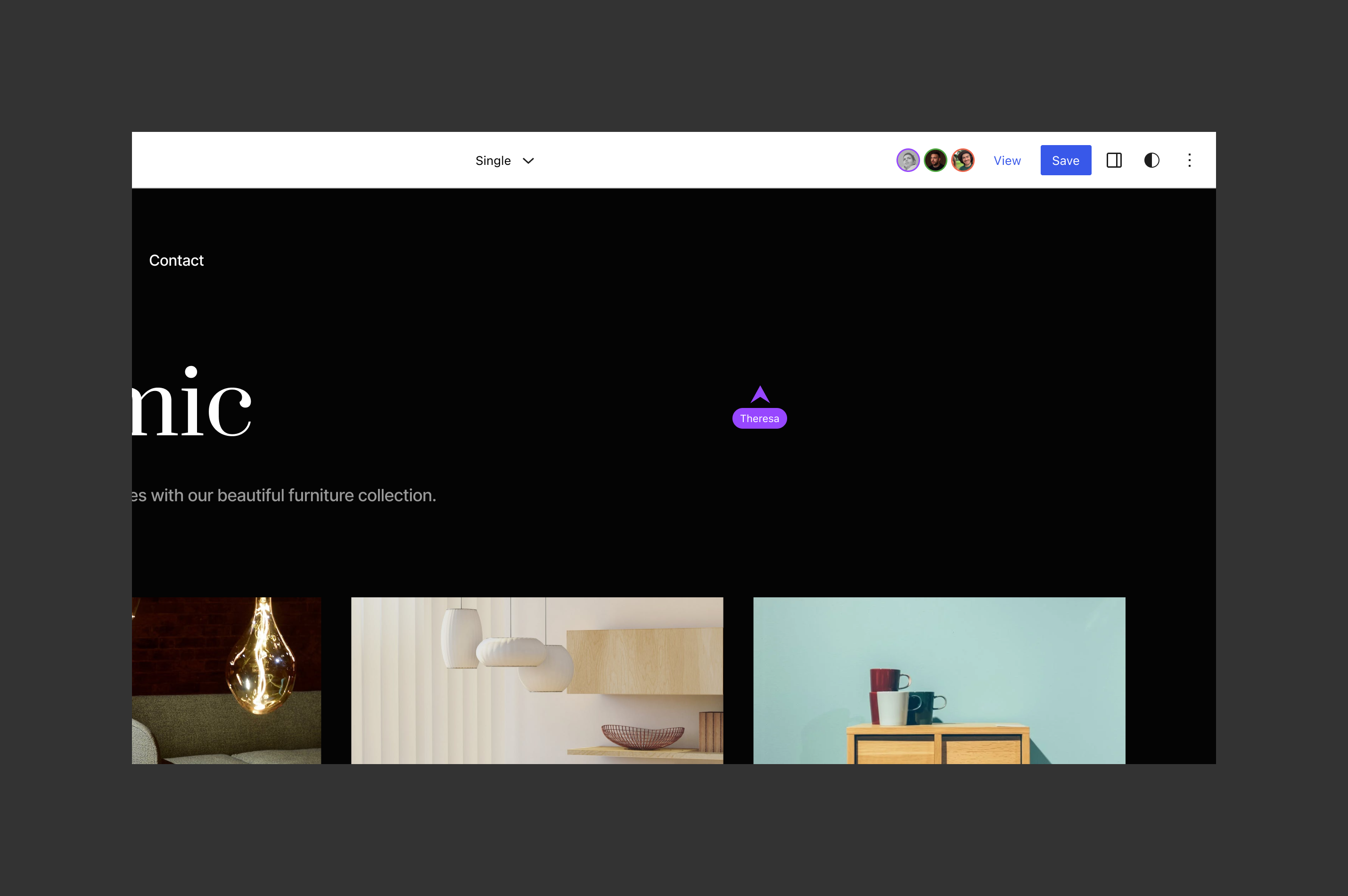
Real-time collaboration. Imagine being able to work together in real-time across all block editors, crafting content and designs seamlessly without being locked out of editing. The goal is to provide all the necessary infrastructure and UIUIUser interface to handle multiple users working together on the same content simultaneously, making it easier to create, edit, and customize web pages and posts as a team.
Asynchronous collaboration. While simultaneous collaboration is a crucial part to unlock, there are multiple workflows that rely on asynchronous collaboration that will also receive attention. Key features include draft sharing for content and design changes, inline block commenting, review assignments, improved version controlversion controlA version control system keeps track of the source code and revisions to the source code. WordPress uses Subversion (SVN) for version control, with Git mirrors for most repositories., and task management. The goal is to enable users and larger teams to collaborate on projects and its different parts at their own pace and based on their workflows.
Publishing flows. This includes the various processes, requirements, and steps involved in creating, editing, reviewing, and publishing content within WordPress. These flows could include features such as editorial requirements, customized goals (accomplish certain number of words or images), task completion prerequisites (set featured imageFeatured imageA featured image is the main image used on your blog archive page and is pulled when the post or page is shared on social media. The image can be used to display in widget areas on your site or in a summary list of posts.; complete info on block x; etc; before publishing is unlocked), and support for multiple preview contexts (members vs no members, different context for stories, etc). CoreCoreCore is the set of software required to run WordPress. The Core Development Team builds WordPress. wouldn’t necessary add all the features but provide the necessary infrastructure to define flows that can integrate seamlessly with the editor.
Post revisions interface. Make them more visual, aware of individual blocks, and explore adding the ability to schedule revisionsRevisionsThe WordPress revisions system stores a record of each saved draft or published update. The revision system allows you to see what changes were made in each revision by dragging a slider (or using the Next/Previous buttons). The display indicates what has changed in each revision. across multiple parts of a site. For example, being able to target updates for an event or campaign that might require coordinating the scheduling of multiple content types and resources. This also overlaps with addressing theme switching flows and scheduling that leverage the flexibility of block templates and styles.
Admin design. Begin the process for an admin design update and navigation work, with plugins and customized user flows in mind. Admin notices and the UI library of design components will be a major part of this effort to ensure use cases are supported while respecting the user experience. This work also includes improving the admin list views (those used in posts, pages, categories, templates, comments, and by hundreds of plugins) with a more modern design and refined extensibility support for interactivity.
Library. Introduce an admin section or “library” for managing blocks, patterns, styles, and fonts. As part of this work, also look at what improvements can be done to enhance the media library design, interactions, and extensibility.
Develop a global search & command component that’s extensibleExtensibleThis is the ability to add additional functionality to the code. Plugins extend the WordPress core software. and can accommodate navigating to content (example: edit About page); navigating to admin sections (example: go to WooCommerce orders); and running contextual commands (example: create new post; toggle top toolbar; insert pattern; etc). As AI tools are taking the world by storm, this could also play an important role in letting pluginPluginA plugin is a piece of software containing a group of functions that can be added to a WordPress website. They can extend functionality or add new features to your WordPress websites. WordPress plugins are written in the PHP programming language and integrate seamlessly with WordPress. These can be free in the WordPress.org Plugin Directory https://wordpress.org/plugins/ or can be cost-based plugin from a third-party. authors integrate novel solutions that are prompt based in nature.
If there’s anything you were hoping to see addressed that’s not yet captured, please share your thoughts in the replies. Keep in mind that there are other active projects related to the prior phases that will continue alongside these newer efforts (i.e.: more blocks, footnotes, better tables, grid layout system, the block APIAPIAn API or Application Programming Interface is a software intermediary that allows programs to interact with each other and share data in limited, clearly defined ways. roadmap, block development experience, performance, infrastructure like sqlite, playground, etc). For clarity, the phase 3 items shared above are not planned for 6.3.
Preparation for WordPress 6.2 final release is underway. This post shares the release process, including the timeline and how you can help. The post will be kept up to date as the release process evolves.
The Dry Run is a key event as a final walk-through for the final release. As noted above, the current plan is to start it on 2023-03-27 16:00. You are invited to observe and/or participate. It’ll happen in the #core Slack channel.
What happens during the dry run?
Review bugbugA bug is an error or unexpected result. Performance improvements, code optimization, and are considered enhancements, not defects. After feature freeze, only bugs are dealt with, with regressions (adverse changes from the previous version) being the highest priority. reports to determine if any are critical to warrant another RCrelease candidateOne of the final stages in the version release cycle, this version signals the potential to be a final release to the public. Also see alpha (beta). (release candidate).
Checks and any necessary updates are made in the src/wp-admin/includes/update-core.php file.
Pre-release scripts are run to ensure test suites, coding standards, and other automated checks pass.
If the results are acceptable, the release goes into a 24-hour code freeze period.
24-Hour Code Freeze ⌛
After the dry run and before the release party starts, a mandatory 24-hour code freeze goes into effect.
What does this mean? No source code for 6.2.0 (i.e., in the 6.2 branchbranchA directory in Subversion. WordPress uses branches to store the latest development code for each major release (3.9, 4.0, etc.). Branches are then updated with code for any minor releases of that branch. Sometimes, a major version of WordPress and its minor versions are collectively referred to as a "branch", such as "the 4.0 branch".) can be changed during these 24 hours.
What happens if a critical bug is reported during this period? The release squad will meet with committers and maintainers to determine if the issue is a blockerblockerA bug which is so severe that it blocks a release..
If yes, another RC release happens, and the release process restarts (meaning the dry run is repeated, and then the 24-hour code freeze clock restarts).
The release party on March 28th 29th will start no sooner than 24h after the code freeze starts, with the exact time to be determined accordingly. You are invited to observe and/or participate. It’ll happen in the #core Slack channel.
The release party walks through the steps in the Major Version Release process for anyone who wants to follow along.
Please note releasing a major version requires more time than releasing a betaBetaA pre-release of software that is given out to a large group of users to trial under real conditions. Beta versions have gone through alpha testing in-house and are generally fairly close in look, feel and function to the final product; however, design changes often occur as part of the process. or release candidate. There are more steps in the process. If any last-minute issues need addressing, more time will be needed.
How You Can Help
A key part of the release process is checking that the ZIP packages work on all the available server configurations. If you have some of the less commonly used servers available for testing (IIS, in particular), that would be super helpful. Servers running older versions of PHPPHPThe web scripting language in which WordPress is primarily architected. WordPress requires PHP 7.4 or higher and MySQLMySQLMySQL is a relational database management system. A database is a structured collection of data where content, configuration and other options are stored. https://www.mysql.com will also need testing.
You can start this early by running the WordPress 6.2 RC3 packages, which are built using the same method as the final packages.
During the release party, options will be provided on how to help test the release package.
Tips on What to Test
In particular, testing the following types of installs and updates would be much appreciated:
Does a new WordPress install work correctly? This includes running through the manual install process, as well as WP-CLIWP-CLIWP-CLI is the Command Line Interface for WordPress, used to do administrative and development tasks in a programmatic way. The project page is http://wp-cli.org/https://make.wordpress.org/cli/ or one-click installers.
Test upgrading from 4.0.38, 4.9.22, 5.8.6, 5.9.5, 6.0.3, 6.1.1, and 6.2 RC4, as well as any other versions possible.
Remove the wp-config.php file and test a fresh install.
Test single site and multisitemultisiteUsed to describe a WordPress installation with a network of multiple blogs, grouped by sites. This installation type has shared users tables, and creates separate database tables for each blog (wp_posts becomes wp_0_posts). See also network, blog, site/networknetwork(versus site, blog) (both subdirectory and subdomain) installations.
Testing the following user flows on both desktop and mobile would be great to validate each function as expected:
Publish a post, including a variety of different blocks.
Comment on the post.
Install a new pluginPluginA plugin is a piece of software containing a group of functions that can be added to a WordPress website. They can extend functionality or add new features to your WordPress websites. WordPress plugins are written in the PHP programming language and integrate seamlessly with WordPress. These can be free in the WordPress.org Plugin Directory https://wordpress.org/plugins/ or can be cost-based plugin from a third-party./theme, or upgrade an existing one.
Change the site language.
If you’re a plugin developer, or if there are complex plugins you depend upon, test that they’re working correctly.
To get ready for the final release of WordPress 6.2 on March 28, 2023, an RC4 has been put together to help cover some last-minute fixes.
Here’s what’s changed since RC3:
Revert changesets [55358] and [55360], restoring the wp_insert_user() function back to its previous state, to avoid a regressionregressionA software bug that breaks or degrades something that previously worked. Regressions are often treated as critical bugs or blockers. Recent regressions may be given higher priorities. A "3.6 regression" would be a bug in 3.6 that worked as intended in 3.5. on the related wp_update_user() function (see tickets #57967 and #57394).
Thanks to everyone who has assisted with testing this release. Your feedback and help in filing bugbugA bug is an error or unexpected result. Performance improvements, code optimization, and are considered enhancements, not defects. After feature freeze, only bugs are dealt with, with regressions (adverse changes from the previous version) being the highest priority. reports keep the WordPress experience stable, smooth, and delightful. It’s critical work and a great way to contribute to the project—especially in these final moments before release day.
How to install RC4
This version of the WordPress software is under development. Please do not install, run, or test this version of WordPress on production or mission-critical websites. Instead, it is recommended that you test RC4 on a test server and site.
You can test WordPress 6.2 RC4 in three ways:
Option 1: Install and activate the WordPress Beta TesterpluginPluginA plugin is a piece of software containing a group of functions that can be added to a WordPress website. They can extend functionality or add new features to your WordPress websites. WordPress plugins are written in the PHP programming language and integrate seamlessly with WordPress. These can be free in the WordPress.org Plugin Directory https://wordpress.org/plugins/ or can be cost-based plugin from a third-party. (select the “Bleeding edgebleeding edgeThe latest revision of the software, generally in development and often unstable. Also known as trunk.” channel and “BetaBetaA pre-release of software that is given out to a large group of users to trial under real conditions. Beta versions have gone through alpha testing in-house and are generally fairly close in look, feel and function to the final product; however, design changes often occur as part of the process./RCrelease candidateOne of the final stages in the version release cycle, this version signals the potential to be a final release to the public. Also see alpha (beta). Only” stream).
Option 3: Use the following WP-CLIWP-CLIWP-CLI is the Command Line Interface for WordPress, used to do administrative and development tasks in a programmatic way. The project page is http://wp-cli.org/https://make.wordpress.org/cli/ command:
wp core update --version=6.2-RC4
Keep WordPress bug-free—help with testing
Without your testing support, hitting important product milestones would be a much bigger challenge. It’s also a meaningful way to contribute to the project. If you’re new to testing, or it’s been a while, this detailed guide can help you get started.
If you think you have run into an issue, please report it to the Alpha/Beta area in the support forums. If you are comfortable writing a reproducible bug report, you can file one on WordPress Trac. You can also check your issue against a list of known bugs.
Test your plugins and themes
As you test your latest versions against RC4, make sure you update the “Tested up to” version in your plugin’s readme file to 6.2. If you find compatibility problems, please post detailed information to the support forums.
Silent RC4 will address a backward compatibility issue (#57967) on March 23. More on the regressionregressionA software bug that breaks or degrades something that previously worked. Regressions are often treated as critical bugs or blockers. Recent regressions may be given higher priorities. A "3.6 regression" would be a bug in 3.6 that worked as intended in 3.5. is in this discussion on Slack.
And:
The WordPress Developer Blog is out of betaBetaA pre-release of software that is given out to a large group of users to trial under real conditions. Beta versions have gone through alpha testing in-house and are generally fairly close in look, feel and function to the final product; however, design changes often occur as part of the process., and officially launched! Please check it out. You are most welcome to:
@azaozz suggested that it is time to make a large update to this component, taking care about bugs and enhancements.
@marybaum said the maintainers, who also include @webcommsat, @oglekler, and @nalininonstopnewsuk, will follow up. (Ed. note: Look for this starting in April, once the current release has landed.)
@azaozz suggested publishing dev notesdev noteEach important change in WordPress Core is documented in a developers note, (usually called dev note). Good dev notes generally include a description of the change, the decision that led to this change, and a description of how developers are supposed to work with that change. Dev notes are published on Make/Core blog during the beta phase of WordPress release cycle. Publishing dev notes is particularly important when plugin/theme authors and WordPress developers need to be aware of those changes.In general, all dev notes are compiled into a Field Guide at the beginning of the release candidate phase. there as well (right now the blockBlockBlock is the abstract term used to describe units of markup that, composed together, form the content or layout of a webpage using the WordPress editor. The idea combines concepts of what in the past may have achieved with shortcodes, custom HTML, and embed discovery into a single consistent API and user experience. has only a link in the footer).
@jeffpaul requested to auto-publish posts in the CoreCoreCore is the set of software required to run WordPress. The Core Development Team builds WordPress. channel and @bph will follow up with it.
A week in Core
@bph suggested renaming ‘A week in Core’ to ‘A week in TracTracAn open source project by Edgewall Software that serves as a bug tracker and project management tool for WordPress.’, because it doesn’t cover GutenbergGutenbergThe Gutenberg project is the new Editor Interface for WordPress. The editor improves the process and experience of creating new content, making writing rich content much simpler. It uses ‘blocks’ to add richness rather than shortcodes, custom HTML etc.
https://wordpress.org/gutenberg/ project activity on GitHubGitHubGitHub is a website that offers online implementation of git repositories that can easily be shared, copied and modified by other developers. Public repositories are free to host, private repositories require a paid subscription. GitHub introduced the concept of the ‘pull request’ where code changes done in branches by contributors can be reviewed and discussed before being merged by the repository owner. https://github.com/, and they are highlighted separately in What’s New in Gutenberg. @francina offered to continue this discussion in the P2P2A free theme for WordPress, known for front-end posting, used by WordPress for development updates and project management. See our main development blog and other workgroup blogs.(Ed. note: that is, this very Make/core blog) in the comments section of the last Week in Core.
@francina: What brought you to check dev chats in the first place? A lively, if brief, discussion followed. Francesca also suggested more discussion next week—and a post on the Core blog, to stimulate asynchronous conversations.
“What’s new in GutenbergGutenbergThe Gutenberg project is the new Editor Interface for WordPress. The editor improves the process and experience of creating new content, making writing rich content much simpler. It uses ‘blocks’ to add richness rather than shortcodes, custom HTML etc.
https://wordpress.org/gutenberg/…” posts (labeled with the #gutenberg-new tag) are posted following every Gutenberg release on a biweekly basis, showcasing new features included in each release. As a reminder, here’s an overview of different ways to keep up with Gutenberg and the Site Editor project (formerly called Full Site Editing).
The latest release of the pluginPluginA plugin is a piece of software containing a group of functions that can be added to a WordPress website. They can extend functionality or add new features to your WordPress websites. WordPress plugins are written in the PHP programming language and integrate seamlessly with WordPress. These can be free in the WordPress.org Plugin Directory https://wordpress.org/plugins/ or can be cost-based plugin from a third-party. is lighter on user-facing features than normal and focuses heavily on bugbugA bug is an error or unexpected result. Performance improvements, code optimization, and are considered enhancements, not defects. After feature freeze, only bugs are dealt with, with regressions (adverse changes from the previous version) being the highest priority. fixes, testing, and other much-needed improvements. But, there are some welcome additions, such as turning paragraphs into columns, an improved Cover blockBlockBlock is the abstract term used to describe units of markup that, composed together, form the content or layout of a webpage using the WordPress editor. The idea combines concepts of what in the past may have achieved with shortcodes, custom HTML, and embed discovery into a single consistent API and user experience., and new template descriptions in the site editor.
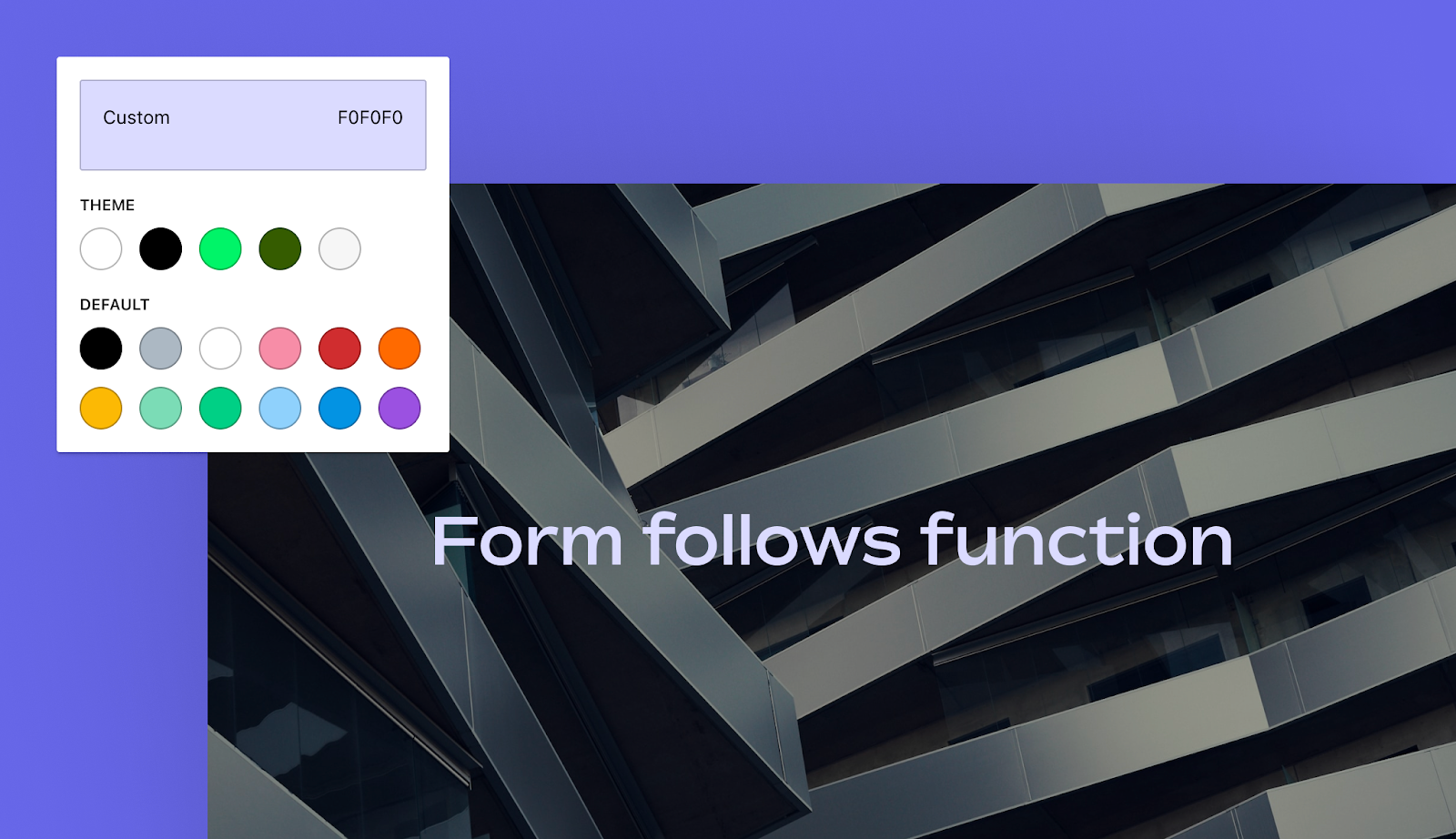
The Cover block now supports the text color design tool. The enhancementenhancementEnhancements are simple improvements to WordPress, such as the addition of a hook, a new feature, or an improvement to an existing feature. makes it easier for users and theme authors to customize the color for all inner blocks with a single setting. Along with this benefit, the change made it easier to handle transforms from the Media & Text block.
The Cover block also now works the same as the Group block with its layout handling. Currently, the block only supports the flow layout and is set to a constrained width by default. It does not yet support flex layout variations.
The update brings consistency to layout handling, building atop a standardized system that will make for fewer edge cases and necessary customizations for theme authors.
Theme authors should test their themes against this update. In the past, some have had to work around the layout limitations of the Cover block, and the block’s support of the standard layout system may override custom implementations.
Updated template descriptions
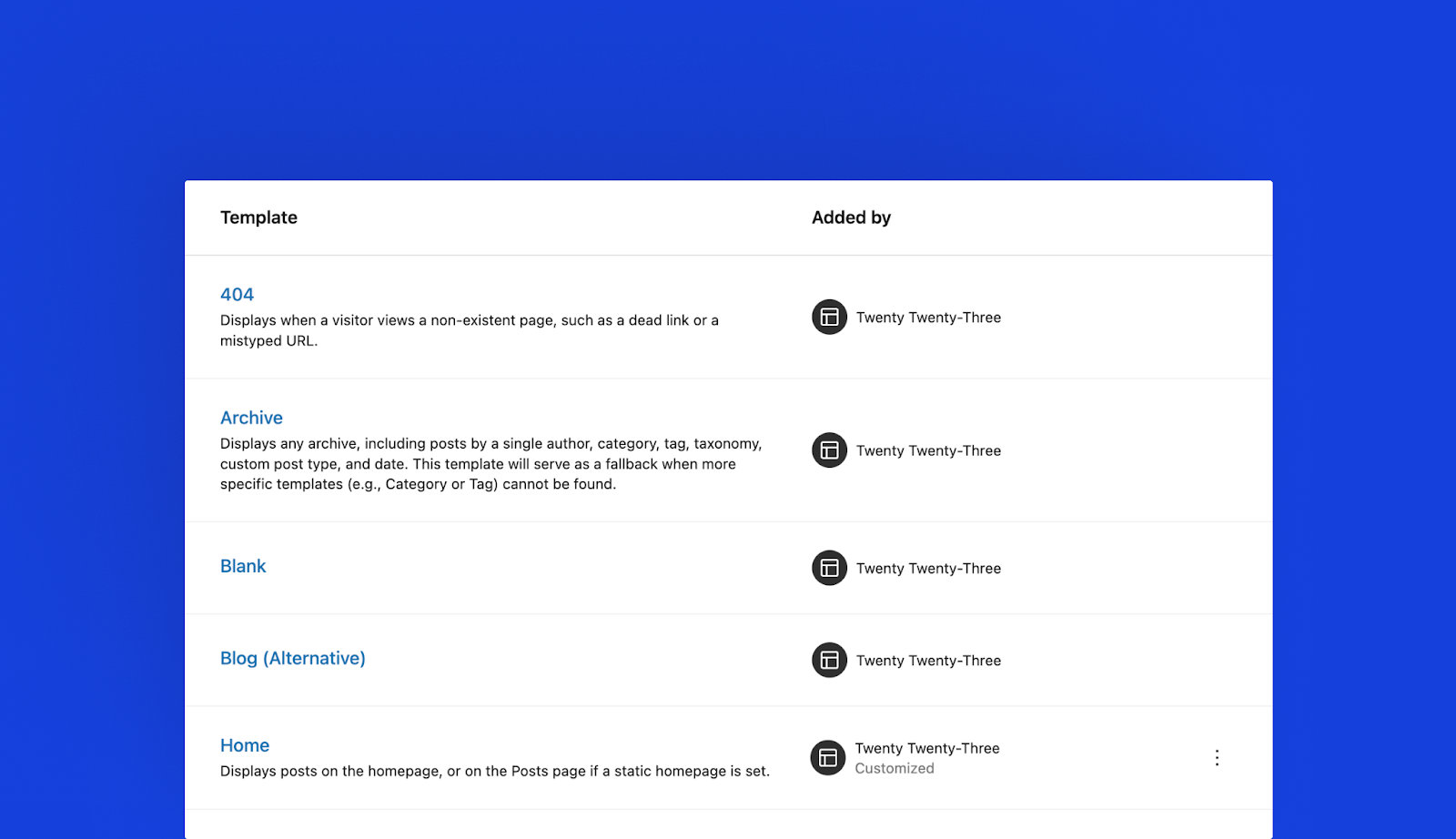
Template descriptions have received a major overhaul in the latest update. Nearly all of them have been updated to better explain what each template does. This should make it easier for users to understand each template’s purpose when customizing it in the Site Editor.
Other Notable Highlights
A new textColumns property has been added as a “block supports” feature and is now in the style engine. It will allow users to split text-based blocks into columns. Developers can opt into this for their custom blocks, but no coreCoreCore is the set of software required to run WordPress. The Core Development Team builds WordPress. blocks support the feature yet. There are open tickets for adding it to the Paragraph and Post Excerpt blocks in future updates.
Theme authors can now target the :link and :any-link pseudo-elements in theme.json, giving them more control over styling hyperlinks.
The FontSizePicker component allows for an array of custom units to be defined. This is the first step toward allowing theme authors to eventually control the available units if their themes support custom font sizes. However, the editor’s Typography panel does not yet support this feature.
Change Log
Enhancements
Site Editor
Adjust whileHover effect to be a bit subtler and less pronounced. (48928)
Go direct to edit from manage all templates list. (48764)
Move “Add Template”‘s descriptions to tooltips. (48710)
Add descriptions to all panels in the Site Editor’s dark side. (48739)
Add hover animation to site editor canvas. (48575)
Fix non-us spelling in sidebarSidebarA sidebar in WordPress is referred to a widget-ready area used by WordPress themes to display information that is not a part of the main content. It is not always a vertical column on the side. It can be a horizontal rectangle below or above the content area, footer, header, or any where in the theme.. (48976)
Prevent the saving button from showing when renaming templates. (48399)
Navigation Sidebar: Change the logic about which navigation gets selected for the sidebar. (48689)
Add “Added by” description to template part navigation sidebar. (48732)
Add border radius to off canvas navigation menuNavigation MenuA theme feature introduced with Version 3.0. WordPress includes an easy to use mechanism for giving various control options to get users to click from one place to another on a site. items. (48798)
Add page details when viewing a specific page. (48650)
Duotone: Limit SVG filterFilterFilters are one of the two types of Hooks https://codex.wordpress.org/Plugin_API/Hooks. They provide a way for functions to modify data of other functions. They are the counterpart to Actions. Unlike Actions, filters are meant to work in an isolated manner, and should never have side effects such as affecting global variables and output. output to used filters. (48995)
Open convert to links modal on select of a page item. (48723)
Post Featured ImageFeatured imageA featured image is the main image used on your blog archive page and is pulled when the post or page is shared on social media. The image can be used to display in widget areas on your site or in a summary list of posts.: Remove 16:10. (48969)
FormTokenField: Hide suggestions list on blur event if input value is invalidinvalidA resolution on the bug tracker (and generally common in software development, sometimes also notabug) that indicates the ticket is not a bug, is a support request, or is generally invalid.. (48785)
Design Tools
Block Supports: Add text columns (column count) to typography block supports. (33587)
Global Styles
Move the global styles provider to the app level component. (49011)
Add support for :link and :Any-link in theme.jsonJSONJSON, or JavaScript Object Notation, is a minimal, readable format for structuring data. It is used primarily to transmit data between a server and web application, as an alternative to XML.. (48634)
Add compound class to layout wrapper for global spacing styles. (47952)
Block APIAPIAn API or Application Programming Interface is a software intermediary that allows programs to interact with each other and share data in limited, clearly defined ways.
Block Deprecations: Provide extra data for isEligible check. (48815)
Post Editor
Provide static native editor help article slugs. (48802)
Try getting Post Content layout on server before editor loads. (45299)
Packages
Introduce prependHTTPS URLURLA specific web address of a website or web page on the Internet, such as a website’s URL www.wordpress.org util. (47648)
Bug Fixes
Block Library
Embed Block: Fix Aspect Ratio Classes #29641. (41141)
Ensure aspect ratio is applied when Post Featured Image block is linked. (48495)
Fix PostContent initial render by waiting for the canEdit request. (48642)
Fix navigation block off-canvas appender for empty menus. (48907)
Fixes extra UIUIUser interface in navigation block inspector. (48679)
Import Classic Menu using the menu name as the block menu title. (48771)
Navigation Link: Remove color generation code. (48927)
Navigation: Fix missing state for MenuControls. (48921)
Update missing translationtranslationThe process (or result) of changing text, words, and display formatting to support another language. Also see localization, internationalization. from label. (48760)
WidgetWidgetA WordPress Widget is a small block that performs a specific function. You can add these widgets in sidebars also known as widget-ready areas on your web page. WordPress widgets were originally created to provide a simple and easy-to-use way of giving design and structure control of the WordPress theme to the user. Importer: Fix Widget Group block imports. (48669)
Query LoopLoopThe Loop is PHP code used by WordPress to display posts. Using The Loop, WordPress processes each post to be displayed on the current page, and formats it according to how it matches specified criteria within The Loop tags. Any HTML or PHP code in the Loop will be processed on each post. https://codex.wordpress.org/The_Loop: Show variant patterns even if there are no patterns for the Query Loop block. (48793)
Comments: Fix ‘sprintf requires more than 1 params’ error. (49054)
Adjust Post Featured Image PanelBody label to “Settings”. (49076)
Add help text to Gallery Image Size control. (49074)
I18ni18nInternationalization, or the act of writing and preparing code to be fully translatable into other languages. Also see localization. Often written with a lowercase i so it is not confused with a lowercase L or the numeral 1. Often an acquired skill. of created Navigation menu title. (48773)
Make sure the directly inserted block in the Nav block is a Page link. (48740)
Tweak label for Latest Posts excerptExcerptAn excerpt is the description of the blog post or page that will by default show on the blog archive page, in search results (SERPs), and on social media. With an SEO plugin, the excerpt may also be in that plugin’s metabox. control. (49077)
Page List Block: Show untitled pages on page list on the editor. (48772)
Site Editor
Don’t offer Classic block as a recovery action when not registered. (49051)
Fix browser history when synchronising state with urls. (48731)
Fix lingering insertion point within template parts. (48913)
Remove actions from SidebarNavigationScreenWrapper. (48935)
Update template descriptions with more detail. (48934)
Global Styles
Fix typo: Use WP_Theme_JSON_Gutenberg instead of WP_Theme_JSON class name. (48648)
Fix: Crashes on getNodesWithSettings and getNodesWithStyles. (49023)
Fix: Global Styles crash in updateConfigWithSeparator when not block styles are passed. (49045)
Fix: Global Styles getNodesWithStyles expects an object with elements. (49044)
Fix: Global Styles getPresetsClasses crashes if no selector is passed. (49024)
Fix: Global styles forces a white background. (49042)
Style Book: Move iframeiframeiFrame is an acronym for an inline frame. An iFrame is used inside a webpage to load another HTML document and render it. This HTML document may also contain JavaScript and/or CSS which is loaded at the time when iframe tag is parsed by the user’s browser. to root of content area to support styles that overflow block previews. (48664)
WP_Theme_JSON: Sync indirect properties changes from core. (48646)
ResizeTooltip: Use default.fontFamily on tooltip. (48805)
ResponsiveWrapper: Use aspect-ratio CSSCSSCascading Style Sheets. prop and support SVG elements. (48573)
AccessibilityAccessibilityAccessibility (commonly shortened to a11y) refers to the design of products, devices, services, or environments for people with disabilities. The concept of accessible design ensures both “direct access” (i.e. unassisted) and “indirect access” meaning compatibility with a person’s assistive technology (for example, computer screen readers). (https://en.wikipedia.org/wiki/Accessibility)
Make sure useFocusOnMount runs when all the children tabbable elements have mounted. (42187)
Distraction Free Mode: Don’t show the metaboxes. (48947)
Don’t add Post Content layout styles to title in the post editor. (48663)
Fix animation and browser console error when returning from template edit mode. (48930)
Block Editor
LinkControl: Remove HTMLHTMLHyperText Markup Language. The semantic scripting language primarily used for outputting content in web browsers. from suggestion title before passing it to TextHighlight component. (48685)
Order initial block items in Navigation with PrivateInserter. (48752)
BlockInvalidWarning: Prefer canInsertBlockType and refactor to hooksHooksIn WordPress theme and development, hooks are functions that can be applied to an action or a Filter in WordPress. Actions are functions performed when a certain event occurs in WordPress. Filters allow you to modify certain functions. Arguments used to hook both filters and actions look the same.. (49052)
Fix: Incorrect selector generated by append_to_selector method. (48759)
Block Library
Lodash: Remove _.get() from various blocks. (48491)
Data Layer
Lodash: Refactor away from _.set() in core-data. (48784)
GitHubGitHubGitHub is a website that offers online implementation of git repositories that can easily be shared, copied and modified by other developers. Public repositories are free to host, private repositories require a paid subscription. GitHub introduced the concept of the ‘pull request’ where code changes done in branches by contributors can be reviewed and discussed before being merged by the repository owner. https://github.com/ Actions
Prefer committercommitterA developer with commit access. WordPress has five lead developers and four permanent core developers with commit access. Additionally, the project usually has a few guest or component committers - a developer receiving commit access, generally for a single release cycle (sometimes renewed) and/or for a specific component. over author date for perf results timestamp. (48673)
Documentation
Add links to hook documentation in curation doc. (48653)
Add missing playwright end-to-end documentation to toc.json. (48447)
Adding examples of how to programmatically remove the panels in Document sidebar. (48895)
Adds link to post on the developer blogblog(versus network, site) to the deprecation page. (49069)
Add position: Sticky to the Opt-in into UI controls appearanceTools section. (48763)
Duotone: Style Engine: Add unit testunit testCode written to test a small piece of code or functionality within a larger application. Everything from themes to WordPress core have a series of unit tests. Also see regression. and associated refactoring. (49033)
Query Block: Add tests for getValueFromObjectPath() util. (48956)
First time contributors
The following PRs were merged by first time contributors:
@abhi3315: Link Control – Add support for text only labels. (47930)
@hbhalodia: Change higher order with-constraint-tabbing from .js to .tsx. (48162)
@sboerrigter: Fix incorrect css property in editor-color-palette documentation. (48333)
@shreyasikhar: Site Editor Sidebar: Add line-height for template/parts name and update width for edit button. (48160)
@suvrodattamitu: Style Engine: Fix wrong property name letterSpacing to lineHeight. (48091)
@tomdevisser: Remove copy for managing a block’s style variations. (48367)
Contributors
The following contributors merged PRs in this release:
Welcome back to a new issue of Week in CoreCoreCore is the set of software required to run WordPress. The Core Development Team builds WordPress.. Let’s take a look at what changed on TracTracAn open source project by Edgewall Software that serves as a bug tracker and project management tool for WordPress. between March 13 and March 20, 2023.
30 commits
70 contributors
51 tickets created
4 tickets reopened
46 tickets closed
TicketticketCreated for both bug reports and feature development on the bug tracker. numbers are based on the Trac timeline for the period above. The following is a summary of commits, organized by component and/or focus.
Code changes
Administration
Define the $title global on the Menus screen for classic themes – #57918
Update dashboard welcome panel colors, remove broken link – #57759
Build/Test Tools
Fix issue with add method in object-cache.php – #57963
Add test class for wp_enqueue_stored_styles() – #57841
Add test class for wp_script_is() – #57841, #57958
Improve documentation and variable names in some formatting tests – #57841
Rename test class and improve tests for wp_get_global_stylesheet() – #57841, #57958
Use the data_ prefix for various data provider methods – #57841
Cache APIAPIAn API or Application Programming Interface is a software intermediary that allows programs to interact with each other and share data in limited, clearly defined ways.
Add a warning when calling _get_non_cached_ids with invalidinvalidA resolution on the bug tracker (and generally common in software development, sometimes also notabug) that indicates the ticket is not a bug, is a support request, or is generally invalid. ids – #57593
Correct the second parameter’s name in _get_non_cached_ids() – #40420
Code Modernization
Fix dynamic properties in WP_Admin_Bar – #56876, #56034
Coding Standards
Remove unused variable in WP_Plugins_List_Table::single_row() – #55132
Remove unused variables in WP_Comment_Query – #57482
Use single quotes for strings without variables in register_block_style_handle() – #57903
Date/Time
Remove usage of mysql2date in generate_postdata method – #57683
Docs
Fix typo in _validate_cache_id() description – #57593
Editor
Correctly load RTL stylesheets for non-core blocks – #57903
Show scheduled text when changing to new future dates – #31040
Update wordpress packages for 6.2 RC2 – #57471 – #57895
Update wordpress packages for 6.2 RC3 – #57471, #57929
Return false for empty paths in FTPFTPFTP is an acronym for File Transfer Protocol which is a way of moving computer files from one computer to another via the Internet. You can use software, known as a FTP client, to upload files to a server for a WordPress website. https://codex.wordpress.org/FTP_Clients::exists() methods – #33058
HTMLHTMLHyperText Markup Language. The semantic scripting language primarily used for outputting content in web browsers. API
Allow filter property to accept a URLURLA specific web address of a website or web page on the Internet, such as a website’s URL www.wordpress.org in safecss_filter_attr() – #57780
The meeting’s scheduled facilitator will be @francina
@oglekler and @webcommsat are on the rota for this week’s meeting summary. If you would like to volunteer for the summary, do add a comment to this ticketticketCreated for both bug reports and feature development on the bug tracker. for @webcommsat.
GutenbergGutenbergThe Gutenberg project is the new Editor Interface for WordPress. The editor improves the process and experience of creating new content, making writing rich content much simpler. It uses ‘blocks’ to add richness rather than shortcodes, custom HTML etc.
https://wordpress.org/gutenberg/ 15.4 RCrelease candidateOne of the final stages in the version release cycle, this version signals the potential to be a final release to the public. Also see alpha (beta). is scheduled (now available for testing)
More updates from the Release Squad to come in the meeting.
5. Request for help with tickets/ components/ blockers/
If you have a ticket or request to help, please add a comment to the agenda post. Please indicate if you will be attending the meeting live and be able to highlight the issue further if needed.
If you are unable to attend dev chat live, you can add further details of the issue you would like highlighted either in comments, or message CoreCoreCore is the set of software required to run WordPress. The Core Development Team builds WordPress. Team reps @webcommsat and @hellofromtonya with the additional information to raise in this week’s meeting for you.
6. Open floor
Items for this agenda item and the previous one are welcome from across time zones. Please add suggestions in comments on this post. Thanks.







You must be logged in to post a comment.