The WordPress coreCoreCore is the set of software required to run WordPress. The Core Development Team builds WordPress. development team builds WordPress! Follow this site for general updates, status reports, and the occasional code debate. There’s lots of ways to contribute:
Found a bugbugA bug is an error or unexpected result. Performance improvements, code optimization, and are considered enhancements, not defects. After feature freeze, only bugs are dealt with, with regressions (adverse changes from the previous version) being the highest priority.?Create a ticket in the bug tracker.
“What’s new in GutenbergGutenbergThe Gutenberg project is the new Editor Interface for WordPress. The editor improves the process and experience of creating new content, making writing rich content much simpler. It uses ‘blocks’ to add richness rather than shortcodes, custom HTML etc.
https://wordpress.org/gutenberg/…” posts (labeled with the #gutenberg-new tag) are posted following every Gutenberg release on a biweekly basis, showcasing new features included in each release. As a reminder, here’s an overview of different ways to keep up with Gutenberg and the Site Editor project (formerly called Full Site Editing).
The latest version of the Gutenberg pluginPluginA plugin is a piece of software containing a group of functions that can be added to a WordPress website. They can extend functionality or add new features to your WordPress websites. WordPress plugins are written in the PHP programming language and integrate seamlessly with WordPress. These can be free in the WordPress.org Plugin Directory https://wordpress.org/plugins/ or can be cost-based plugin from a third-party. includes small quality of life enhancements and many bugbugA bug is an error or unexpected result. Performance improvements, code optimization, and are considered enhancements, not defects. After feature freeze, only bugs are dealt with, with regressions (adverse changes from the previous version) being the highest priority. fixes. The new experimental Details blockBlockBlock is the abstract term used to describe units of markup that, composed together, form the content or layout of a webpage using the WordPress editor. The idea combines concepts of what in the past may have achieved with shortcodes, custom HTML, and embed discovery into a single consistent API and user experience. is introduced early for community feedback, and more presets come to coreCoreCore is the set of software required to run WordPress. The Core Development Team builds WordPress. blocks for spacing and border controls. In the Site Editor, a theme’s style variations are now also available in the left sidebarSidebarA sidebar in WordPress is referred to a widget-ready area used by WordPress themes to display information that is not a part of the main content. It is not always a vertical column on the side. It can be a horizontal rectangle below or above the content area, footer, header, or any where in the theme. to enable faster updates. Gutenberg 15.6 includes a total of 112 PRs, authored by 45 contributors, 7 of which were new contributors!
Occasionally, you want to hide content until the reader is ready to receive it. This could be spoiler content in a movie review, the transcript of a podcast episode, or a video recording in a blogblog(versus network, site) post. With the new Details block, you can now publish hidden content that opens with a click on the arrow. It’s the first version of the block, and it is behind an experimental feature flag. To test this new functionality, visit Gutenberg → Experiments screen in the WordPress adminadmin(and super admin) and enable the Details block option. This block is still being worked on, and it might change before coming out of experiments. Feedback is encouraged.
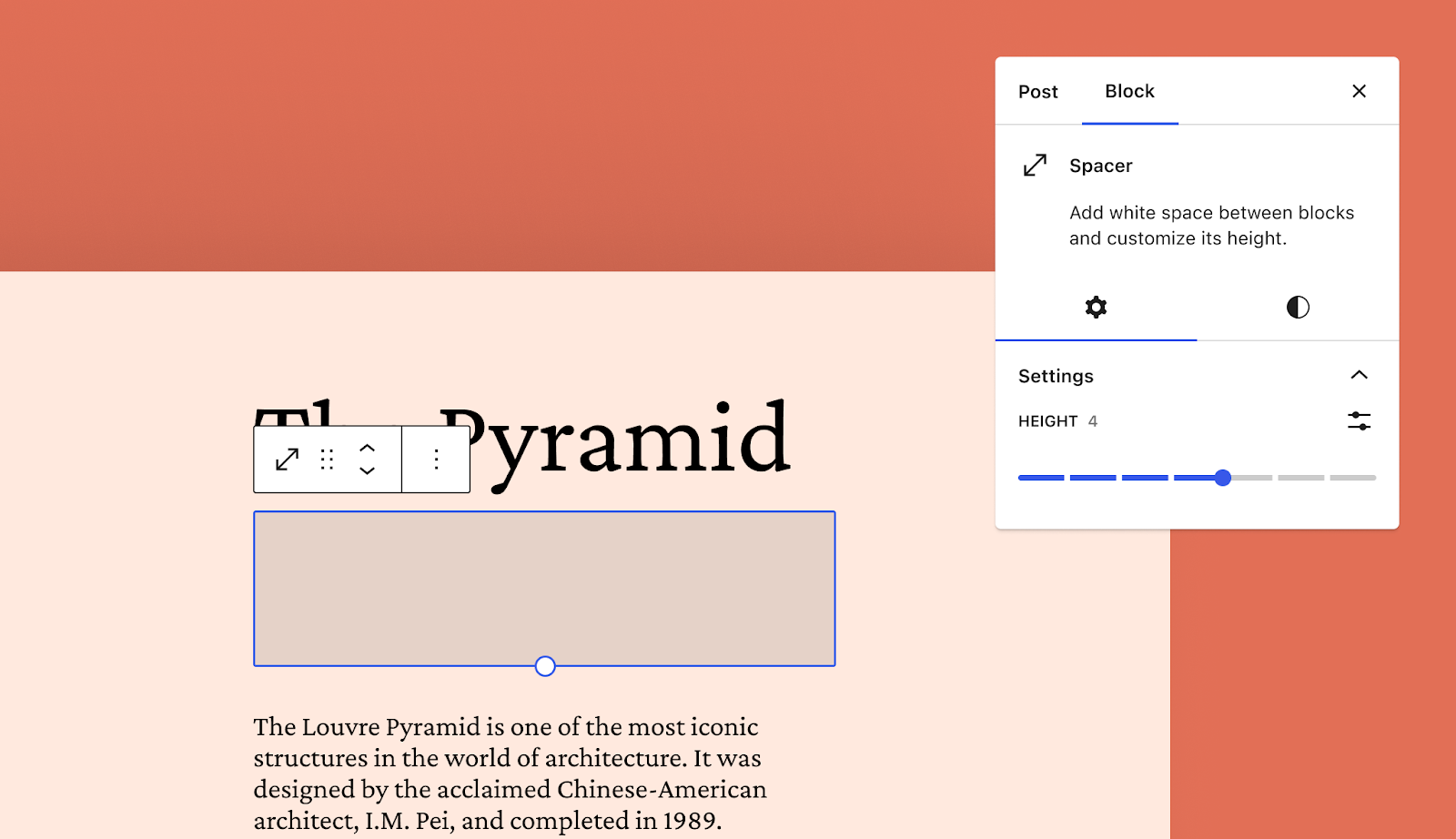
Spacer Block gets spacing presets
Spacing presets were added to Dimension controls in WordPress 6.1 to make controlling space in a theme easier and provide a simplified user experience. This functionality also allows theme developers to employ fluid spacing.
Since the introduction of spacing presets, it became clear from community feedback that spacing presets should also be available for the Height control in the Spacer block. This enhancementenhancementEnhancements are simple improvements to WordPress, such as the addition of a hook, a new feature, or an improvement to an existing feature. in 15.6 gives theme developers much more flexibility over how spacing is applied throughout a site and enables fluid Spacer blocks!
Here’s a quick example of what fluid spacing presets might look like when defined in theme.jsonJSONJSON, or JavaScript Object Notation, is a minimal, readable format for structuring data. It is used primarily to transmit data between a server and web application, as an alternative to XML. using clamp(). You can learn more about fluid spacing and typography in the article Intrinsic design, theming, and rethinking how to design with WordPress over on the WordPress Developer Blog.
With Gutenberg 15.6, the theme’s style variations are now accessible from the left menu in the Site Editor, together with templates, template parts, and navigation menuNavigation MenuA theme feature introduced with Version 3.0. WordPress includes an easy to use mechanism for giving various control options to get users to click from one place to another on a site. items. This change makes it easier to access style variations and pick your favorite. Clicking “Edit style” opens the editor with the Styles panel active, providing quick access to the additional style controls like typography and color.
Other notable highlights
With 15.6, the Cover block includes all border-related design tools. This was a much-requested enhancement by theme developers, which reduces the need for custom block styling.
Now, when the Global Styles panel is open in the Site Editor, clicking on any block in the canvas will automatically open the design tools for the corresponding block in the Styles panel. This enhancement will help speed up your workflow and provide fast access to design tools.
AccessibilityAccessibilityAccessibility (commonly shortened to a11y) refers to the design of products, devices, services, or environments for people with disabilities. The concept of accessible design ensures both “direct access” (i.e. unassisted) and “indirect access” meaning compatibility with a person’s assistive technology (for example, computer screen readers). (https://en.wikipedia.org/wiki/Accessibility)
Add missing focus style to start template options previews. (49334)
Consistent labels for the WP logo and back links. (49659)
Image block: Fix image size control percentage selection. (49628)
Post Featured ImageFeatured imageA featured image is the main image used on your blog archive page and is pulled when the post or page is shared on social media. The image can be used to display in widget areas on your site or in a summary list of posts.:
Don’t display the scale control when the aspect ratio is original. (48894)
Show all controls when in context without postId. (49609)
Post ExcerptExcerptAn excerpt is the description of the blog post or page that will by default show on the blog archive page, in search results (SERPs), and on social media. With an SEO plugin, the excerpt may also be in that plugin’s metabox.: Ensure the postId from the block context is used to get_the_excerpt. (49495)
ShortcodeShortcodeA shortcode is a placeholder used within a WordPress post, page, or widget to insert a form or function generated by a plugin in a specific location on your site.: Prevent external styling of editing UI. (49723)
Time To Read: Fix untranslated on the front end. (49704)
Refactor the effects panel as a generic UI Styles component. (49571)
Refactor the filters (duotone) panel as a generic UI Styles component. (49577)
Block Library
Add automated tests for Nav block editable list view. (49433)
Cover: Avoid adding empty background image URLURLA specific web address of a website or web page on the Internet, such as a website’s URL www.wordpress.org. (49477)
Workflows: Run PHPPHPThe web scripting language in which WordPress is primarily architected. WordPress requires PHP 7.4 or higher unit tests also against current WP – 1. (46983)
Props to @ndiego for co-release leadRelease LeadThe community member ultimately responsible for the Release., @joenfor visuals assets@priethor, @rich, @annezazu for peer-review
This post is an update to the proposal for officially support SQLite in WordPress. The initial implementation was included in the Performance LabpluginPluginA plugin is a piece of software containing a group of functions that can be added to a WordPress website. They can extend functionality or add new features to your WordPress websites. WordPress plugins are written in the PHP programming language and integrate seamlessly with WordPress. These can be free in the WordPress.org Plugin Directory https://wordpress.org/plugins/ or can be cost-based plugin from a third-party. and then released as a stand-alone plugin.
Over the course of the last 6 month, issues with that implementation surfaced and the project experienced some limitations. As a result, we (@zieladam and @aristath) decided to rewrite it using a more future-proof concept.
The code has been completely rewritten to use an SQL Lexer and is now stable and able to handle all WordPress queries properly. The SQL Lexer is part of the PHPMyAdmin/SQL-Parser project (licensed under the GPLGPLGNU General Public License. Also see copyright license. 2.0) and it was adapted for WordPress, effectively implementing a MySQL to SQLite translation engine. This provides improved security, as well as compatibility.
The update has already been released in the standalone plugin and will soon be ported to the Performance Lab plugin. Most WordPress Unit Tests now pass, with the exception of a few that require patching WordPress CoreCoreCore is the set of software required to run WordPress. The Core Development Team builds WordPress..
The next step would be to implement these changes to WordPress core instead of using a plugin. To that end, we have a draft Pull Request and an accompanying Trac ticket.
Why should this be in Core and not as a plugin?
In its current form, the SQLite implementation is a plugin. Just like all plugins, it can only be installed on a pre-existing website. As a result, a site can only use an SQLite database if it already has a MySQLMySQLMySQL is a relational database management system. A database is a structured collection of data where content, configuration and other options are stored. https://www.mysql.com database – effectively negating all the benefits that SQLite can bring to WordPress.
Using the featured plugin is a great way to allow users to test the implementation and iron out any issues etc. However, long-term, it doesn’t make sense to use it as a plugin.
What are the next necessary decisions?
There needs to be a decision, if the WordPress project wants to provide an option to users during WordPress installation, so they can choose whether they want to use a MySQL or an SQLite database. If no option is available in the UIUIUser interface, then users would have to manually add define( 'DB_ENGINE', 'sqlite' ); in their wp-config.php file.
Adding an option to select the database type may initially raise some eyebrows thinking that the famous 5-minute installation process will become more complicated, but in fact, it’s the exact opposite: If users pick SQLite as their database, they don’t need to create a MySQL db or enter their credentials in the installation screen, as no separate server is required.
A prototype of the UI changes are already available via the pull request in WordPress Core, to showcase how easy it would be to install WP using SQLite instead of MySQL.
The proof-of-concept UI in that implementation checks if the server supports SQLite and MySQL:
If SQLite is supported but not MySQL, then it defaults to SQLite and no UI option is shown to users. This is for example what happens in the WordPress Playground – it is vanilla WordPress that defaults to SQLite.
Similarly, if the server supports MySQL and not SQLite, then the installation will use MySQL and no option will be shown to users.
The UI option will only show if both SQLite and MySQL are supported by the server.
How can this implementation be tested?
The next step would be to thoroughly test the implementation with all the plugins you normally use. You can use the SQLite Database Integration plugin to test an SQLite database on your existing website, or better yet – you can test the pull request in WordPress Core.
We’re looking for a volunteer to handle the meeting summary post. If you’d like to help, please note in a comment below, or raise your hand at the start of the chat 🖐️.
If you have a ticketticketCreated for both bug reports and feature development on the bug tracker. which needs some help, do add it in the comments below.
Open floor
If you have an item for this part of the agenda, you can add the topic below.
Welcome back to a new issue of Week in CoreCoreCore is the set of software required to run WordPress. The Core Development Team builds WordPress.. Let’s take a look at what changed on TracTracAn open source project by Edgewall Software that serves as a bug tracker and project management tool for WordPress. between April 10 and April 17, 2023.
13 commits
33 contributors
39 tickets created
4 tickets reopened
27 tickets closed
TicketticketCreated for both bug reports and feature development on the bug tracker. numbers are based on the Trac timeline for the period above. The following is a summary of commits, organized by component and/or focus.
Code changes
Bundled Themes
Twenty Nineteen: Fix a translationtranslationThe process (or result) of changing text, words, and display formatting to support another language. Also see localization, internationalization. issue in Comments navigation text – #58149
Coding Standards
Rename the $myHTML parameter to $text in htmlentities2() – #58129
Rename the $qtInit and $mceInit variables in _WP_Editors – #57839
Use strict comparison in wp-admin/includes/class-wp-ms-sites-list-table.php – #58139
Use strict comparison in wp-admin/maint/repair.php – #57839
Use strict comparison in wp-includes/http.php – #57839
Use strict comparison where strlen() is involved – #57839
Use strict comparison where substr() is involved – #57839
Use strict comparison where trim() is involved – #57839
Docs
Revise comments using “we” in various docblocks – #57052
UPDATED from agenda: fetchpriority standalone pluginPluginA plugin is a piece of software containing a group of functions that can be added to a WordPress website. They can extend functionality or add new features to your WordPress websites. WordPress plugins are written in the PHP programming language and integrate seamlessly with WordPress. These can be free in the WordPress.org Plugin Directory https://wordpress.org/plugins/ or can be cost-based plugin from a third-party. is still under review (not ‘approved’ as originally thought)
@joemcgill Happy to say that I’m back from some time off with two fully working arms, and am hopeful I’ll be able to publish some results from the profiling research I was doing earlier.
@flixos90 What about the performance implications of autoloading? I believe that was still an open question in regards to whether we should move forward with this
@spacedmonkey Autoloading massively improve RAM usage. CPU, it is a little benefit at the moment.
@flixos90 Obviously autoloading is a best practice, but I think we still need to assess what really are the benefits of it in WordPress coreCoreCore is the set of software required to run WordPress. The Core Development Team builds WordPress.. Are there any benchmarks for those statements yet?
@johnbillion There were some numbers on the PR but they could do with being updated
@flixos90 That’s a single profile though, right? There is so much variance in load time data, I think we need to do something a bit more comprehensive for the timing metrics. The 5.5 MB -> 5.15 MB looks promising though
@spacedmonkey I haven’t done a tonne of benchmarking yet, it is a WIP.
@flixos90 That’s fair, though I think we should do that sooner than later to be confident that this is actually a beneficial change for WordPress core. Also best to use medians from all the results
@spacedmonkey What is the KPI here? CPU usage, response time, ram usage?
@joemcgill Has there already been a merge proposal created for this change? Seems like something that would need broader communication and would be an opportunity to include performance data alongside the technical details?
@johnbillion Would be good to see separate metrics for front end, wp-adminadmin(and super admin), REST APIREST APIThe REST API is an acronym for the RESTful Application Program Interface (API) that uses HTTP requests to GET, PUT, POST and DELETE data. It is how the front end of an application (think “phone app” or “website”) can communicate with the data store (think “database” or “file system”)
https://developer.wordpress.org/rest-api/, too, hopefully improvements all around
@spacedmonkey I am happy to run all those tests and provide data. As I say, it is WIP at the moment. I will wait until @aristath gets back to me and says it is good for a full review
Both are related to each other and one covers the other.
JavaScriptJavaScriptJavaScript or JS is an object-oriented computer programming language commonly used to create interactive effects within web browsers. WordPress makes extensive use of JS for a better user experience. While PHP is executed on the server, JS executes within a user’s browser.
https://www.javascript.com & CSSCSSCascading Style Sheets.
@10upsimon Regarding “Enhancing the WP Scripts APIAPIAn API or Application Programming Interface is a software intermediary that allows programs to interact with each other and share data in limited, clearly defined ways. with a Loading Strategy”:
Iteration is underway following the code review completed by several WPP team members
This is now ready for another round of review here
@joemcgill I’m starting to collect some ideas for enhancements to the initial automated performance workflow we added last release and would be happy for any suggestions folks here have.
@joegrainger for the Plugin Checker, we’re working through the issues raised as part of the milestone 1 Review/QA and making good progress. We’ll continue to be working through these as over the coming weeks. Progress can be seen on the GitHub repo here. Feel free to take a look and leave any thoughts/ideas you may have there. Thanks!
@flixos90 At this point for milestone 1 we’re just waiting for plugin repo approval, then we can go ahead and publish the outstanding plugins Fetchpriority and Dominant Color Images
@flixos90 We may also want to start coordinating how we’re going to re-integrate the SQLite repository into the monorepo, cc @aristath
For the latter, we would be good to publish from the WordPress/performance repository any time now since the main effort has been completed
@joemcgill Seems like that should be handled before we release a version of the performance lab plugin that removes the related module
@flixos90 Absolutely, that would only be part of Milestone 2
@flixos90 I wonder what is left beyond the above PR in order to sync the two codebases. At some point soon we should probably code-freeze the standalone GitHubGitHubGitHub is a website that offers online implementation of git repositories that can easily be shared, copied and modified by other developers. Public repositories are free to host, private repositories require a paid subscription. GitHub introduced the concept of the ‘pull request’ where code changes done in branches by contributors can be reviewed and discussed before being merged by the repository owner. https://github.com/ repository and make WordPress/performance the source of truth again, that way we’ll work in one codebase only, and we can publish from there a new version to WP.org any time
New Projects / Proposals
@spacedmonkey I am looking into the autoloaded options in WordPress. I am just getting up to speed.
Wonder if anyone here, as any thoughts on the matter. Articles, plugins or other work arounds I should look at as part of my research
One route I am looking into, is stop using the single autoload cache key and make it so each option using it’s own cache key. We can now use wp_cache_get_multiple to prime all autoloaded caches in one go.
@joemcgill Have we done any research into how many WordPress sites are able to make use of the benefits that get/set_multiple functions provide?
@spacedmonkey I have been looking at differnt object caching plugins
Sadly, many of them do not seem to implement wp_cache_get_multiple
@joemcgill Nice. I think it would be good for us to keep track of those numbers. Not that this should keep us from trying to optimize the caching of options, but it would help us better understand impact and ensure that any changes we make to support multi-cached options don’t create a regressionregressionA software bug that breaks or degrades something that previously worked. Regressions are often treated as critical bugs or blockers. Recent regressions may be given higher priorities. A "3.6 regression" would be a bug in 3.6 that worked as intended in 3.5. for folks whose hosting doesn’t support those features.
@spacedmonkey memcache and redis support multiple gets, it is just a matter of updating plugins to support it as well. We have wp_cache_supports in core. I wonder if we could get any data from that. We have some sites on WordPress sites php etc.
fetchpriority standalone pluginPluginA plugin is a piece of software containing a group of functions that can be added to a WordPress website. They can extend functionality or add new features to your WordPress websites. WordPress plugins are written in the PHP programming language and integrate seamlessly with WordPress. These can be free in the WordPress.org Plugin Directory https://wordpress.org/plugins/ or can be cost-based plugin from a third-party. has been approved, aiming to publish later today
To recap: Due to JavaScriptJavaScriptJavaScript or JS is an object-oriented computer programming language commonly used to create interactive effects within web browsers. WordPress makes extensive use of JS for a better user experience. While PHP is executed on the server, JS executes within a user’s browser.
https://www.javascript.com technical limitations, the recurring merge of the GutenbergGutenbergThe Gutenberg project is the new Editor Interface for WordPress. The editor improves the process and experience of creating new content, making writing rich content much simpler. It uses ‘blocks’ to add richness rather than shortcodes, custom HTML etc.
https://wordpress.org/gutenberg/pluginPluginA plugin is a piece of software containing a group of functions that can be added to a WordPress website. They can extend functionality or add new features to your WordPress websites. WordPress plugins are written in the PHP programming language and integrate seamlessly with WordPress. These can be free in the WordPress.org Plugin Directory https://wordpress.org/plugins/ or can be cost-based plugin from a third-party. to WordPress coreCoreCore is the set of software required to run WordPress. The Core Development Team builds WordPress. led to a premature release of many experimental APIs.
After a long discussion and discovery process, Gutenberg introduced a distinction between Plugin-only APIs and Private APIs.
Plugin-only APIs
Plugin-only APIs are like early access feature previews that require community feedback to mature. They are only released as a part of the Gutenberg plugin and not merged into WordPress core. It’s implemented as follows:
// Using IS_GUTENBERG_PLUGIN allows Webpack to exclude this
// export from WordPress core:
if ( process.env.IS_GUTENBERG_PLUGIN ) {
  export { pluginOnlyAPI } from './api';
}
Private APIs
Private APIs are internal. They are merged into WordPress core, but cannot be accessed by extenders in plugins or themes. Only the code inside the blockBlockBlock is the abstract term used to describe units of markup that, composed together, form the content or layout of a webpage using the WordPress editor. The idea combines concepts of what in the past may have achieved with shortcodes, custom HTML, and embed discovery into a single consistent API and user experience. editor can access the private APIs using the dedicated utilities – please review the coding guidelines to find out more.
Aftermath
The goal of taming new experimental APIs has largely been achieved. Thanks to the recent coordinated effort to use the private APIs, only two new ones made it into WordPress 6.2. In contrast, previous WordPress releases introduced 14, 20, and even 40 new experimental APIs. Two is phenomenal 🎉 The remaining follow-up work is being tracked separately in GitHub issue #47786
Regarding the stabilization of the existing experimental APIs, a case-by-case assessment of the several hundred experimental APIs in WordPress core will be necessary. WordPress 6.2 addressed a few such exports, and the rest will likely be gradually addressed in future releases. Some may get stabilized, others may get deprecated, and others may stay indefinitely. The upcoming WordPress Community Summit may provide some answers, as the issue of deprecating JavaScript APIs has been proposed as a discussion topic.
Many thanks to everyone for the productive discussions and efforts. The outcome of this effort is a testament to the commitment of the WordPress community to maintain high-quality software.
After the successful launch of WordPress 6.2, it’s time to start planning for WordPress 6.3, and for WordPress 6.4’s women and non-binary-led release. In preparation, this post includes WordPress 6.3 proposed target dates and a call for its release squad.
The timeline for the second release of 2023 takes into consideration this year’s two remaining flagship events – WordCampWordCampWordCamps are casual, locally-organized conferences covering everything related to WordPress. They're one of the places where the WordPress community comes together to teach one another what they’ve learned throughout the year and share the joy. Learn more. Europe in early June and WordCamp US and the Community Summit in late August. To avoid having major milestones (Beta1, RC1) conflictconflictA conflict occurs when a patch changes code that was modified after the patch was created. These patches are considered stale, and will require a refresh of the changes before it can be applied, or the conflicts will need to be resolved. with these events, this proposal suggests fitting the release process, from Beta1 to the final release, in the ten-week window between both events.
According to the schedule proposed below and the GutenbergGutenbergThe Gutenberg project is the new Editor Interface for WordPress. The editor improves the process and experience of creating new content, making writing rich content much simpler. It uses ‘blocks’ to add richness rather than shortcodes, custom HTML etc.
https://wordpress.org/gutenberg/ release cadence, WordPress 6.3 would include up to Gutenberg 16.1 for a total of 10 Gutenberg releases.
Proposed WordPress 6.3 Schedule
Milestone
Date
Alpha (trunktrunkA directory in Subversion containing the latest development code in preparation for the next major release cycle. If you are running "trunk", then you are on the latest revision. open for 6.3 release)
March 9, 2023
BetaBetaA pre-release of software that is given out to a large group of users to trial under real conditions. Beta versions have gone through alpha testing in-house and are generally fairly close in look, feel and function to the final product; however, design changes often occur as part of the process. 1
June 27, 2023
Beta 2
July 3, 2023*
Beta 3
July 11, 2023
Release Candidaterelease candidateOne of the final stages in the version release cycle, this version signals the potential to be a final release to the public. Also see alpha (beta). 1
July 18, 2023
Release Candidate 2
July 25, 2023
Release Candidate 3
August 1, 2023
Dry Run
August 7, 2023
WordPress 6.3 General Release
August 8, 2023
*July 4th is the US Independence Day. Although the release schedule can’t adapt to all holidays worldwide, planning a beta release on that day would likely have a low turn of participants on July 4th, given the significant contributor presence in the US.
Please leave your feedback about the schedule in the comments by April 30th.
Release Leads call for volunteers
Release Coordinator: TBD
CoreCoreCore is the set of software required to run WordPress. The Core Development Team builds WordPress. Tech Lead: TBD
Editor Tech Lead: TBD
Core TriagetriageThe act of evaluating and sorting bug reports, in order to decide priority, severity, and other factors. Lead: TBD
All release decisions will ultimately be this release team’s to make and communicate while gathering input from the community.
Join The Squad… or learn from them!
If you are interested in participating in 6.3’s release squad, please show interest in the comments below. Most roles are better shared among more than one person to distribute the responsibilities.
Folks interested in joining the upcoming all-women and non-binary release squad in 6.4 will work with a mentor. While this mentorship is not tied to the 6.3 release squad, nor do mentors need to volunteer in this release, shadowing the 6.3 release process is also recommended preparation for those being part of the following release.