Request for feedback:ย AI-generated voiceovers for video content

Recently, I was experimenting with using AI-generated voices for Learning Pathway lessons. Below are two short examples, using two different AI-generated voices:

While itโ€™s clear that the voices are AI-generated, the quality is very good. I was able to put these two videos together very quickly, using my own script, the AI-generated voice, and my own visuals. Much quicker than if I had recorded and edited it myself.

There are some considerations to this approach:

  • It would need to be clearly stated that the videos are using AI-generated voices
  • Currently, our guidelines require that the video presenter is properly vetted. In this case, the presenter is a digital construct, so it might require an update to our guidelines.

So my question is, what does the training team think of these videos? Do we feel that if we used AI-generated voices it would enhance or diminish our lesson content. What are the pros and cons to this?

Project thread: The second Learn WordPress Course Cohort

Project Objective

Conduct a course cohort on the same content as the 2023 cohort. Experiment applying learnings from the last cohort, with an aim to build a sustainable program the Training Team can continue to administer for Learners on Learn.

Project Overview

One of the Training Teamโ€™s goals this year is to run 1-2 outcome/project-basedย courseย cohorts. A course cohort is defined as a group of people who go through a learning journey at the same time. In 2023, the Training Team conducted a cohort where learners worked through the Course โ€œDeveloping your first WordPress BlockBlock Block is the abstract term used to describe units of markup that, composed together, form the content or layout of a webpage using the WordPress editor. The idea combines concepts of what in the past may have achieved with shortcodes, custom HTML, and embed discovery into a single consistent API and user experience.โ€ on Learn. Participants gathered for a synchronous call each week where they could ask the instructor questions around the content they had worked through. The cohort received positive feedback from learners, but there were multiple takeaways in the administration of the cohort which are documented in this recap.

The aim of this project is to experiment applying the learnings from the last cohort, with the hopes of turning course cohorts into a sustainable educational offering on Learn. The project will use the same material as the last cohort, and will be offered to all applicants on the waiting list from the last cohort. All content will all be made available at the start of the cohort so that participants can move through content better at their own pace.

Project Members

@bsanevans (lead), @psykro (content instructor), @zoonini

Project Timeline

Start: May 1st, 2024
End: July 4th, 2024

  • May 2nd โ€“ Reach out to applicants from the last cohort about joining this cohort. Applicants who respond are added to the cohortโ€™s SlackSlack Slack is a Collaborative Group Chat Platform https://slack.com/. The WordPress community has its own Slack Channel at https://make.wordpress.org/chat/ channel as cohort participants.
  • May 9th โ€“ Introductory message in Slack. Participants start working on course content.
  • May 16th โ€“ Synchronous call #1, discussing previous weekโ€™s content.
  • May 23rd โ€“ Synchronous call #2, discussing previous weekโ€™s content.
  • May 30th โ€“ Synchronous call #3, discussing previous weekโ€™s content.
  • June 6th โ€“ Synchronous call #4, discussing previous weekโ€™s content.
  • June 13th โ€“ Synchronous call #5, discussing previous weekโ€™s content.
  • June 20th โ€“ Synchronous call #6, cohort wrap-up.
  • July 4th โ€“ Archive the cohortโ€™s Slack account.

Training Team Meeting Recap โ€“ 25th April 2024

This meeting followed this meeting agenda in GitHub. You can see conversations from the meeting in this Slack Log. (If you donโ€™t have a SlackSlack Slack is a Collaborative Group Chat Platform https://slack.com/. The WordPress community has its own Slack Channel at https://make.wordpress.org/chat/ account, you can set one up.)

Introductions and Welcome

There were 23 attendees @voboghure (async), @lada7042, @devmuhib @jagirbahesh, @pooja9712, @sierratr (async), @sumitsingh, @zeelthakkar, @amitpatelmd (async), @backpocketace, @bsanevans, @piyopiyofox, @digitalchild, @jhimross, @jdy68, @ironnysh (async), @sancastiza, @quitevisible (async), @zoonini, @cnormandigital (async), @west7 (async), @psykro (async).

Welcome, all the new contributors who joined the Training Teamโ€™s Slack channel in the last week: @nikitasolanki1812, @kevinflorenzdaus, @ideepakmathur.ย 

For those who are new here, the WordPress Training Team helps people learn to use, extend, and contribute to WordPress through educational content hosted on Learn.WordPress.org.

If you havenโ€™t seen them yet, then I recommend checking out our onboarding program, and our Guide Program

News

Meeting Note Takers

Meeting recap notes are one of the best ways to get started contributing to a team, and you can find details on how to write notes in this handbook page.

Looking for feedback

  • We are seeing inconsistency in the content review process, which makes it difficult to substantiate meaningful contributions. Any suggestions on how to make Guidelines for reviewing content easier?
  • ย Some suggestions weโ€™ve had so far include:
  • Ask content creators to link to the review checklist
  • Ask editors to use the review checklist

@piyopiyofox suggested: We could also try linking the review checklist to the content development checklist thatโ€™s already in the issue.ย 

ย @bsanevans proposed automating the checklist. When a content creator marks an issue as //readyย  with a comment, a bot would automatically add a comment with the review checklist link and instructions for reviewers.

@lada7042 suggested hosting a dedicated โ€œreview working hourโ€ where people could collaborate on reviews for a set time. This could help people understand the process better and complete reviews more efficiently.

@zoonini enthusiastically endorsed Lauraโ€™s idea and even suggested hosting two sessions at different times depending on the outcome of the first one.

  • What thoughts do folks have about bridging the community teamโ€™s mentorship program with the Training Teamโ€™s guide program to funnel more people who may not know about Training directly into the team?

ย @bsanevans asked @piyopiyofox and @lada7042 for clarification on the term โ€œbridgingโ€ in the context of the conversation.ย 

โ€‹โ€‹@piyopiyofox reported the teamโ€™s interest in improving the pipeline from the general mentorship program to the Training Team. They suggested involving Training Guides in the broader program and potentially allowing participants to conclude their mentorship by contributing to the Training Team.

  • Just to add some context, the project-wide mentorship program is planning to launch its next group of participants (cohort) in November, around the time of the WordPress 6.7 release. Traditionally, they announce a call for mentees (people seeking mentorship) a couple of months before the program starts. This suggests an opportunity for us to be on the lookout for that announcement and see how the Training Team could potentially get involved at that time.

ย @bsanevans added : Considering Kathrynโ€™s comment over in the initial thread about our active guides being busy and Jennyโ€™s interest in the next mentorship cohort announcement, perhaps we should pause this conversation for now. With the next cohort starting in 6 months, thereโ€™s time. @harishanker ย is already aware of Trainingโ€™s interest, and @jdy68 is following the program closely.ย  Closer to the date, with @jdy68ย  insights and hopefully more active guides available, we can all strategize on Trainingโ€™s involvement more effectively.

And also thanks to @gusa and @zoonini for participating and sharing.ย 

Looking for volunteers

  • Are you going to WordCampWordCamp WordCamps are casual, locally-organized conferences covering everything related to WordPress. They're one of the places where the WordPress community comes together to teach one another what theyโ€™ve learned throughout the year and share the joy. Learn more. Europe? If you are, come volunteer to be a table lead on contributor dayContributor Day Contributor Days are standalone days, frequently held before or after WordCamps but they can also happen at any time. They are events where people get together to work on various areas of https://make.wordpress.org/ There are many teams that people can participate in, each with a different focus. https://2017.us.wordcamp.org/contributor-day/ https://make.wordpress.org/support/handbook/getting-started/getting-started-at-a-contributor-day/. Please let a team repTeam Rep A Team Rep is a person who represents the Make WordPress team to the rest of the project, make sure issues are raised and addressed as needed, and coordinates cross-team efforts. know if you are interested in being a Contributor Day Table Lead for the Training Team.
  • Weโ€™re also looking for tasks/project ideas to work on during contributor day. Please leave your ideas on : Brainstorm & Table Lead โ€“ WordCamp Europe 2024 Contributor Day

@digitalchild said that he will be there and happy to co-lead the table again.ย 

ย @jdy68 also suggestedย  she can help contributors who would like to translate into French, being at a distance on that day.

Other News

Thank you to everyone who contributed to the discussion around setting up a //published workflow on the teamโ€™s GitHubGitHub GitHub is a website that offers online implementation of git repositories that can easily be shared, copied and modified by other developers. Public repositories are free to host, private repositories require a paid subscription. GitHub introduced the concept of the โ€˜pull requestโ€™ where code changes done in branches by contributors can be reviewed and discussed before being merged by the repository owner. https://github.com/. (Slack conversation from last weekโ€™s meeting). All comments were positive around setting up this flow.

@leogopal ย has already done the bulk of the work, which really helps. Thanks @leogopal.ย 

Come and Contribute

This week weโ€™d love the team to focus on Feedback awaiting validation

Find the rest of the ways you can contribute in this:ย 

Content ready for review

Topics awaiting vetting

  • See Vetting Topic Ideas for step-by-step guidance on vetting topic ideas.
  • We have 31 issue that requires vetting

Good first issues for developers

Validated feedback awaiting fix

We wanted to highlight, we had 15 issues marked Good first issues for developers in last weekโ€™s meeting. This week, this queue is down to โ€“ 0 issues! Good work, team!

Contribution Acknowledgement

โ€‹โ€‹@piyopiyofox wanted to give props to @David Corradini for his phenomenal PR work to improve the Learn website.

@davouidand @voboghure were awarded the Training Team Contributor badge this week. Congratulations.ย 

Project updates

  • Learning Pathways

Thank you @lada7042 for providing feedback on the thumbnail design suggestions. The site redesign will be moving forward with these thumbnail designs

Faculty Updates

  • What have you been working on and how has it been going?

@lada7042 replied she was working on content for the Learning Pathway.

@devmuhib: Handling Helpscout tickets and mentoring in the guide program.

@digitalchild : Reviewed tutorials slowly.

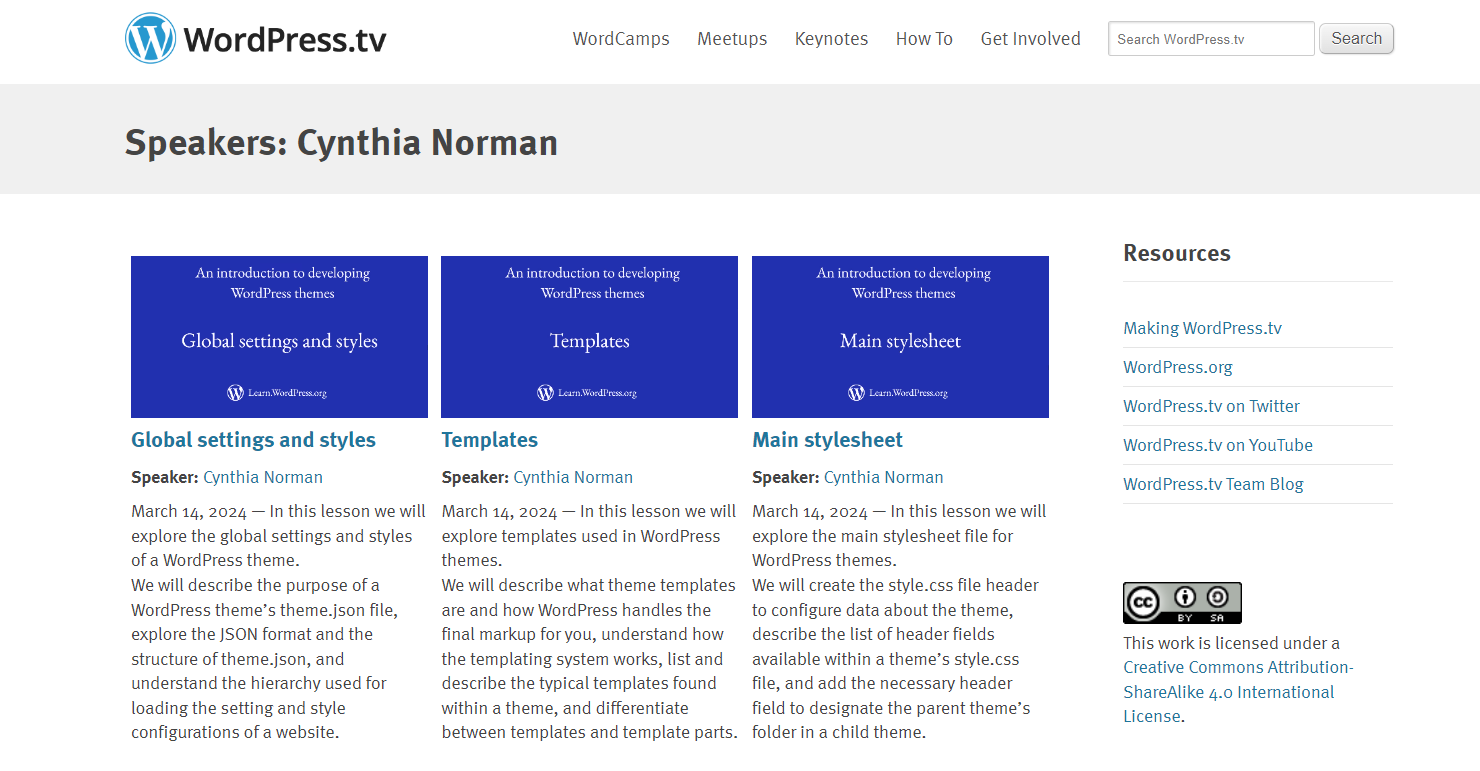
@cnormandigital: Ready to record 3 theme development LP lessons on templates.

@west7: Recorded a new lesson and updated or re-recorded three others. Also ran an online workshop this week.

@psykro: Edited a bunch of existing tutorials into Learning Pathway lessons, hosted dev-squad, and started a collaboration with Agil Julio on another lesson. Hosted a livestream on the WP Playground VS Code Extension.

@sumitsingh: Guiding a new contributor.

  • Anything youโ€™ve accomplished since the last meeting?

ย @bsanevans represented the WordPress project by joining a panel discussion at the Open SourceOpen Source Open Source denotes software for which the original source code is made freely available and may be redistributed and modified. Open Source **must be** delivered via a licensing model, see GPL. Summit in North America. They will share the session recording with the team once it is published.

@digitalchild had a meetupMeetup All local/regional gatherings that are officially a part of the WordPress world but are not WordCamps are organized through https://www.meetup.com/. A meetup is typically a chance for local WordPress users to get together and share new ideas and seek help from one another. Searching for โ€˜WordPressโ€™ on meetup.com will help you find options in your area. where they talked about learning pathways to a few people.

@cnormandigital organized the content for templates in the theme developer learning pathway. Note that there are very few developer resources available on this topic.

@psykro prepared 5 new learning pathway lessons that are ready for review.ย 

Additionally, the lessons in the โ€œAn introduction to WordPress multisiteโ€ module of the beginner developer learning pathway are also available for review

  • Do you have any blockers?
  • Can other Faculty or Training Team members help you in some way?

Open Discussions

If you have topics youโ€™d like discussed in the meeting, please leave them as a comment on this issue.

@psykro noted in the agenda:

Also, thereโ€™s an update to the Sensei course blocks issue. Hopefully we can get this all resolved by the start of next week.

This issue has been blocking content creators from publishing content for a couple of weeks now, soย  @bsanevans said he is glad a fix is in sight.

You can see all meetings scheduled on this meeting calendar. If you are new to the Training Team, then come walk through our onboarding program to get to know the team and how we work. And if you have questions, feel free to reach out in the #training Slack channel at any time.

#meeting-recap, #training, #training-team

#meeting-recap, #training, #training-team

A light Learn/Lessons visual refresh

Hi, as part of some of the Learn visual refresh work the design group has been doing (examples, 1, 2, 3) I was asked by @west7 and @piyopiyofox to explore small improvements to Lessons themselves, such as What is a block? In this post, I provided some review as context, and ultimately for your feedback, some of those explorations and suggestions.

Continue reading โ†’

Training Team Meeting Recap โ€“ 18th April 2024

This meeting followed this meeting agenda in GitHub. You can see conversations from the meeting in this Slack Log. (If you donโ€™t have a SlackSlack Slack is a Collaborative Group Chat Platform https://slack.com/. The WordPress community has its own Slack Channel at https://make.wordpress.org/chat/ account, you can set one up.)

Introductions and Welcome

There were 21 attendees @piyopiyofox, @westnz, @lada7042, @pooja9712, @voboghure (async), @devmuhib (async), @onealtr (async), @mebo (async), @jhimross (async), @sumitsingh (async), @psykro (async), @cnormandigital (async), @freewebmentor (async), @jagirbahesh (async), @zeelthakkar (async), @amitpatelmd (async), @manukk (async), @bsanevans (async), @leogopal (async), @backpocketace (async), @eboxnet (async)

Welcome all the new contributors who joined the Training Teamโ€™s Slack channel in the last week:

@arjunhadke96, @tejaskhatri, @oguzakankan, @ahsan03, @miteshru, @mmuhsin

For those who are new here, the WordPress Training Team helps people learn to use, extend, and contribute to WordPress through educational content hosted onย Learn.WordPress.org.

If you havenโ€™t seen them yet, then I recommend checking out ourย onboarding program, and ourย Guide Program

News

Meeting Note Takers

Meeting recap notes are one of the best ways to get started contributing to a team, and you can find details on how to write notes in thisย handbook page.

Looking for feedback

Looking for feedback: Thumbnails for the Learn redesign โ€“ Please take a moment to generate thumbnails using the provided template and provide your feedback in the commentsย by April 19th (tomorrow!).

@bsanevans proposes setting up a workflow so that content creators would typeย //publishedย to close a published issue, rather than press close. The workflow could do the following:

  • Add a newย [Content] Publishedย label
  • Removeย [Content] Needs Co-hostย label (โ† this has been an outstanding request)
  • Close issue

With this new workflow, weโ€™d then be able to filterFilter Filters are one of the two types of Hooks https://codex.wordpress.org/Plugin_API/Hooks. They provide a way for functions to modify data of other functions. They are the counterpart to Actions. Unlike Actions, filters are meant to work in an isolated manner, and should never have side effects such as affecting global variables and output. out issues with the newย [Content] Publishedย label as those that were actually completed.

The proposal has been met with positive feedback from the team. Here are the key points of discussion:

  • @lada7042: Questioned if the co-host label would be lost entirely. She likes the idea of using a keyword to close the issue.
  • @westnz and @devmuhib: Found the proposal helpful.
  • @leogopal: Mentioned that he is working on a similar workflow automation for the Community Team, suggesting a collaboration.
  • @psykro: Liked the idea for its simplicity and suggested a shorter keyword, โ€œ//publishโ€, to align with WordPress terminology.
  • @bsanevans: Clarified that the automation would remove the โ€œ[Content] Needs Co-hostโ€ label only if it should have been removed already. He agreed with using โ€œ//publishโ€ as the keyword.

The implementation is scheduled for the first week of May, with @bsanevans and @leogopal agreeing to collaborate on it. The script has been completed and is ready for testing in the Community Teamโ€™s GitHub repository.

Looking for volunteers

We need help with reviewing lessons. If you know anyone who might want to contribute.ย Reviewer applicationย Let us know.

Updates from last weekโ€™s dev-squad triage session

Attendees:ย @devmuhib, @huzaifaalmesbah, @mebo

  • Worked with 4 PR.
  • Triaged 3 GitHubGitHub GitHub is a website that offers online implementation of git repositories that can easily be shared, copied and modified by other developers. Public repositories are free to host, private repositories require a paid subscription. GitHub introduced the concept of the โ€˜pull requestโ€™ where code changes done in branches by contributors can be reviewed and discussed before being merged by the repository owner. https://github.com/ issues.

The team would also like to discuss aboutย this issueย related to accessibilityAccessibility Accessibility (commonly shortened to a11y) refers to the design of products, devices, services, or environments for people with disabilities. The concept of accessible design ensures both โ€œdirect accessโ€ (i.e. unassisted) and โ€œindirect accessโ€ meaning compatibility with a personโ€™s assistive technology (for example, computer screen readers). (https://en.wikipedia.org/wiki/Accessibility). Need insights from other team members that will help to increase accessibility of Learn WordPress website.

@psykro suggests making content creators aware of using the aria-label attribute values of user interface elements when referring to them. For instance, instead of describing a button as โ€œthe icon with the SIX dots,โ€ it should be referred to as the โ€œOptionsโ€ button, which is its aria-label attribute value. He proposes adding this information to the Lesson creation guidelines, possibly in a section dedicated to Accessibility tips. @psykro has self-assigned the task of updating the quizzes in the course to reflect this guideline for the upcoming week.

Other news

WordCamp US speaker applications are now open

We are here to help folksย Speak at a WordCamp or Meetup About the Training Team and Learn WordPress! Reach out if youโ€™re looking for assistance.

For members who identify as being part of the Black diaspora, Iโ€™d also like to share this resource fromย BlackPress:ย https://www.meetup.com/blackpress-meetup/events/300377120/. If you have been approved to be a speaker and need financial assistance you could apply atย Support Inclusion in Tech

Come and Contribute

This week weโ€™d love the team to focus onย Content ready for review

ย Feedback awaiting validation

Topics awaiting vetting

  • Seeย Vetting Topic Ideasย for step-by-step guidance on vetting topic ideas.
    • We have 31 issue that requires vetting

Good first issues for developers

  • Seeย Developing Learn WordPressย for instructions on contributing to the Learn WordPress code.
    • We have 15 issues that need a look

Validated feedback awaiting fix

Contributor Acknowledgement

Props: Does anyone have some props to share with a teammate this week?

Props to @lada7042 for completing and adding a new lesson about Global Styles to the Intermediate user learning pathway.

Project updates

Open Discussion

Ooopโ€“ faculty updates happened last week

Does anyone have an open discussion topic theyโ€™d like to bring to the team?

@gusa replied: Iโ€™d like to referenceย this panel discussionย @bsanevans will be part of tomorrow along with theย agendaย for the next Mentorship chat (also tomorrow).

Seems like the latter could provide an entry point for collaboration across teams and working groups on overlapping projects/programs like extending the Mentorship program,ย Five for the Future, and events like do_action by incorporating training and learning resources (seeย this issue/commentย for examples).

You can see all meetings scheduled onย this meeting calendar. If you are new to the Training Team, then come walk throughย our onboarding programย to get to know the team and how we work. And if you have questions, feel free to reach out in theย #trainingย Slack channelย at any time.

Brainstorm & Table Lead โ€“ WordCamp Europe 2024 Contributor Day

The WordCamp Europe Contributor Day will be taking place on the 13th of June, 2024! In preparation for the day, weโ€™d like you to share ideas of what contributors at the Training Team table can get involved with that day.

You can read our Preparing for a Flagship WordCamp Contributor Day handbook page to learn more about how the Training Team prepares for Flagship WordCampWordCamp WordCamps are casual, locally-organized conferences covering everything related to WordPress. They're one of the places where the WordPress community comes together to teach one another what theyโ€™ve learned throughout the year and share the joy. Learn more. Contributor Days.

Table Leads

We are looking for Contributor DayContributor Day Contributor Days are standalone days, frequently held before or after WordCamps but they can also happen at any time. They are events where people get together to work on various areas of https://make.wordpress.org/ There are many teams that people can participate in, each with a different focus. https://2017.us.wordcamp.org/contributor-day/ https://make.wordpress.org/support/handbook/getting-started/getting-started-at-a-contributor-day/ table co-leads for WordCamp Europe 2024โ€“ do we have any volunteers?

In general, Table leads represent the Training Team through the preparation, execution, and wrap-up of the event. You can read more about Table Lead responsibilities in this handbook page.

Brainstorm

Below are some ideas to kick-start discussions. Feel free to comment on this post with your ideas, too!

This brainstorming is open until May 27th (Monday).

Team reps and table leads will consider all ideas and publish a post with a final plan by June 3rd.

Experienced Contributors

  • Review Ready for Review content
  • Write a script for a learning pathway lesson or other lessons under Ready to Create
  • Assist with Project Thread: Learning Pathways on Learn WordPress
  • Join a session discussing practical insights into lesson creation
  • Create content
  • Work on Content Localization
  • Vet Topic Ideas
  • Cross-team collaboration opportunitiesย ย 

New Contributors

  • Contributors walk through the Onboarding Paths
  • Review online courses and submit feedback
  • Write a script for a learning pathway lesson or other lessons under Ready to Createย 
  • Review published content and submit an error report
    • Spelling mistakes
    • Outdated content
    • Something is not clear and needs improvement
    • Screenshot/images missing.

Training Team Meeting Recap โ€“ 11th April 2024

This meeting followed this meeting agenda in GitHub. You can see conversations from the meeting in this Slack Log. (If you donโ€™t have a SlackSlack Slack is a Collaborative Group Chat Platform https://slack.com/. The WordPress community has its own Slack Channel at https://make.wordpress.org/chat/ account, you can set one up.)

Introductions and Welcome

There were 15 attendees @voboghure @lada7042 @devmuhib @jagirbahesh @alexcu21 @pooja9712 @sierratr (async) @sumitsingh (async) @zeelthakkar (async) @amitpatelmd (async) @backpocketace (async) @iamasadpolash (async) @eboxnet (async) @cnormandigital (async) @mebo (async)

Welcome, all the new contributors who joined the Training Teamโ€™s Slack channel in the last week: @goose1984 @rushi1943 @ralessio @yellowlime @enkansah @craigallen @onemaggie @narenin @oseiagm @timlorge

For those who are new here, the WordPress Training Team helps people learn to use, extend, and contribute to WordPress through educational content hosted onย Learn.WordPress.org.

If you havenโ€™t seen them yet, then I recommend checking out ourย onboarding program, and ourย Guide Program

News

Meeting Note Takers

Meeting recap notes are one of the best ways to get started contributing to a team, and you can find details on how to write notes in thisย handbook page.

Looking for feedback

  • A conversation was started in the last meeting. I want to give it more time if anyone has any other comments.ย 
    • Topic Summary- Members of the WordPress Performance Team have been working on an introduction to gathering WordPress performance data in the field. This is provided inย this Colab, as the Colab format is a great fit for this kind of content, since it allows providing BigQuery queries that can be run directly inside of it, and the results can be presented alongside the queries. Colab covers both potential coreCore Core is the set of software required to run WordPress. The Core Development Team builds WordPress. use-cases as well as pluginPlugin A plugin is a piece of software containing a group of functions that can be added to a WordPress website. They can extend functionality or add new features to your WordPress websites. WordPress plugins are written in the PHP programming language and integrate seamlessly with WordPress. These can be free in the WordPress.org Plugin Directory https://wordpress.org/plugins/ or can be cost-based plugin from a third-party. or theme use-cases.

Looking for volunteers

Need help with reviewing lessons for Learn Pathways. If you know anyone who might want to contribute.ย Reviewer applicationย Let us know.

Updates from last weekโ€™s dev-squad triage session

  • No updates this week.
  • The Training Team developer squad meets every other Thursday at 07:00 inย #meta-learnย You can learn more about the dev squad and what it does inย this handbook page.

Other News

  • Check out a new edition ofย Contributor Spotlight!ย @ardianimayaย just publishedย @cnormandigitalย โ€˜s Contributor Spotlight. Great to know more about your journey, Cynthia!ย :dizzy:
  • I want to let new people here know that the training team has a monthly newsletter and a monthly update.

Come and Contribute

Last week we tried something different with this section. We will only highlight the areas of contribution that are of the highest priority, and thread the others to ensure focus.

ย This week weโ€™d love the team to focus onย Feedback awaiting validation

Content ready for review

Topics awaiting vetting

  • Seeย Vetting Topic Ideasย for step-by-step guidance on vetting topic ideas.
  • We have 31 issue that requires vetting

Good first issues for developers

  • Seeย Developing Learn WordPressย for instructions on contributing to the Learn WordPress code.
  • We have 15 issues that need a look

Validated feedback awaiting fix

If you donโ€™t know where to start or have questions about any of the above, feel free to send a DMย @lada7042

Contribution Acknowledgement

  • Badges awarded: at the end of the month
  • Props: @devmuhib props @voboghure for taking meeting recap notes and translating contents consistently.

Project updates

  • Learning Pathways

Faculty Updates

@lada7042ย asked the faculty members, what they were working on and how was that going? If they accomplished anything since the last meeting? What goal do they set for themself? If they have any blockers and if any other faculty or training team member help them in some way?

@devmuhib replied he was taking care of 15+ Help Scout tickets, triaging GitHubGitHub GitHub is a website that offers online implementation of git repositories that can easily be shared, copied and modified by other developers. Public repositories are free to host, private repositories require a paid subscription. GitHub introduced the concept of the โ€˜pull requestโ€™ where code changes done in branches by contributors can be reviewed and discussed before being merged by the repository owner. https://github.com/ issues, and gonna host dev-squad-triage today. Also, he set a goal to work on Help Scout tickets regularly.

@lada7042 replied she was working on global styles and style book lessons for learning pathways. Since last meeting she finished the global styles lesson and its on wp.tv. She is feeling blocked as she has not enough time and still learning.

@cnormandigital replied she has finished the Style Variations video and needs to share it with the team, worked on the Templates lesson, and started adding the Beginner Theme Dev module to sensei. She is adding Sensei lessons to the Learning Pathway courses is something she had to figure out and she tries to follow the same tone and voice Jonathan is using so they have cohesiveness with all of the lessons. Also, she wants to have all of the Beginner Theme Dev lessons on Sensei by the end of April. All of the Intermediate Theme Dev lessons for Templates will be completed as well.

Open Discussions

If you have topics youโ€™d like discussed in the meeting, please leave them as a comment on this issue.

@flexseth wants to be able to link to timestamps in wp.tv videos as like as when we are on YouTube and share a video from a specific timestamp.
@bsanevans inform that it already possible. If we pause the video at the time and click on the arrow at the top right thereโ€™ll be an option to add a timestamp to the shareable link.


You can see all meetings scheduled on this meeting calendar. If you are new to the Training Team, then come walk through our onboarding program to get to know the team and how we work. And if you have questions, feel free to reach out in theย #trainingย Slack channel at any time.

#meeting-recap, #training, #training-team

Contributor Spotlight: Cynthia Norman

Welcome to another edition of the Training Teamโ€™s Contributor Spotlight! In this series, the Training Team introduces you to one of our many valued contributors, and you can learn more about their contribution journey.

a profile photo of WordPress contributor, Cynthia Norman

Introducing Cynthia!

Todayโ€™s featured contributor is Cynthia Norman from Canada! Cynthia is one of the Training teamโ€™s Content Creators with expertise in theme development, and sheโ€™s also a Faculty team member. Letโ€™s get to know more about her WordPress journey.

All About Cynthia

Cynthia is a family womanโ€“sheโ€™s a proud nana of six grandchildren who lives near the beautiful Ontario landscape, where the wilderness is just a little beyond her backyard. She grew up in Quebec and comes from French-Canadian heritage, so no wonder that sheโ€™s eloquent in French.

Cynthia and her golden retriever, Mya, playing outside when it snows

With a background in Civil Engineering and French language proficiency, Cynthia has taught computer science, math, and French for many years. That was until 2010, when she decided to switch gears from teaching at high school to web development. She obtained a diploma in Applied Web Development, and now itโ€™s been five years that she has worked as a freelance web developer.ย 

Outside of WordPress, Cynthia enjoys spending time in nature. โ€œAs a self-proclaimed introvert, I am most happy spending time fishing, kayaking, vegetable gardening, and walking with my golden retriever, Mya,โ€ she says.

She also cherishes the time when sheโ€™s with her own family and her church family. โ€œAs grandparents, my husband and I are never short on family gatherings around birthday celebrations and holidays!โ€ The great outdoors, a nice dose of solitude, and fun times with loved onesโ€“now thatโ€™s what you call โ€˜joie de vivreโ€™!

Cynthiaโ€™s WordPress Journey

When she was still studying web development, Cynthia did volunteer work for her churchโ€“she helped create a website for them. It was the first time she developed a website, and she used HTMLHTML HTML is an acronym for Hyper Text Markup Language. It is a markup language that is used in the development of web pages and websites. and CSSCSS CSS is an acronym for cascading style sheets. This is what controls the design or look and feel of a site. to build it. Soon after, she built her first WordPress website professionally, and sheโ€™s been hooked to this CMS ever since.

Over the years, she has built and maintained hundreds of WordPress sites as a freelancer for her own clients and as a contractor with WordPress agencies.

As time went by, Cynthiaโ€™s eagerness to stay current led her to start contributing to WordPressโ€™s open-source project. โ€œI felt contributing to the WordPress project would tick all the boxes for my desire to grow professionally,โ€ she explains. โ€œI was a WordPress Contributor Mentorship program mentee in July 2023. I chose to join the Training Team as this is where I felt most comfortable, given my background and experience in education.โ€

Her first significant contribution was updating the BlockBlock Block is the abstract term used to describe units of markup that, composed together, form the content or layout of a webpage using the WordPress editor. The idea combines concepts of what in the past may have achieved with shortcodes, custom HTML, and embed discovery into a single consistent API and user experience. Theme developer course created by Jonathan Bossenger on Learn WordPress. โ€œWorking collaboratively with WordPress educators has been so rewarding, and exactly what I needed to complement my freelance work,โ€ Cynthia affirms.

Powered by her experience in creating many WordPress sites and hundreds of WordPress tutorials, Cynthia also decided to extend her passion for knowledge-sharing by launching a WordPress Tutorials YouTube channel, WP SOS Hub, in 2023. There, she created videos about her experience with WordPress-related topics such as themes, plugins, and full-site editing, aiming to inspire people to have a beautiful and SEO-optimized website that will convert visitors into customers.

Overcoming Challengesย 

For Cynthia, the most challenging part of contributing has been figuring out how much time to set aside on a consistent basis. She shares her trick: โ€œMy efforts to contribute at least 2 hours daily have helped me grow into my current role as a Faculty Member of the Training Team.โ€Moreover, Cynthia acknowledges that the Training teamโ€™s onboarding process and handbook are excellent resources to guide contributors along their journey. In the Training team, there are multiple onboarding paths for multiple contributing roles, so new contributors can choose any path they like.

Memorable WordPress Moments

Cynthia joined the pilot program of WordPress Contributor Mentorship in 2023, and completing it has been the highlight of her WordPress journey. โ€œThe mentorship program was what I needed to gain insights into what contributing to the WordPress project meant to begin with. My mentor, Jenni McKinnon, made me feel supported throughout the program. We had a little one-on-one time which was so appreciated,โ€ she reminisces.

The Contributor Mentorship Program itself is a cohort-based and 1:1 mentorship to new and aspiring contributors. The program is intended as a pathway to help new contributors find their way into WordPress contributions. The second cohort of the program is currently running, starting from February 19, 2024.

What advice would you give to someone who wants to get started with contributing to WordPress?

โ€œChoose to work on one thing you feel drawn towards, and try hard to avoid getting distracted by all the different directions your contributions can take you. You may get discouraged and give up if you donโ€™t feel a connection with anyone. From my experience so far, I have found it best to slowly build things so that I can gain confidence in one area before moving on to the next thing.โ€

Thank you, Cynthia, for all your dedication and contributions to the Training Team and to the WordPress Open SourceOpen Source Open Source denotes software for which the original source code is made freely available and may be redistributed and modified. Open Source **must be** delivered via a licensing model, see GPL. Project!

If you are interested in getting started with contributing to the Training Team, please check out our Getting Started guide and/or join the Guide Program to be mentored by an experienced contributor. Weโ€™d be happy to have you join us!

#contributor-spotlight

Training Team Meeting Recap โ€“ 04th April 2024

This meeting followedย this meeting agenda in GitHub. You can see conversations from the meeting in thisย Slack Log. (If you donโ€™t have aย SlackSlack Slack is a Collaborative Group Chat Platform https://slack.com/. The WordPress community has its own Slack Channel at https://make.wordpress.org/chat/ย account, you canย set one up.)

Introductions and Welcome

There were 15 attendeesย @piyopiyofox, @sumitsingh, @west7, @flixos90, @lada7042, @pooja9712, @digitalchild(async) , @devmuhib(async), @voboghure(async), @psykro(async), @onealtr(async), @ironnysh(async), @zoonini(async), @backpocketace(async), @bsanevans(async)

Welcome, to all the new contributors who joined the Training Teamโ€™s Slack channel in the last week:

@cryptrz, @Ibrahim, @Vishal Valand, @Jagir Bahesh, @Arun Sharma, @Zeel Thakkar, @DevSahadat, @flixos90, @Galib Hayder

For those who are new here, the WordPress Training Team helps people learn to use, extend, and contribute to WordPress through educational content hosted onย Learn.WordPress.org.

If you havenโ€™t seen them yet, then I recommend checking out ourย onboarding program, and ourย Guide Programย 

News

Meeting Note Takers

Meeting recap notes are one of the best ways to get started contributing to a team, and you can find details on how to write notes in thisย handbook page.

Looking for feedback

  • Is anyone going to speak about Learn WordPress or the Training Team this month? Or applying to speak?

Please also feel free to let us know laterโ€“ weโ€™d love to support you inย Speaking at a WordCamp or Meetup About the Training Team and Learn WordPressย :blush:

  • WordCampWordCamp WordCamps are casual, locally-organized conferences covering everything related to WordPress. They're one of the places where the WordPress community comes together to teach one another what theyโ€™ve learned throughout the year and share the joy. Learn more. Asia 2024 Contributor check-in

I canโ€™t believe that WordCamp Asia was already a month ago! I wanted to check in on our new Contributor DayContributor Day Contributor Days are standalone days, frequently held before or after WordCamps but they can also happen at any time. They are events where people get together to work on various areas of https://make.wordpress.org/ There are many teams that people can participate in, each with a different focus. https://2017.us.wordcamp.org/contributor-day/ https://make.wordpress.org/support/handbook/getting-started/getting-started-at-a-contributor-day/ folksโ€“ how are you all doing? Is there anything youโ€™ve been contributing to lately, or do you have any questions about how to keep contributing to the team?ย :thread:

@kuanbro,ย @Sara,ย @kurudrive,ย @h2hamย @gmtan,ย @Egle Lakย @pauloeaquino,ย @paulluxfordย @Hajime megane Ogushi,ย @manukk,ย @Alfred Kang

Updates from last weekโ€™s dev-squad triage session

The Training Team developer squad meets every other Thursday at 07:00 inย #meta-learn. You can learn more about the dev squad and what it does inย this handbook page.

@Jamie Maddenย shared the following notes from last weekโ€™s meeting:

  • 1 PR draft and no new PRs.
  • New Issues
  • 1 content issue was mislabelled as awaiting triage and added by the GitHubGitHub GitHub is a website that offers online implementation of git repositories that can easily be shared, copied and modified by other developers. Public repositories are free to host, private repositories require a paid subscription. GitHub introduced the concept of the โ€˜pull requestโ€™ where code changes done in branches by contributors can be reviewed and discussed before being merged by the repository owner. https://github.com/ bot to the Learn WP Website Development Project board
  • 1 new issue related to Gujarati Local Content Linked to Docs File instead of the Gujarati localized site.
  • 1 Style updates for sensei to fix radio buttons and a PR was created ready for review for next session.
  • Testing of wp-now PR has started

@Muhibul Haqueย has accepted to host dev squad triage on the 11th of April.

ย Other News

  • Theย Learn WordPress Newsletter โ€“ April 2024ย is now published โ€” check out all the new content we published last month!
  • Our March team update is now available for review in theย Training Team Update โ€“ March 2024ย post โ€” this gives a rundown of our team goal progress, projects, and overall team health.
  • A new handbook section on the interim co-rep process is being created and should be available later today
  • Your Team repsย @Ben Evansย andย @Destinyย will be away on a business trip next week and will have limited availability.ย @Laura Aย will be holding down the fort for the team.

Come and Contribute

Weโ€™re trying something different with this section this week. We will only highlight the areas of contribution that are of the highest priority, and thread the others to ensure focus.

ย This week weโ€™d love the team to focus onย Content ready for review

Seeย Guidelines for reviewing contentย when reviewing content.

We have 19 issues ready for review cc/ย @faculty-editors

Find the rest of the ways you can contribute in thisย :thread:

ย Feedback awaiting validation

Topics awaiting vetting

  • Seeย Vetting Topic Ideasย for step-by-step guidance on vetting topic ideas.
  • We have 1 issue that requires vetting

Good first issues for developers

  • Seeย Developing Learn WordPressย for instructions on contributing to the Learn WordPress code.
  • We have 15 issues that need a look

Validated feedback awaiting fix

Contributor Acknowledgement

  • Badges: We awarded a Training Contributor badge toย @harishanker! Congratulations and thank you for your hard work!

Project updates

  • Project Thread: Learning Pathways on Learn WordPress
  • Translation plugin for Learn
    • @Jonathanย shared the following update:
      • The team would like to prioritize using GPLGPL GPL is an acronym for GNU Public License. It is the standard license WordPress uses for Open Source licensing https://wordpress.org/about/license/. The GPL is a โ€˜copyleftโ€™ license https://www.gnu.org/licenses/copyleft.en.html. This means that derivative work can only be distributed under the same license terms. This is in distinction to permissive free software licenses, of which the BSD license and the MIT License are widely used examples.-compliant plugins, so at the moment weโ€™ve highlightedย Polylangย andย TranslatePressย as two possible options
      • TranslatePress seems to be theย better optionย between the two.
      • Ben raised this question with members of the metaMeta Meta is a term that refers to the inside workings of a group. For us, this is the team that works on internal WordPress sites like WordCamp Central and Make WordPress. team who are working on the Learn redesign, who indicated we would need to first have a more public community conversation around it, as it would mean installing the pluginPlugin A plugin is a piece of software containing a group of functions that can be added to a WordPress website. They can extend functionality or add new features to your WordPress websites. WordPress plugins are written in the PHP programming language and integrate seamlessly with WordPress. These can be free in the WordPress.org Plugin Directory https://wordpress.org/plugins/ or can be cost-based plugin from a third-party. on the .org infrastructure.
      • Our next steps will be to hold that public discussion with Meta.

I want to say again that any team member can get involved and contribute to our projects and goals. If any of them interest you, please donโ€™t hesitate to lend your expertise and thoughts.ย 

Open Discussions

@flixos90ย has come to the team with a topic for open discussionย  which Iโ€™ll summarize below:pray::skin-tone-4:

Members of the WordPress Performance Team have been working on an introduction to gathering WordPress performance data in the field. This is provided inย this Colab, as the Colab format is a great fit for this kind of content, since it allows providing BigQuery queries that can be run directly inside of it, and the results can be presented alongside the queries. Colab covers both potential coreCore Core is the set of software required to run WordPress. The Core Development Team builds WordPress. use-cases as well as plugin or theme use-cases.

Felix drafted aย Make Core post draft (public preview)ย  to share this Colab more broadly with the core developer audience.

Felix is wondering whether it could be included or embedded in another area more dedicated to this kind of resource, such asย learn.wordpress.org.

You can see all meetings scheduled onย this meeting calendar. If you are new to the Training Team, then come walk throughย our onboarding programย to get to know the team and how we work. And if you have questions, feel free to reach out in theย #trainingย Slack channelย at any time.

#learn-wordpress, #training, #training-team

Looking for feedback: Thumbnails for the Learn redesign

Design has also created thumbnail templates to be used across multiple media assets used in the WordPress project. For the Training Team specifically, these would be used for course/lesson featured images on Learn, videos uploaded to YouTube, and Online Workshop thumbnails added to Meetup.com. The team would start using these thumbnails as part of the redesign work currently happening on Learn.

Please take a moment to generate thumbnails using the provided template and provide your feedback in the comments by April 19th.


Follow the instructions below to download the Figma file to your computer and generate images there.

  1. Create and login to your Figma account atย https://www.figma.com/
  2. Downloadย the template file.
  3. Import the file into Figma by going to the Figma homepage and clicking on โ€œImportโ€ in the top-right corner.
  4. Follow the directions described in the file to generate visuals.

Out of the templates provided, Training would be using the following:

  • Topic as image: Course/lesson featured images
  • Title only: Lesson video thumbnails on YouTube
  • Title and guest & Title and multiple guests: Online Workshop thumbnails on Meetup.com

Then, please leave your feedback below. Here are some questions that would be particularly helpful for the design team.

  1. Is the process clear? Suggestions on the copy and the step by step flow are very useful.
  2. Did you export the visuals as expected?
  3. Did you face any problem during the process? Which ones?
  4. Is any helpful information missing?

#design, #learn-wordpress