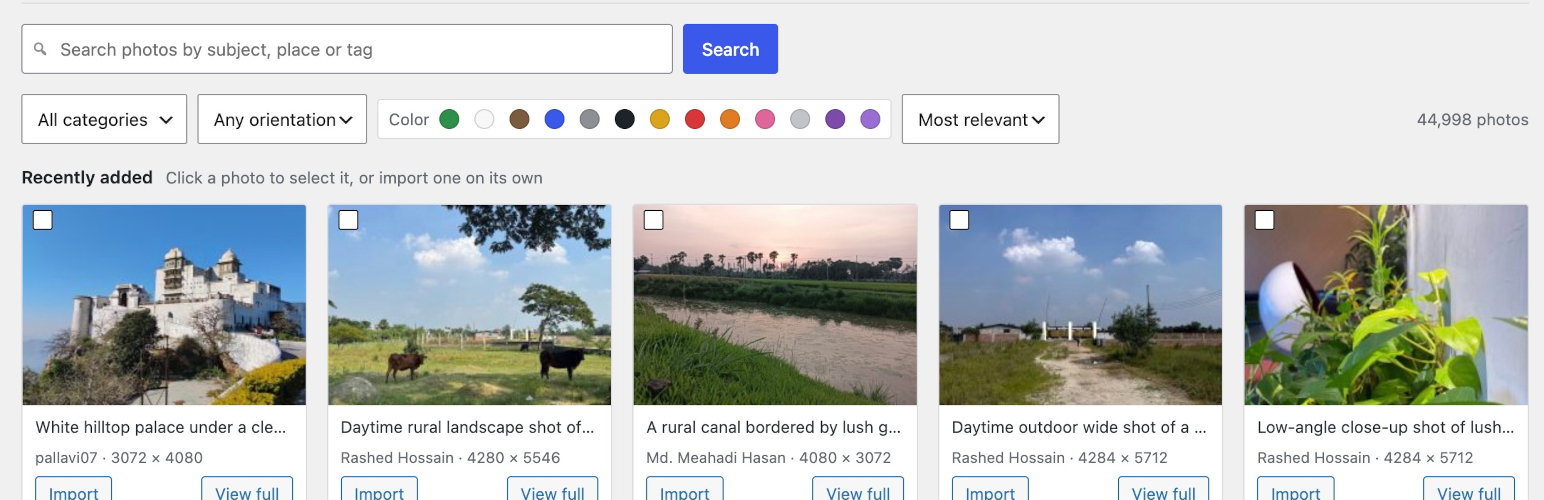
Presenting the PhotoFetch plugin

It has a UIUI UI is an acronym for User Interface - the layout of the page the user interacts with. Think ‘how are they doing that’ and less about what they are doing. under the Media Library menu for simply searching and importing, but it also integrates with the media chooser library in the editor, alongside the Media Library tab.

PhotoFetch is a new WordPress pluginPlugin A plugin is a piece of software containing a group of functions that can be added to a WordPress website. They can extend functionality or add new features to your WordPress websites. WordPress plugins are written in the PHP programming language and integrate seamlessly with WordPress. These can be free in the WordPress.org Plugin Directory https://wordpress.org/plugins/ or can be cost-based plugin from a third-party. recently released on the WordPress.orgWordPress.org The community site where WordPress code is created and shared by the users. This is where you can download the source code for WordPress core, plugins and themes as well as the central location for community conversations and organization. https://wordpress.org/ plugin repository. It’s integrates a user interface into WordPress to allow editors to search for photos on the WordPress Photo Directory site and import them into the Media Library.

Install PhotoFech from the WordPress Plugin Directory

This plugin was built by a team of people at WordCampUS 2026 as part of Contributor Day.

Michelle came up with the idea and proposed it, and Topher did some initial research to see if it was feasible. Then we spent the day working on features, writing docs, and testing vigorously.

If you use it, please let us know!

#wpphotos