The WordPress coreCoreCore is the set of software required to run WordPress. The Core Development Team builds WordPress. development team builds WordPress! Follow this site for general updates, status reports, and the occasional code debate. There’s lots of ways to contribute:
Found a bugbugA bug is an error or unexpected result. Performance improvements, code optimization, and are considered enhancements, not defects. After feature freeze, only bugs are dealt with, with regressions (adverse changes from the previous version) being the highest priority.?Create a ticket in the bug tracker.
Welcome back to a new issue of Week in CoreCoreCore is the set of software required to run WordPress. The Core Development Team builds WordPress.. Let’s take a look at what changed on TracTracAn open source project by Edgewall Software that serves as a bug tracker and project management tool for WordPress. between February 5 and February 12, 2024.
71 commits
245 contributors
82 tickets created
11 tickets reopened
82 tickets closed
TicketticketCreated for both bug reports and feature development on the bug tracker. numbers are based on the Trac timeline for the period above. The following is a summary of commits, organized by component and/or focus.
Code changes
Administration
Improve contrast and consistency of focus styles – #51870
Bundled Themes
Twenty Fifteen: Add top margin to the File blockBlockBlock is the abstract term used to describe units of markup that, composed together, form the content or layout of a webpage using the WordPress editor. The idea combines concepts of what in the past may have achieved with shortcodes, custom HTML, and embed discovery into a single consistent API and user experience. button styles – #58498
Twenty Nineteen: Add border-radius to avatarAvatarAn avatar is an image or illustration that specifically refers to a character that represents an online user. It’s usually a square box that appears next to the user’s name. images in the editor – #59285
Twenty Nineteen: Correct line height for Button block – #58443
Twenty Nineteen: Restore transition property to a single line – #58443
Twenty Sixteen: Add border-radius to avatar images in the editor – #59253
Twenty Twenty-Four: Add missing translationtranslationThe process (or result) of changing text, words, and display formatting to support another language. Also see localization, internationalization. functions to text strings – #60298
Twenty Twenty-Four: Prefix the block pattern categoryCategoryThe 'category' taxonomy lets you group posts / content together that share a common bond. Categories are pre-defined and broad ranging. name – #59839
Twenty Twenty-Three: Include Latin-extended characters in DM Sans font files – #59008
Twenty Twenty-Two: Prefix the pages block pattern category name – #59839
Twenty Twenty: Scope .privacy-policy styles to the footer only – #60469
Improve focus outline in Twenty Twenty-Four – #60334
Cast font URLURLA specific web address of a website or web page on the Internet, such as a website’s URL www.wordpress.org functions to string for add_editor_style() – #59704
Build/Test Tools
Fix bugbugA bug is an error or unexpected result. Performance improvements, code optimization, and are considered enhancements, not defects. After feature freeze, only bugs are dealt with, with regressions (adverse changes from the previous version) being the highest priority. pulling local environment containers on Apple silicone – #59930
Generate a human-readable HTMLHTMLHyperText Markup Language. The semantic scripting language primarily used for outputting content in web browsers. coverage report – #60476
Unpin PHPPHPThe web scripting language in which WordPress is primarily architected. WordPress requires PHP 5.6.20 or higher 7.4 from the test coverage workflow – #59647
Adjust the metaMetaMeta is a term that refers to the inside workings of a group. For us, this is the team that works on internal WordPress sites like WordCamp Central and Make WordPress. key time in wp_scheduled_delete() tests – #59938
Canonical
Introduce admin_canonical_urlfilterFilterFilters are one of the two types of Hooks https://codex.wordpress.org/Plugin_API/Hooks. They provide a way for functions to modify data of other functions. They are the counterpart to Actions. Unlike Actions, filters are meant to work in an isolated manner, and should never have side effects such as affecting global variables and output. – #59545
Coding Standards
Add missing fullstop to docblocks in wp-includes/vars.php – #41877
Add viewScriptModule handling to block.json metadata – #60233
Add wakeup magic method to the block bindings registry – #60282
Avoid double escaping on value passed for attribute in HTML tagtagA directory in Subversion. WordPress uses tags to store a single snapshot of a version (3.6, 3.6.1, etc.), the common convention of tags in version control systems. (Not to be confused with post tags.) processor
Update pattern overrides attribute format – #60456
Update the WordPress packages to GutenbergGutenbergThe Gutenberg project is the new Editor Interface for WordPress. The editor improves the process and experience of creating new content, making writing rich content much simpler. It uses ‘blocks’ to add richness rather than shortcodes, custom HTML etc. https://wordpress.org/gutenberg/ 17.7RC1 – #60315
Block HooksHooksIn WordPress theme and development, hooks are functions that can be applied to an action or a Filter in WordPress. Actions are functions performed when a certain event occurs in WordPress. Filters allow you to modify certain functions. Arguments used to hook both filters and actions look the same.: Inject hooked blocks into modified templates and parts – #59646
Blocks: Allow reading the script handle from asset files – #60485
Interactivity APIAPIAn API or Application Programming Interface is a software intermediary that allows programs to interact with each other and share data in limited, clearly defined ways.: Integrate Server Directive Processing – #60356
Add an option to configure the site icon in general settings – #54370, #16434
Remove ableist language from code comments – #60247
HTML API
Add subclassed has_bookmark() and fix seek() – #60474
Join text nodes on invalidinvalidA resolution on the bug tracker (and generally common in software development, sometimes also notabug) that indicates the ticket is not a bug, is a support request, or is generally invalid.-tag-name boundaries – #60385
I18Ni18nInternationalization, or the act of writing and preparing code to be fully translatable into other languages. Also see localization. Often written with a lowercase i so it is not confused with a lowercase L or the numeral 1. Often an acquired skill.
Store pluginPluginA plugin is a piece of software containing a group of functions that can be added to a WordPress website. They can extend functionality or add new features to your WordPress websites. WordPress plugins are written in the PHP programming language and integrate seamlessly with WordPress. These can be free in the WordPress.org Plugin Directory https://wordpress.org/plugins/ or can be cost-based plugin from a third-party deletion results in temporary option – #59433
Quick/Bulk Edit
Pre-fill category fields with their status – #11302
REST APIREST APIThe REST API is an acronym for the RESTful Application Program Interface (API) that uses HTTP requests to GET, PUT, POST and DELETE data. It is how the front end of an application (think “phone app” or “website”) can communicate with the data store (think “database” or “file system”) https://developer.wordpress.org/rest-api/.
Add featured_media field to attachments endpoint – #41692
Improve error handling in REST meta fields – #48823
Introduce the necessary endpoints for the font library – #59166
Provide detailed error data in REST API response – #60014
Script Loader
Add a timezone offset display value to wp.date.setSettings – #60105
Improve translators comments for wp.date.setSettings in compat file – #60412
always output core block global styles after base global styles – #60280
Micro-optimizations for getting plugin_file in plugins loader loopLoopThe Loop is PHP code used by WordPress to display posts. Using The Loop, WordPress processes each post to be displayed on the current page, and formats it according to how it matches specified criteria within The Loop tags. Any HTML or PHP code in the Loop will be processed on each post. https://codex.wordpress.org/The_Loop. – #60510
Remove unnecessary individual subfiles from $_old_files array – #58995
Users
Replace table tags for color palettes in profiles – #53157
Welcome back to a new issue of Week in CoreCoreCore is the set of software required to run WordPress. The Core Development Team builds WordPress.. Let’s take a look at what changed on TracTracAn open source project by Edgewall Software that serves as a bug tracker and project management tool for WordPress. between September 4 and October 9, 2023.
Please note that exceptionally and because of personal vacations, this Week in Core issue covers 4 weeks 😊
269 commits
337 contributors
295 tickets created
43 tickets reopened
277 tickets closed
TicketticketCreated for both bug reports and feature development on the bug tracker. numbers are based on the Trac timeline for the period above. The following is a summary of commits, organized by component and/or focus.
Welcome back to a new issue of Week in CoreCoreCore is the set of software required to run WordPress. The Core Development Team builds WordPress.. Let’s take a look at what changed on TracTracAn open source project by Edgewall Software that serves as a bug tracker and project management tool for WordPress. between August 21 and September 4, 2023.
75 commits
150 contributors (!)
25 new contributors (!)
129 tickets created
13 tickets reopened
117 tickets closed
TicketticketCreated for both bug reports and feature development on the bug tracker. numbers are based on the Trac timeline for the period above. The following is a summary of commits, organized by component and/or focus.
Code changes
Administration
Escape post type output as field attribute – #59190
Build/Test Tools
Avoid doing copy:dynamic when running grunt watch when using --dev option – #59196
Change the version of Node.js in the Codespaces container – #56658
Compare results in performance measurement workflow – #58358, #58359
Enable running the tests on PHPPHPThe web scripting language in which WordPress is primarily architected. WordPress requires PHP 5.6.20 or higher 8.3 – #59231
Ensure database containers are prepared for commands – #30462, #58867
Expand database testing to account for all supported versions and types – #30462
Implicitly pass secrets to the called workflow – #30462
Twenty Nineteen: Improve social media icon dimension attributes – #45950
Ensure that pull quotes are able to use the correct font size – #57854
Coding Standards
Remove unused global variables in various /wp-admin/includes/ files – #59254
Use strict comparison in wp-includes/class-wp-hook.php – #58831
Use strict comparison in wp-includes/class-wp-widget.php – #58831
Use strict comparison in wp-includes/ms-files.php – #58831
Use strict comparison in wp-includes/ms-site.php – #58831
CustomizerCustomizerTool built into WordPress core that hooks into most modern themes. You can use it to preview and modify many of your site’s appearance settings.
use the correct X-Robots-TagheaderHeaderThe header of your site is typically the first thing people will experience. The masthead or header art located across the top of your page is part of the look and feel of your website. It can influence a visitor’s opinion about your content and you/ your organization’s brand. It may also look different on different screen sizes. – #58865
Database
Improve the documentation for various methods in the wpdb class – #58833
Add missing param description in WP_Comment class – #58890
Clarify post_date_column_timefilterFilterFilters are one of the two types of Hooks https://codex.wordpress.org/Plugin_API/Hooks. They provide a way for functions to modify data of other functions. They are the counterpart to Actions. Unlike Actions, filters are meant to work in an isolated manner, and should never have side effects such as affecting global variables and output. description – #59029
Correct default post type in page_template_dropdown()docblockdocblock(phpdoc, xref, inline docs) – #58972
Docblock improvements in _deprecated_class() function, as per docblocks standards – #58833
Fix typo in a translator comment in _deprecated_class() – #58833
Add relative time strings for the wp-date inline script output – #59219, #47373
Don’t use fluid layout value in typography – #58754
Ensure main query loopLoopThe Loop is PHP code used by WordPress to display posts. Using The Loop, WordPress processes each post to be displayed on the current page, and formats it according to how it matches specified criteria within The Loop tags. Any HTML or PHP code in the Loop will be processed on each post. https://codex.wordpress.org/The_Loop. is entered for singular content in blockBlockBlock is the abstract term used to describe units of markup that, composed together, form the content or layout of a webpage using the WordPress editor. The idea combines concepts of what in the past may have achieved with shortcodes, custom HTML, and embed discovery into a single consistent API and user experience. themes – #58154
Optimize wp_get_block_css_selector to remove array_merge calls for better performance – #59178
Preserve block style variations when securing theme – #59108
Introduce font-face styles generator and printer – #59165
Replace two esc_url_raw() calls in core with sanitize_url() – #59247
Use regular core button styles for page header actions – #41986
HTMLHTMLHyperText Markup Language. The semantic scripting language primarily used for outputting content in web browsers.APIAPIAn API or Application Programming Interface is a software intermediary that allows programs to interact with each other and share data in limited, clearly defined ways.
Stop processing HTML when encountering unsupported markup – #59167
Update WP_Http class to avoid PHP deprecation warnings – #58876
Help/About
Match icon and text in Help for bulk edit button – #58785
Login and Registration
Improve test coverage for sign on related functions – #36476
Media
Add a filter to the get_available_post_mime_types() function to allow overriding its database query – #52759
Prevent warning if shortcodeShortcodeA shortcode is a placeholder used within a WordPress post, page, or widget to insert a form or function generated by a plugin in a specific location on your site. is used without attributes – #59206
Remove unused $is_IE and $is_opera globals in media_upload_form() – #59254
Menus
Fix proximity of controls to Save and Delete menus – #56594
Options, MetaMetaMeta is a term that refers to the inside workings of a group. For us, this is the team that works on internal WordPress sites like WordCamp Central and Make WordPress. APIs
Introduce prime_options() to load multiple options with a single database request – #58962
Reinstate missing sort_column options in get_pages() – #59226
Remove redundant function calls in get_body_class() – #43661
REST APIREST APIThe REST API is an acronym for the RESTful Application Program Interface (API) that uses HTTP requests to GET, PUT, POST and DELETE data. It is how the front end of an application (think “phone app” or “website”) can communicate with the data store (think “database” or “file system”) https://developer.wordpress.org/rest-api/.
Remove misleading comment in WP_REST_Blocks_Controller->get_item_schema – #59193
RevisionsRevisionsThe WordPress revisions system stores a record of each saved draft or published update. The revision system allows you to see what changes were made in each revision by dragging a slider (or using the Next/Previous buttons). The display indicates what has changed in each revision.
Add missing escaping function for $post_edit_link in wp-admin/revision.php – #59141
Rewrite Rules
Prevent stampedes when flush_rewrite_rules() is called – #58998
Site Health
Show correct debug value for file uploads – #58737
fix check name used for REST API permission checks – #59236
Upgrade/Install
Add missing escaping function for get_option( 'home' ) in upgrade.php – #59199
Remove unused globals in core_upgrade_preamble() – #59254
Upload
Add a MIME type exception for .docx generated by Google Docs – #57898
Correct duplicate MIME type for .xlsx files generated by Google Docs – #57898
Users
Call add_user_meta() instead of update_user_meta() when adding metadata to a new user – #59212
Properly deprecate both constructors in WP_User_Search – #41125
Remove unused wpdb global in check_password_reset_key() – #59185
Widgets
Improve performance of has_content method in WP_Widget_Media_Gallery class – #58757
XML-RPC
Remove unused wpdb global in wp_xmlrpc_server::mw_newMediaObject() – #59185
Props
Thanks to the 150 (!) people who contributed to WordPress Core on Trac last week:
“What’s new in GutenbergGutenbergThe Gutenberg project is the new Editor Interface for WordPress. The editor improves the process and experience of creating new content, making writing rich content much simpler. It uses ‘blocks’ to add richness rather than shortcodes, custom HTML etc. https://wordpress.org/gutenberg/…” posts (labeled with the #gutenberg-new tag) are posted following every Gutenberg release on a biweekly basis, showcasing new features included in each release. As a reminder, here’s an overview of different ways to keep up with Gutenberg.
16.4 introduces some exciting new features, including both a new experimental feature and a new component, alongside many enhancements and bugbugA bug is an error or unexpected result. Performance improvements, code optimization, and are considered enhancements, not defects. After feature freeze, only bugs are dealt with, with regressions (adverse changes from the previous version) being the highest priority. fixes. Bug fix highlights include many improvements to the recently added Footnotes blockBlockBlock is the abstract term used to describe units of markup that, composed together, form the content or layout of a webpage using the WordPress editor. The idea combines concepts of what in the past may have achieved with shortcodes, custom HTML, and embed discovery into a single consistent API and user experience. and enhancements to Patterns.
This release consists of 184 pull requests authored by 60 contributors, including two new contributors! 🥳
Auto-Inserting Blocks (BetaBetaA pre-release of software that is given out to a large group of users to trial under real conditions. Beta versions have gone through alpha testing in-house and are generally fairly close in look, feel and function to the final product; however, design changes often occur as part of the process.)
Activating the new “Auto-inserting blocks” feature on the Gutenberg > Experiments page enables blocks to specify a location in which they will be automatically inserted. This applies both to the frontend and to the Site Editor (via the REST APIREST APIThe REST API is an acronym for the RESTful Application Program Interface (API) that uses HTTP requests to GET, PUT, POST and DELETE data. It is how the front end of an application (think “phone app” or “website”) can communicate with the data store (think “database” or “file system”) https://developer.wordpress.org/rest-api/.), allowing for further user customization.
See an example in the video below of a “Like button” block that has been auto-inserted after each Comment Template block. You can also see how this block can be re-positioned using the existing block editor tools.
To try this new experimental feature, you can add an __experimentalAutoInsert field to the block.jsonJSONJSON, or JavaScript Object Notation, is a minimal, readable format for structuring data. It is used primarily to transmit data between a server and web application, as an alternative to XML. file of a dynamic block of your liking. You have to specify the “anchor” block and the relative position (before, after, firstChild, or lastChild) for auto-insertion:
Note that the block will only be auto-inserted as long as the containing template or template part doesn’t have any modifications by the user. (This is by design, in order not to override a user’s choice to discard an auto-inserted block in the editor.)
This feature aims to improve the extensibility of block themes through plugins and continues to be actively developed.
For more details please see the tracking issue and the testing instructions in this PR. It would be great to hear your feedback! (#51449)
New Progress Bar Component
A new, horizontal ProgressBar component that can be used in various places. Whilst this new component has been merged with this release, it has not yet been applied in the Site Editor. It will likely replace the Spinner component that is currently used in the Site Editor loading experience. There is another PR for this work in #53032, aiming to introduce an indeterminate progress bar for the Site Editor, and further experimentation in #53399 to change it to a determinate progress bar. In the meantime, this component can be tested in Storybook. (#53030)
New Commands in the Command Palette
There are three new commands available in the command palette:
Show/hide block breadcrumbs
Enable/disable pre-publish checklist
Preview in a new tab
As well as expanding the functionality available in the new command palette, this effort starts to establish user experience patterns around commands, such as “show/hide” vs. “toggle”, and using snackbar notices more prominently. (#53073)
New Block Supports for Footnotes Block
The Footnotes block now includes support for updating the block’s link color, background color, and text color, as well as controls for typography, dimensions, and borders. The link and text color controls are expanded by default, as they will likely be used more frequently; the other new controls are collapsed by default. (#52897 & #53044)
Minimum Supported PHPPHPThe web scripting language in which WordPress is primarily architected. WordPress requires PHP 5.6.20 or higher Version Bumped to 7.0
The Gutenberg pluginPluginA plugin is a piece of software containing a group of functions that can be added to a WordPress website. They can extend functionality or add new features to your WordPress websites. WordPress plugins are written in the PHP programming language and integrate seamlessly with WordPress. These can be free in the WordPress.org Plugin Directory https://wordpress.org/plugins/ or can be cost-based plugin from a third-party’s minimum PHP version has been bumped from 5.6 to 7.0, to maintain parity with WordPress CoreCoreCore is the set of software required to run WordPress. The Core Development Team builds WordPress.. (#52982)
Link Control: Persist advanced settings toggle state to preferences if available. (52799)
Block Library
Behaviors: Extend Global Styles APIAPIAn API or Application Programming Interface is a software intermediary that allows programs to interact with each other and share data in limited, clearly defined ways. to read/write behaviors config. (52370)
Enhancements
Site Editor
Add context to the “Reset template” “Delete template” and “Edit template” commands. (52989)
Add xhuge breakpoint (1920px) and update pattern grid. (52942)
Display keyboard shortcut for command palette in site view. (52841)
Make sure only one Site updated notice displays at a time. (53087)
Template Descriptions: Tidy up all abbreviations of ‘example’ to be e.g. (52848)
Try adding further details to template part panel. (52476)
Update the ConfirmDialog that appears when applying a style revision over unsaved changes. (52972)
Update: Improve titles of author templates in query title block. (52732)
Post Editor
Add common commands (breadcrumbs, live preview, pre-publish checklist). (53073)
Use hooksHooksIn WordPress theme and development, hooks are functions that can be applied to an action or a Filter in WordPress. Actions are functions performed when a certain event occurs in WordPress. Filters allow you to modify certain functions. Arguments used to hook both filters and actions look the same. instead of HoCs for:
Site editor: Conditionally render global styles revisionsRevisionsThe WordPress revisions system stores a record of each saved draft or published update. The revision system allows you to see what changes were made in each revision by dragging a slider (or using the Next/Previous buttons). The display indicates what has changed in each revision. footer in sidebarSidebarA sidebar in WordPress is referred to a widget-ready area used by WordPress themes to display information that is not a part of the main content. It is not always a vertical column on the side. It can be a horizontal rectangle below or above the content area, footer, header, or any where in the theme.. (53204)
Block Editor
Remove duplicated display URLURLA specific web address of a website or web page on the Internet, such as a website’s URL www.wordpress.org in LinkControl. (53167)
Synced Patterns
Remove extraneous “Detach” ToolbarButton for synced patterns. (53121)
Icons
Add keyboard icon and use in relative commands. (53083)
Plugin
Bump plugin minimum supported PHP version to 7.0. (52982)
Data Layer
Promisify action creator return type for WP data dispatch. (52530)
Bug Fixes
Block Library
AvatarAvatarAn avatar is an image or illustration that specifically refers to a character that represents an online user. It’s usually a square box that appears next to the user’s name.: Fix global border styles generation. (53007)
Check if object exists before accessing its properties. (52870)
Image block: Fix image size at wide and full width. (53184)
Navigation Sidebar: Fetch the blocks from the content when trying to load navigations. (52899)
Navigation: Load the raw property on the navigation fallback. (52758)
Remove block tools back compatback compatBackward compatibility - a desire to ensure that plugins and themes do not break under new releases - is a driving philosophy of WordPress. While it is a commonly accepted software development practice to break compatibility in major releases, WordPress strives to avoid this at all costs. Any backward incompatible change is carefully considered by the entire core development team and announced, with affected plugins often contacted. It should be noted that external libraries, such as jQuery, do have backward incompatible changes between major releases, which is often going to be a greater concern for developers. component schedule for deprecated in 6.3. (53115)
Add id to pattern inserted notice to stop multiple notices stacking. (52746)
Allow orphaned template parts to appear in “general” categoryCategoryThe 'category' taxonomy lets you group posts / content together that share a common bond. Categories are pre-defined and broad ranging.. (52961)
Correctly color code unsynced patterns titles in Site Editor. (52958)
Fix auto-size patterns triggering scrollbar flickering on certain size. (52921)
Fix color and behavior of unsynced patterns in block inserter when searching for reusable. (53205)
Fix editor crashing on certain search filterFilterFilters are one of the two types of Hooks https://codex.wordpress.org/Plugin_API/Hooks. They provide a way for functions to modify data of other functions. They are the counterpart to Actions. Unlike Actions, filters are meant to work in an isolated manner, and should never have side effects such as affecting global variables and output. combinations. (52956)
Fix empty general template parts in Patterns. (52747)
Patterns Browse Screen: Fix back button when switching between categories. (52964)
Reset current page when search filters change. (52933)
Site Editor: Fix site link accessibilityAccessibilityAccessibility (commonly shortened to a11y) refers to the design of products, devices, services, or environments for people with disabilities. The concept of accessible design ensures both “direct access” (i.e. unassisted) and “indirect access” meaning compatibility with a person’s assistive technology (for example, computer screen readers). (https://en.wikipedia.org/wiki/Accessibility) issues. (52744)
Site Editor: Use the correct icon for Patterns in sidebar card. (52931)
Post Editor
Allow styles to be changed dynamically through editor settings. (52767)
Distraction Free: Fix conflictconflictA conflict occurs when a patch changes code that was modified after the patch was created. These patches are considered stale, and will require a refresh of the changes before it can be applied, or the conflicts will need to be resolved. with showListViewByDefault preference. (52914)
Editor: Set default parameter for ‘__unstableSaveForPreview’. (53079)
Fix toolbar when previewing devices in post editor. (52770)
I18Ni18nInternationalization, or the act of writing and preparing code to be fully translatable into other languages. Also see localization. Often written with a lowercase i so it is not confused with a lowercase L or the numeral 1. Often an acquired skill.: Add missing Gettext wrapper on strings in Edit Post overview sidebar. (52971)
shimAttributeSource: Don’t run outside the registerBlockType filter. (53015)
Global Styles
Global styles revisions: Display text if no revisions are found. (52865)
Spacing presets: Fix bug with select control adding undefined preset values. (53005)
Style Engine: Switch off optimize by default. (53085)
Distraction Free Keyboard Shortcut: Fix notices in Site Editor. (52867)
Layout
Prevent the Dimensions UIUIUser interface from being displayed when the block does not support Dimensions. (53092)
List View
Ensure onBlockDrop does not fire if there is no target. (52959)
Template Editor
Site Editor: Don’t navigate to the patterns in Template Parts mode. (52884)
Navigation Menus
Navigation: BackportbackportA port is when code from one branch (or trunk) is merged into another branch or trunk. Some changes in WordPress point releases are the result of backporting code from trunk to the release branch. Core changes for the navigation fallback. (52878)
REST API
Global styles revisions: Update private methods to protected. (52748)
Block API
Parser / Site Editor: Ensure autop is not run when freeform block is set to core/htmlHTMLHyperText Markup Language. The semantic scripting language primarily used for outputting content in web browsers.. (52716)
Accessibility
Fix regressionregressionA software bug that breaks or degrades something that previously worked. Regressions are often treated as critical bugs or blockers. Recent regressions may be given higher priorities. A "3.6 regression" would be a bug in 3.6 that worked as intended in 3.5. with Edit site Navigate regions. (52940)
Update to work with consolidated a11yAccessibilityAccessibility (commonly shortened to a11y) refers to the design of products, devices, services, or environments for people with disabilities. The concept of accessible design ensures both “direct access” (i.e. unassisted) and “indirect access” meaning compatibility with a person’s assistive technology (for example, computer screen readers). (https://en.wikipedia.org/wiki/Accessibility) labels. (52896)
Use the correct label to filter Mobile app PRs. (53024)
Patterns: Reinstate template parts mode spec. (52780)
Route to published post instead of homepage on navigation end-to-end tests. (52802)
Temporarily skip widgetWidgetA WordPress Widget is a small block that performs a specific function. You can add these widgets in sidebars also known as widget-ready areas on your web page. WordPress widgets were originally created to provide a simple and easy-to-use way of giving design and structure control of the WordPress theme to the user. import end-to-end test. (53226)
Update end-to-end tests that use code editor. (52788)
Props to @joen and @richtabor for the visual assets; @bernhard-reiter, @tyxla, @priethor, @mburridge, and @matveb for peer review; @bernhard-reiter, @youknowriad, and @dmsnell for helping get the release published to WordPress.orgWordPress.orgThe community site where WordPress code is created and shared by the users. This is where you can download the source code for WordPress core, plugins and themes as well as the central location for community conversations and organization. https://wordpress.org/; and @karmatosed and @siobhyb for riding along during the release process.
About a year ago, some early notions of how we could evolve the admin experience were shared. The site editor, and the foundation set by its fluid browsing and editing flows, provides a pathway for revitalising the adminadmin(and super admin) experience. Given all the workflows and collaboration requirements through the upcoming phase 3 projects, it’s time to look more in depth at these ideas and where they might lead.
There are multiple goals to account for with this effort. The state of the art and user expectations for digital software are constantly changing and there’s a tangible need to revitalize the wp-admin design, improve its visual clarity, reduce cognitive weight, better support user workflows, and expand the personalization of the interface. WordPress thrives within its flexibility and its pluginPluginA plugin is a piece of software containing a group of functions that can be added to a WordPress website. They can extend functionality or add new features to your WordPress websites. WordPress plugins are written in the PHP programming language and integrate seamlessly with WordPress. These can be free in the WordPress.org Plugin Directory https://wordpress.org/plugins/ or can be cost-based plugin from a third-party ecosystem. The counter part to that can often be a complicated information density, particularly at the top level navigation, which can negatively affect the user experience — we’ve all seen admin dashboards with very long and daunting sidebars!
As WordPress turns twenty years old, the overall aim of this work is to improve upon this experience at a foundational design level, giving plugins and users more control over the navigation while ensuring each WordPress experience is recognizable, intuitive, accessible, and delightful.
So how can we design the overall admin in such a way that it can be shaped to any need, regardless of their simplicity or sophistication? How can we then manage complexity without being complicated? How can we make designing and building great interfaces on the platform easier and more expressive to usher it through the next two decades? This balance cannot just be achieved with good practices but needs to be reflected in the semantics and the design of the software itself. For example, offering a way to customize the most important menu items at the highest level might allow both a blogger and a commerce store manager to have the best possible experiences, without trading compromises. Shaping WordPress to the particular needs of each person and project can be a large part of ensuring its continued long term success as the operating system of the web, democratizing access, and championing a diversity of experiences. The challenge is doing it without sacrificing the important aspect of good defaults and the “it just works” ethos.
In order to achieve this we’d want to clarify some of the main extension points as semantically as possible. What structures and surfaces does WordPress provide so that plugins and platforms can make use of them to achieve their visions? What does it mean to register settings, sections, or to add blocks? What elements of the interface are relevant? How can they be navigated? This is crucial to establish not just for ease of development but to ensure a usable and accessible experience for all.
This effort is also an opportunity to formalize the design primitives and interaction paradigms that are part of the UIUIUser interface component system begun in wordpress/components. A crucial aspect is to ensure WordPress itself is built with the same pieces and APIs that plugin authors can use. Aside from color themes, our set of primitive components also need to work in dense environments like the editor, as well as environments that need more breathing room and focus like admin sections. Density, clarity, usability, and accessibilityAccessibilityAccessibility (commonly shortened to a11y) refers to the design of products, devices, services, or environments for people with disabilities. The concept of accessible design ensures both “direct access” (i.e. unassisted) and “indirect access” meaning compatibility with a person’s assistive technology (for example, computer screen readers). (https://en.wikipedia.org/wiki/Accessibility) are paramount. A related discussion can be found here. As part of leveraging the components across the admin interface, we need to address functional gaps (like table and list views, bulk editing operations, etc) and assist plugin needs for anything that might not be already addressed that should be addressed. Ultimately, the design library needs to be showcased in the wordpress.orgWordPress.orgThe community site where WordPress code is created and shared by the users. This is where you can download the source code for WordPress core, plugins and themes as well as the central location for community conversations and organization. https://wordpress.org/ website as a clear resource for people building upon WordPress. A great developer experience should naturally guide people to accomplish great and consistent user experiences.
Another primary goal is to achieve a cohesive experience between all editing and management activities. It goes without saying, but navigating through your tasks should feel seamless, whether editing with blocks or managing settings; going through default WordPress sections or plugin areas; or whether the user is operating as an author or an administrator. Considering the space afforded by a malleable browsing experience, combined with the collaboration work, it’s also a good opportunity to look at how offline support might work and its implication for handling optimistic interactive updates to user data. There are a lot of great efforts — from Playground to SQLite — that could also align to provide a fantastic platform experience with all the modern expectations for speed, access, and performance.
Scope
There remain a lot of open questions to work through before going into further technical details but the following should offer an outline of some concrete aspects to consider as more in depth design explorations are done:
Define the structural pieces of the admin experience, from a design and instrumental perspective. Formalize its semantic extensibility. What structures and surfaces does WordPress provide so that plugins and platforms can make use of them to extend and reduce what’s possible?
Restructure admin menu design to support a drill-down interactivity model. Leverage and augment existing APIs for maximum backwards compatibility. Explore using the frame as the encapsulated target destination for existing admin views.
Look into user personalization with the ability to reorganize top level admin menus. It could work in a similar fashion to “pinning” plugin sidebars in the blockBlockBlock is the abstract term used to describe units of markup that, composed together, form the content or layout of a webpage using the WordPress editor. The idea combines concepts of what in the past may have achieved with shortcodes, custom HTML, and embed discovery into a single consistent API and user experience. editor, where both plugins and users are in control. Also consider coreCoreCore is the set of software required to run WordPress. The Core Development Team builds WordPress. sections on the same level so that they could be toggled on or off based on needs.
Deep accessibility support for navigating regions, tuning global preferences (like button text labels over icons across the UI, and other affordances) as part of further refining each user experience according to people’s needs and preferences.
Look at wider deployment of Command Palette across admin sections and formalize its APIs.
Introduce more semantic placement of quick actions: for example, organize all “add new” options and hooksHooksIn WordPress theme and development, hooks are functions that can be applied to an action or a Filter in WordPress. Actions are functions performed when a certain event occurs in WordPress. Filters allow you to modify certain functions. Arguments used to hook both filters and actions look the same.; place notifications, user profile, other top level extension markers, and so on.
Work on completing and evolving the design system gaps. Develop set of components to handle table and list views. Introduce full theme color support. Consider what sort of requirements for SSR are relevant.
Revise the design of general settings views by applying and structuring these components.
Look at the current role of the dashboard home and perhaps embrace admin blocks for improving its widgetWidgetA WordPress Widget is a small block that performs a specific function. You can add these widgets in sidebars also known as widget-ready areas on your web page. WordPress widgets were originally created to provide a simple and easy-to-use way of giving design and structure control of the WordPress theme to the user.-like personalization. Improve built-ins like quick posts, post formats, and title-less posts as outlined in the workflows project.
Connect with notifications project and a path for reducing ad hoc notices across the admin.
Look into the implications for multi-site networks and its navigation patterns.
Address the state of front-end admin bar or equivalent.
Contemplate solutions that maintain as much backwards compatibility as possible for admin sections that may never be updated by the original authors.
Get Involved!
Please, share any feedback, ideas, or requests you might have as we embark on this road. Every voice in the WordPress ecosystem should be reflected in this work as we balance all the different needs and expectations.
Welcome back to a new issue of Week in CoreCoreCore is the set of software required to run WordPress. The Core Development Team builds WordPress.. Let’s take a look at what changed on TracTracAn open source project by Edgewall Software that serves as a bug tracker and project management tool for WordPress. between May 8 and May 22, 2023 (sorry for not being able to publish a post last week, this one will cover two weeks!).
TicketticketCreated for both bug reports and feature development on the bug tracker. numbers are based on the Trac timeline for the period above. The following is a summary of commits, organized by component and/or focus.
Code changes
Administration
Add missing escaping for CSSCSSCascading Style Sheets. classes on the body tagtagA directory in Subversion. WordPress uses tags to store a single snapshot of a version (3.6, 3.6.1, etc.), the common convention of tags in version control systems. (Not to be confused with post tags.) in the adminadmin(and super admin) – #58336
Build/Test Tools
Call wp_cache_flush_runtime in WP_UnitTestCase. – #31463
Move wp_cache_flush_runtime() next to wp_cache_flush() – #57841
Remove expectation of a deprecation notice from WP_Posts_List_Table tests – #58157
Split the tests from user/author.php into individual test classes – #57841
Use the function get_num_queries across all unit tests – #57841
Code Modernization
Correct fallback return value in get_the_author() – #58157
Explicitly declare all properties in Text_Diff_Engine_native – #58298
Coding Standards
Use esc_url() to escape link URLURLA specific web address of a website or web page on the Internet, such as a website’s URL www.wordpress.org value in wp-admin/edit-link-form.php – #58282
Comments
Always lazily load comment metaMetaMeta is a term that refers to the inside workings of a group. For us, this is the team that works on internal WordPress sites like WordCamp Central and Make WordPress. – #57801
Docs
A host of corrections and improvements to inline documentation – #57840
Clarify @param types on get_sample_permalink_htmlfilterFilterFilters are one of the two types of Hooks https://codex.wordpress.org/Plugin_API/Hooks. They provide a way for functions to modify data of other functions. They are the counterpart to Actions. Unlike Actions, filters are meant to work in an isolated manner, and should never have side effects such as affecting global variables and output. – #58322
Correct default value for the $optimize option in Style Engine – #57840
Fix a few more typos in DocBlocks and inline comments – #57840
Fix a few more typos in inline comments – #58334, #57840
Fix typo in a comment in Bulk_Upgrader_Skin::header() and ::footer() – #58334
Improve HTMLHTMLHyperText Markup Language. The semantic scripting language primarily used for outputting content in web browsers.APIAPIAn API or Application Programming Interface is a software intermediary that allows programs to interact with each other and share data in limited, clearly defined ways. file and class headers per the documentation standards – #57840
Improve Style Engine DocBlocks per the documentation standards – #57840
Improve Style Engine file and class headers per the documentation standards – #57840
Improve a few DocBlocks in wp-includes/formatting.php – #58316
Update code examples formatting in WP_HTML_Tag_Processor documentation – #58028
Various corrections and improvements to inline docsinline docs(phpdoc, docblock, xref) and docblocks – #57840
describe return type of _get_block_template_file() – #57756
Editor
Disable lazy loading term meta in get_block_templates – #58230
Ensure blockBlockBlock is the abstract term used to describe units of markup that, composed together, form the content or layout of a webpage using the WordPress editor. The idea combines concepts of what in the past may have achieved with shortcodes, custom HTML, and embed discovery into a single consistent API and user experience. comments are of a valid form
Remove shortcodeShortcodeA shortcode is a placeholder used within a WordPress post, page, or widget to insert a form or function generated by a plugin in a specific location on your site. support from block templates
Restore shortcode support for block templates – #58333
Update block editor packages to the latest patchpatchA special text file that describes changes to code, by identifying the files and lines which are added, removed, and altered. It may also be referred to as a diff. A patch can be applied to a codebase for testing. releases – #58274
Embeds
Add protocol validation for WordPress Embed code
General
Remove a few is_object() checks followed by instanceof operator – #58309
Use static on closures whenever $this is not used to avoid memory leaks – #58323
Help/About
Remove unwanted space in a link located on about.php – #58373
I18Ni18nInternationalization, or the act of writing and preparing code to be fully translatable into other languages. Also see localization. Often written with a lowercase i so it is not confused with a lowercase L or the numeral 1. Often an acquired skill.
Introduce sanitization function for localeLocaleA locale is a combination of language and regional dialect. Usually locales correspond to countries, as is the case with Portuguese (Portugal) and Portuguese (Brazil). Other examples of locales include Canadian English and U.S. English.
Replace “Roll back” with “Restore” in user facing strings – #58282
Media
Conditionally skip lazy-loading on images before the loopLoopThe Loop is PHP code used by WordPress to display posts. Using The Loop, WordPress processes each post to be displayed on the current page, and formats it according to how it matches specified criteria within The Loop tags. Any HTML or PHP code in the Loop will be processed on each post. https://codex.wordpress.org/The_Loop. to improve LCP performance – #58211
Increase default for wp_omit_loading_attr_threshold to 3 – #58213
Load WP_Metadata_Lazyloader class file if class does not exist – #58185
Load WP_Metadata_Lazyloader class file if class in meta.php – #58185
Plugins
Remove is_object() check in WP_Hook:build_preinitialized_hooks() – #58290
Posts, Post Types
Add a new filter for query arguments in get_pages – #12821
RevisionsRevisionsThe WordPress revisions system stores a record of each saved draft or published update. The revision system allows you to see what changes were made in each revision by dragging a slider (or using the Next/Previous buttons). The display indicates what has changed in each revision.
Add edit link functionality for the wp_template and wp_template_part post types – #57709
WordPress 6.3 is set to be released on August 8th, 2023, bringing a cohesive site editing experience thanks to expanded functionality, richer interfaces, and a dedicated focus on polish. This culmination of work will usher in the Phase 2 finale of Gutenberg.
This release aims to make it easier for users to edit pages, manage navigation, and adjust styles all directly in the Site Editor. It also seeks to provide detailed, relevant information when exploring different parts of the site, such as showing the number of posts per page when viewing relevant blogblog(versus network, site) templates. In addition to these improvements, the release is anticipated to include convenient access to revisionsRevisionsThe WordPress revisions system stores a record of each saved draft or published update. The revision system allows you to see what changes were made in each revision by dragging a slider (or using the Next/Previous buttons). The display indicates what has changed in each revision. across post types (templates, template parts) and styles, the ability to preview blockBlockBlock is the abstract term used to describe units of markup that, composed together, form the content or layout of a webpage using the WordPress editor. The idea combines concepts of what in the past may have achieved with shortcodes, custom HTML, and embed discovery into a single consistent API and user experience. themes, a command tool to speed up workflows, new curated patterns, font management options, and a few new blocks. The following sections will break down the main focus areas, including aspects of the broader CoreCoreCore is the set of software required to run WordPress. The Core Development Team builds WordPress. work that contribute to the overall WordPress experience.
Here’s a design prototype from @saxonfletcher that brings together some of those pieces to offer some inspiration and excitement:
As always, what’s shared here is being actively pursued, but doesn’t necessarily mean each will make it into the final release of WordPress 6.3.
Polishing the Site Editor
The Site Editor has come a long way from a handful of templates to edit with a limited set of blocks in WordPress 5.9 to a full suite of template options, a plethora of blocks to design with, and powerful, evolving tools.
This release brings cohesion and a more complete experience with the addition of content editing to the Site Editor alongside a strong distinction between templates and content. To support this work, revamped interfaces and pathways provide an intuitive way to edit and create what you want without leaving the Site Editor. At the same, the introduction of a command center tool helps one quickly jump to specific pages, templates, or template parts as inspiration strikes.
What follows are the high level projects bringing this to fruition:
To enable more folks to explore the world of Block themes, theme previewing now works within the Site Editor itself, unlocking the ability to preview Block themes and introducing folks to the new Site Editor experience early on.
Video showing an early look at the command center tool.
Iterating on blocks
The Navigation block continues to evolve with a focus on iterating on link control, offering a more nuanced display of menus in the Site Editor, and improving the quickly create draft pages. The wp:pattern block has some early technical changes underway to supercharge it, including explorations to allow for a synced state, possibly laying the groundwork for unifying concepts like template parts and reusable blocks. Alongside these main focuses, a few new blocks are being considered (Footnotes, Details, Table of Contents) and work is underway to add aspect ratio controls to image related blocks.
The power of patterns persist with more curated default patterns to look forward to along with deeper integration in high impact parts of the creation experience. There’s also an early effort underway to add the ability to create and save patterns, similar to the current reusable block experience.
Design for a creation flow for new pages that emphasizes patterns.
Stabilizing usability and prioritizing refinement
With the addition of new features, scaled interfaces, and new pathways, smaller pain points have begun to emerge across the creation experience. To stabilize and polish the experience, a separate board was created to capture these actionable items for developers to quickly solve. Outside of these smaller items, additional larger initiatives are also underway:
Design imagining how a “library” management section might look.
Enhancing design tools
Compared to prior releases, design tooling updates have focused less on adding brand new features and more on simplifying experiences, from managing fonts, or building on current functionality, like CSSCSSCascading Style Sheets. for style variations and sticky positioning iteration.
Addressing PHPPHPThe web scripting language in which WordPress is primarily architected. WordPress requires PHP 5.6.20 or higher items (8.x compatibility)
Alongside an overarching 6.3 specific issue outlining what’s needed, there are also the following PHP version specific issues:
Outside of these areas, general performance improvements continue, including an improvement for TTFB targeting get_block_templates already showing strong signs of success, alongside a fix for WordPress’s asset handling to only enqueue registered assets once. Expect more to come ahead of the release.
General bugbugA bug is an error or unexpected result. Performance improvements, code optimization, and are considered enhancements, not defects. After feature freeze, only bugs are dealt with, with regressions (adverse changes from the previous version) being the highest priority. fixes and enhancements
In TracTracAn open source project by Edgewall Software that serves as a bug tracker and project management tool for WordPress., there are already 80+ tickets closed across various components and focuses. It’s still very early in the release cycle so expect that number to grow, along with the impact on overall experience of using WordPress.
As the Site Editor and WP-Adminadmin(and super admin) get more and more features, the need to navigate quickly and efficiently across them is becoming increasingly important. Visual editors and code editors alike are adopting the command center as a solution to this problem, with examples such as Visual Studio Code for desktop applications and Notion in the web applications spectrum.
Prototype
Initially proposed as part of the WP-Admin experience revamp post, an early prototype of a command center has now been implemented as an experiment in the GutenbergGutenbergThe Gutenberg project is the new Editor Interface for WordPress. The editor improves the process and experience of creating new content, making writing rich content much simpler. It uses ‘blocks’ to add richness rather than shortcodes, custom HTML etc. https://wordpress.org/gutenberg/pluginPluginA plugin is a piece of software containing a group of functions that can be added to a WordPress website. They can extend functionality or add new features to your WordPress websites. WordPress plugins are written in the PHP programming language and integrate seamlessly with WordPress. These can be free in the WordPress.org Plugin Directory https://wordpress.org/plugins/ or can be cost-based plugin from a third-party, starting in Gutenberg 15.6. Once enabled in Gutenberg > Experiments, you can navigate to the Site editor and hit the cmd + k (or ctrl + k on Windows and Linux) shortcut to open the command center, run commands and quickly access frequently used actions.
Initially implemented in the Post and Site editors, the command center is meant to be added to all of WP-Admin in the future.
We would love to hear your feedback on this feature and its APIAPIAn API or Application Programming Interface is a software intermediary that allows programs to interact with each other and share data in limited, clearly defined ways.:
How does the user experience feel? (The feature will be tested in the FSE Outreach Program).
Are the APIs (detailed down here) capable enough to address third-party use-cases?
To follow progress and provide feedback, please refer to this issue on GitHubGitHubGitHub is a website that offers online implementation of git repositories that can easily be shared, copied and modified by other developers. Public repositories are free to host, private repositories require a paid subscription. GitHub introduced the concept of the ‘pull request’ where code changes done in branches by contributors can be reviewed and discussed before being merged be the repository owner. https://github.com/: https://github.com/WordPress/gutenberg/issues/48457.
API
Note: The following API is available in Gutenberg trunktrunkA directory in Subversion containing the latest development code in preparation for the next major release cycle. If you are running "trunk", then you are on the latest revision. and will be included in the next Gutenberg release. As it’s an early prototype, both design and API changes are possible before the API lands in CoreCoreCore is the set of software required to run WordPress. The Core Development Team builds WordPress. in the next WordPress release.
One aspect worth highlighting is the proposed API to interact with the command center. The command center has been developed as an independent @wordpress/commands package. It offers APIs to render and register commands dynamically. These extension points allow plugins to inject any commands of their liking and opens the door for interactions with LLMs, as outlined in this previous post.
There are two ways to register commands: static commands and dynamic commands.
Static commands
Static commands can be registered using the wp.data.dispatch( wp.commands.store ).registerCommand action or using the wp.data.useCommand ReactReactReact is a JavaScript library that makes it easy to reason about, construct, and maintain stateless and stateful user interfaces. https://reactjs.org/. hook. Both methods receive a command object as an argument, which provides a unique name, a label, an icon, a callback function that is called when the command is selected, and potentially a context.
Dynamic commands, on the other hand, are registered using “command loaders.” These are needed when the command list depends on the search term entered by the user in the command center input. For example, when a user types “contact”, the command center need to filterFilterFilters are one of the two types of Hooks https://codex.wordpress.org/Plugin_API/Hooks. They provide a way for functions to modify data of other functions. They are the counterpart to Actions. Unlike Actions, filters are meant to work in an isolated manner, and should never have side effects such as affecting global variables and output. the available pages using that input.
Commands can be contextual. This means that in a given context (for example, when navigating the site editor, or when editing a template), some specific commands are given more priority and are visible as soon as you open the command center. And when typing the command center, these contextual commands are shown above the rest of the commands.
At the moment, two contexts have been implemented:
site-editor This is the context that is set when you are navigating in the site editor (sidebarSidebarA sidebar in WordPress is referred to a widget-ready area used by WordPress themes to display information that is not a part of the main content. It is not always a vertical column on the side. It can be a horizontal rectangle below or above the content area, footer, header, or any where in the theme. visible).
site-editor-edit This is the context that is set when you are editing a document (template, template part or page) in the site editor.
As the usage of the Command Center expands, more contexts will be added.
To attach a command or a command loader to a given context, it is as simple as adding the context property (with the right context value from the available contexts above) to the useCommand or useCommandLoader calls.
The command center and its API will be valuable additions to WordPress Core, and any feedback you have to offer will be greatly appreciated.
Thank you for your continued support and contributions to WordPress.
WordPress CoreCoreCore is the set of software required to run WordPress. The Core Development Team builds WordPress. always seeks to provide a stable foundation for folks to build upon directly and extend as they see fit. Even if a new technology is not actually included in Core, the project aims to enable innovation and progress through extension (plugins, themes, etc.) wherever possible and sensible.
Artificial Intelligence (“AI”) technology has made huge strides in recent years, with the potential to revolutionize how humans build and interact with websites, companies, and individuals. As the WordPress community dives into the world of AI, the responsibility and role the Core WordPress software has in this journey has come into question. This post attempts to build clarity around how Core aims to function during this evolving time, while encouraging folks to share what would be helpful for them to integrate AI into the experiences they seek to create with WordPress.
WordPress blocks describe both content and layout; since many of the recent AI strides come in the form of large language models (LLMs), having a common “language” of blocks can be an incredibly powerful way to bridge the communication between AI technologies, developers, and users alike. With the right foundation in place, developers will be able to integrate AI into their plugins and themes, making it easier than ever to create intelligent and personalized experiences for WordPress users.
In some cases, it’s a matter of using what’s already in place, like well-defined and structured blockBlockBlock is the abstract term used to describe units of markup that, composed together, form the content or layout of a webpage using the WordPress editor. The idea combines concepts of what in the past may have achieved with shortcodes, custom HTML, and embed discovery into a single consistent API and user experience. markup, while in other cases, it might be new extendable entry points or even integrating small built-in AI models, for example to better learn user preferences that don’t require third party integration. The impact extends to anyone using WordPress with AI, expanding the ways users can interact and modify software and keeping open sourceOpen SourceOpen Source denotes software for which the original source code is made freely available and may be redistributed and modified. Open Source **must be** delivered via a licensing model, see GPL. even more relevant in today’s world. For example, imagine building a pluginPluginA plugin is a piece of software containing a group of functions that can be added to a WordPress website. They can extend functionality or add new features to your WordPress websites. WordPress plugins are written in the PHP programming language and integrate seamlessly with WordPress. These can be free in the WordPress.org Plugin Directory https://wordpress.org/plugins/ or can be cost-based plugin from a third-party that extends the in-progress command center that allows someone to describe to an AI-powered interface what they want to see built:
An imaginary video of what might one day be possible
As this work rapidly evolves and folks begin exploring, let’s use this post as a gathering point for early feedback, ideas, and questions. To focus the discussion, here are some questions to consider:
How would you want to see Core updated so it can be extended in ways accessible to AI technologies?
For those building, or trying to build, with AI today, how does Core currently enable or hinder this effort?
Are there any concerns that you think the community should be aware of as this space is explored?
Please share your thoughts below and let’s discuss this as a broader community. After a few weeks, I’ll do my best to summarize what’s come out of this discussion for future reference for the community. If you’re interested in working on this and shaping how 43% of the internet interacts with AI, join #core and #core-editor as any exploratory work will start from either avenue.
What if effortlessly creating performant, fluid, and idiomatic frontend interactivity on blockBlockBlock is the abstract term used to describe units of markup that, composed together, form the content or layout of a webpage using the WordPress editor. The idea combines concepts of what in the past may have achieved with shortcodes, custom HTML, and embed discovery into a single consistent API and user experience.-based WordPress sites was possible? Imagine plugins providing interactions like “heart this post” or “add to cart” without page reloads. Picture instant search, commenting, and native full-page transitions as best-in-class built-ins without complex scaffolding or external tools. Envision achieving this in any block theme by default without sacrificing PHPPHPThe web scripting language in which WordPress is primarily architected. WordPress requires PHP 5.6.20 or higher server rendering and the pluginPluginA plugin is a piece of software containing a group of functions that can be added to a WordPress website. They can extend functionality or add new features to your WordPress websites. WordPress plugins are written in the PHP programming language and integrate seamlessly with WordPress. These can be free in the WordPress.org Plugin Directory https://wordpress.org/plugins/ or can be cost-based plugin from a third-party ecosystem for a JSJSJavaScript, a web scripting language typically executed in the browser. Often used for advanced user interfaces and behaviors. runtime. Visualize block developers easily declaring and extending such behaviors in a way that is immediately familiar and compatible with the block ecosystem.
That’s what we, the contributors involved in this project, aim to explore and unlock with the Interactivity APIAPIAn API or Application Programming Interface is a software intermediary that allows programs to interact with each other and share data in limited, clearly defined ways.. The demo below shows some of this power and flexibility in action.
GutenbergGutenbergThe Gutenberg project is the new Editor Interface for WordPress. The editor improves the process and experience of creating new content, making writing rich content much simpler. It uses ‘blocks’ to add richness rather than shortcodes, custom HTML etc. https://wordpress.org/gutenberg/ has evolved a lot over the past few years, though most of the improvements have focused on the block developer experience within the block editor. Today, we’d like to update you on the Interactivity API, which aims to be a standard way to allow developers to add interactivity to the frontend of their blocks.
The Interactivity API is for the frontend of blocks, not for the block editor. This means the API is not expected to be used inside the edit function. It’s a way to create interactive user interfaces for your site visitors. Having said that, we’d like to explore whether some directives could be reused across the frontend and the editor to unify the whole block developer experience.
This is still experimental. Functionalities are missing, documentation is scarce, and the final API may look different. The API’s design is open to debate, and any feedback is key to ensuring the Interactivity API accounts for the entirety of WordPress’ diverse needs and requirements.
The main goal of the Interactivity API is to provide a standard and simple way to handle the frontend interactivity of Gutenberg blocks.
A standard makes it easier for developers to create rich, interactive user experiences, from simple cases like counters or popups to more complex features like instant page navigation, instant search, or carts and checkouts.
All these user experiences are technically possible right now without the Interactivity API. However, the more complex the user experience and the more blocks interact with each other, the harder it becomes for developers to build and maintain sites. There are a lot of challenges they have to figure out themselves. The API aims to provide out-of-the-box means for supporting these kinds of interactions.
To address this challenge, before researching different approaches, some requirements/goals for the API were defined:
Block-first and PHP-first: The API must work well with PHP and the current block system, including dynamic blocks, widely extended in WordPress. It must support server-side rendering. Server-rendered HTMLHTMLHyperText Markup Language. The semantic scripting language primarily used for outputting content in web browsers. and client-hydrated HTML must be exactly the same. This is important for SEO and the user experience.
Backward compatible: The API must be compatible with WordPress hooksHooksIn WordPress theme and development, hooks are functions that can be applied to an action or a Filter in WordPress. Actions are functions performed when a certain event occurs in WordPress. Filters allow you to modify certain functions. Arguments used to hook both filters and actions look the same., which could, for example, modify server-rendered HTML. It must also be compatible with internationalization and existing JS libraries on the site (such as jQuery).
Optional and gradual adoption: Related to the previous point, the API must remain optional. It should be possible to adopt it gradually, meaning that interactive blocks not using this API can coexist with those using it.
Declarative and reactive: The API must use declarative code, listen to changes in the data, and update only the parts of the DOM that depend on that data.
Performant: The runtime must be fast and lightweight to ensure the best user experience.
ExtensibleExtensibleThis is the ability to add additional functionality to the code. Plugins extend the WordPress core software.: In the same way WordPress focuses on extensibility, this new system must provide extensibility patterns to cover most use cases.
Atomic and composable: Having small reusable parts that can be combined to create more complex systems is required to create flexible and scalable solutions.
Compatible with the existing block development tooling: The API must be integrated with the existing block-building tools without requiring additional tooling or configuration by the developer.
Apart from all these requirements, integrating client-side navigation on top of any solution should be easy and performant. Client-side navigation is the process of navigating between site pages without reloading the entire page, which is one of the most impressive user experiences demanded by web developers. For that reason, this functionality should be compatible with this new system.
What’s being proposed?
The Interactivity API is a standard system of directives, based on declarative code, for adding frontend interactivity to blocks.
Directives extend HTML with special attributes that tell the Interactivity API to attach a specified behavior to a DOM element or even to transform it. For those familiar with Alpine.js, it’s a similar approach but explicitly designed to work seamlessly with WordPress.
The API is designed for the world of blocks and takes WordPress history of being closely attached to web standards to heart.
As directives are added to the HTML, they work great with dynamic blocks and PHP.
Dynamic block example
<div
  data-wp-interactive='{ "namespace": "wpmovies" }'
  data-wp-context='{ "isOpen": false }'
  data-wp-watch="callbacks.logIsOpen"
>
  <button
    data-wp-on--click="actions.toggle"
    data-wp-bind--aria-expanded="context.isOpen"
    aria-controls="p-1"
  >
    Toggle
  </button>

  <p id="p-1" data-wp-show="context.isOpen">
    This element is now visible!
  </p>
</div>
As you can see, directives like data-wp-on--click or data-wp-show are added as custom HTML attributes. WordPress can process this HTML on the server, handling the directives’ logic and creating the appropriate markup.
Backward compatible
As the Interactivity API works perfectly with server-side rendering, you can use all the WordPress APIs, including:
WordPress filters and actions: You can keep using WordPress hooks to modify the HTML or even to modify directives. Additionally, existing hooks will keep working as expected.
CoreCoreCore is the set of software required to run WordPress. The Core Development Team builds WordPress.TranslationtranslationThe process (or result) of changing text, words, and display formatting to support another language. Also see localization, internationalization. API: e.g. __() and _e(). You can use it to translate the text in the HTML (as you normally would) and even use those APIs on the server side of your directives.
Optional and gradual adoption
The Interactivity API pipeline promotes progressive enhancementenhancementEnhancements are simple improvements to WordPress, such as the addition of a hook, a new feature, or an improvement to an existing feature. by building on top of WordPress’s solid foundation and patterns. It was carefully designed not to force any use cases to pay for the costs of other use cases.
For example, blocks with directives can coexist with other (interactive or non-interactive) blocks. This means that if there are other blocks on the page using other frameworks like jQuery, everything will work as expected.
Declarative and reactive
The Interactivity API follows an approach similar to other popular JS frameworks by separating state, actions, and callbacks and defining them declaratively. Why declaratively?
Declarative code describes what a program should do, while imperative code describes how the program should do it. Using a declarative approach, the UIUIUser interface automatically updates in response to changes in the underlying data. With an imperative approach, you must manually update the UI whenever the data changes. Compare the two code examples:
Imperative code
<button id="toggle-button">Toggle Element</button>
<p>This element is now visible!</p>
<script>
  const button = document.getElementById("toggle-button");

  button.addEventListener("click", () => {
    const element = document.getElementById("element");
    if(element) {
      element.remove();
    } else {
      const newElement = document.createElement("p");
      newElement.textContent = "This element is visible";
      document.body.appendChild(newElement);
    }
});
</script>
Declarative code
This is the same use case shared above but serves as an example of declarative code using this new system. The JavaScriptJavaScriptJavaScript or JS is an object-oriented computer programming language commonly used to create interactive effects within web browsers. WordPress makes extensive use of JS for a better user experience. While PHP is executed on the server, JS executes within a user’s browser. https://www.javascript.com/. logic is defined in the view.js file of the block, and add the directives to the markup in the render.php .
<!-- Render.php file -->

<div
  data-wp-interactive='{ "namespace": "wpmovies" }'
  data-wp-context="{ 'isOpen': true }"
>
  <button
    data-wp-on--click="actions.toggle"
    data-wp-bind--aria-expanded="context.ispen"
    aria-controls="p-1"
  >
    Toggle
  </button>

  <p id="p-1" data-wp-show="context.isOpen">
    This element is now visible!
  </p>
</div>
Don’t worry if you don’t fully understand this example yet. It will be explained in detail later in the post.
Using imperative code may be easier when creating simple user experiences, but it becomes much more difficult as blocks become more complex. The Interactivity API must cover all use cases, from the simplest to the most challenging. That’s why a declarative approach using directives better fits the Interactivity API.
Performant
The API has been designed to be as performant as possible:
The runtime code needed for the directives is just ~10 KB, and it only needs to be loaded once for all the blocks.
It only loads the directives needed by the blocks present on the page. For example, if no blocks are using data-wp-show, the code for this directive won’t be loaded.
The scripts will load without blocking the page rendering.
There are ongoing explorations about the possibility of delaying the scripts loading once the block is in the viewport. This way, the initial load would be optimized without affecting the user experience.
Extensible
Directives can be added, removed, or modified directly from the HTML. For example, users could use the render_block filter to modify the HTML and its behavior.
In addition to using built-in directives, users can create custom directives to add any custom behaviors to their HTML.
Atomic and composable
Each directive controls a small part of the DOM, and you can combine multiple directives to create rich, interactive user experiences.
Compatible with the existing block development tooling
Using built-in directives does not require a build step and only requires a small runtime. A build step is necessary only when creating custom directives that return JSX. For such use cases, the API works out of the box with common block-building tools like wp-scripts.
Client-side navigation
The Interactivity API comes with built-in primitives for adding client-side navigation to your site. This functionality is completely optional, but it opens the possibility to create these user experiences without having to opt out of the WordPress rendering system.
It also pairs very well with the View Transitions API allowing developers to animate page transitions easily.
Why a standard?
Blocks using the Interactivity API and interactive blocks using other approaches like jQuery can coexist, and everything will work as expected. However, the Interactivity API comes with some benefits for your interactive blocks:
Blocks can communicate with each other easily. With a standard, this communication is handled by default. When different blocks use different approaches to frontend interactivity, inter-block communication becomes more complex and almost impossible when separate developers create blocks.
Composability and compatibility: You can combine interactive blocks, and nest them in structures with defined behaviors. Thanks to following the same standard, they are fully cross-compatible. If each block used a different approach to interactivity, they would likely break.
Fewer KBs will be sent to the browser. If each plugin author uses a different JS framework, more code will be loaded in the frontend. If all the blocks use the same one, the code is reused.
If all the blocks on a page use this standard, site-wide features like client-side navigation can be enabled.
Additionally, with a standard, WordPress can absorb the maximum amount of complexity from the developer because it will handle most of what’s needed to create an interactive block.
Complexities absorbed by the standard
With this absorption, less knowledge is required to create interactive blocks, and developers have fewer decisions to worry about.
Additionally, if the community adopts a standard, learning from other interactive blocks would be simpler, which fosters collaboration and code reusability. This should simplify the development process and make it friendlier to less experienced developers.
How to create interactive blocks using the API
It’s important to highlight that the block creation workflow doesn’t change.
Until now, WordPress has been intentionally unopinionated about the different solutions used on the frontend of blocks. The Interactivity API changes that. It adds a new standard way to easily add frontend interactivity to blocks while the APIs handling the Block Editor remain the same.
To add interactivity to blocks using the Interactivity API, developers would need to:
Add directives to the markup to add specific behavior to the block.
If needed, create a store with the logic (state, actions, or callbacks) needed for interactivity. Blocks using only directives with self-sufficient logic like data-wp-link, don’t need this step.
Before explaining each step in more detail, let’s return to our example: a button that shows and hides some text. We’ll also add logic to send a message in the console whenever the button is hidden/revealed.
Add directives
Directives are added to the markup of your block. In the render.php file (for dynamic blocks) or the save.js file (for static blocks).
<div
  data-wp-interactive='{ "namespace": "wpmovies" }'
  data-wp-context='{ "isOpen": false }'
  data-wp-watch="callbacks.logIsOpen"
>
  <button
    data-wp-on--click="actions.toggle"
    data-wp-bind--aria-expanded="context.isOpen"
    aria-controls="p-1"
  >
    Toggle
  </button>

  <p id="p-1" data-wp-show="context.isOpen">
    This element is now visible!
  </p>
</div>
In this example, the directive data-wp-context is used to define some local state ("isOpen": false) that will be available to that HTML node and all its children. All the actions and callbacks used in those nodes can access that data. Knowing that, other directives like data-wp-on--click can trigger actions and callbacks reading that context.
Create the store
In this part, the logic (actions and callbacks) called by the directives is defined.
The store is created in the view.js file of each block. Although it works at a block level right now, the possibility of sharing code that multiple blocks need will be investigated as well.
// view.js
import { store, getContext } from "@wordpress/interactivity";

store( 'wpmovies', {
  actions: {
    toggle: () => {
      const context = getContext();
      context.isOpen = !context.isOpen;
    },
  },
  callbacks: {
    logIsOpen: () => {
      const context = getContext();
      // Log the value of `isOpen` each time it changes.
      console.log(`Is open: ${context.isOpen}`);
    },
  },
});
For those familiar with ReactReactReact is a JavaScript library that makes it easy to reason about, construct, and maintain stateless and stateful user interfaces. https://reactjs.org/., this would be an equivalent React component:
const Comp = () => {
  const [isOpen, setIsOpen] = useState(false);

  useEffect(() => {
    // Log the value of `isOpen` each time it changes.
    console.log(`Is Open: ${isOpen}`);
  }, [isOpen]);

  const toggle = () => {
    setIsOpen(!isOpen);
  };

  return (
    <div>
      <button
        onClick={toggle}
        aria-expanded={isOpen}
        aria-controls="p-1"
      >
        Toggle
      </button>
      {isOpen && <p id="p-1">This element is visible!</p>}
    </div>
  );
};
Let’s take a look at each step in detail:
1. Add the directives
Directives are custom HTML attributes whose value can contain options or references to the store.
Let’s return to our previous example:
Dynamic block example
// render.php

<div
  <?php echo get_block_wrapper_attributes(); ?>
  data-wp-interactive='{ "namespace": "wpmovies" }'
  data-wp-context='{ "isOpen": false }'
  data-wp-watch="callbacks.logIsOpen"
>
  <button
    data-wp-on--click="actions.toggle"
    data-wp-bind--aria-expanded="context.isOpen"
    aria-controls="p-1"
  >
    Toggle
  </button>

  <p id="p-1" data-wp-show="context.isOpen">
    This element is now visible!
  </p>
</div>
This is how it would work in a static block:
Static block example
// save.js

const save = () => {
  return `
    <div
      {...useBlockProps()}
      data-wp-interactive='{ "namespace": "wpmovies" }'
      data-wp-context='{ "isOpen": true }'
      data-wp-watch="callbacks.logIsOpen"
    >
      <button
        data-wp-on--click="actions.toggle"
        data-wp-bind--aria-expanded="context.isOpen"
        aria-controls="p-1"
      >
          Toggle
      </button>

      <p id="p-1" data-wp-show="context.isOpen">
          This element is now visible!
      </p>
    </div>
  `;
};
The example above uses directives like wp-show and wp-on to add interactivity to the HTML. Below is the initial list of core directives planned, which aims to cover the most common use cases for adding interactivity. It has been inspired by other frameworks like Alpine, VueVueVue (pronounced /vjuː/, like view) is a progressive framework for building user interfaces. https://vuejs.org/., or Svelte:
wp-context provides local state available to a specific HTML node and its children.
wp-on runs code on dispatched DOM events like click or keyup. The format of this directive is data-wp-on--[event], like data-wp-on--click or data-wp-on--keyup.
wp-show shows and hides elements depending on the state or context.
wp-each creates DOM elements by iterating through a list.
wp-bind allows setting HTML attributes on elements.
wp-class adds or removes a class to an HTML element, depending on its value.
wp-style adds or removes inline style to an HTML element, depending on its value.
wp-text sets the inner content of an HTML element.
wp-html sets the innerHTML property of an HTML element.
wp-slot / wp-fill moves snippets of HTML from one place (fills) to another (slots).
wp-watch runs an expression when the node is created and runs it again when the state or context changes.
wp-init runs an expression only when the node is created.
wp-error captures errors in other interactive blocks.
Please bear in mind that this list may vary, and not all these core directives have been implemented yet. Additionally, the API is extensible: anyone can create their own directives if needed.
An important feature is that, when needed, directives support server-side rendering in PHP. This results in a better user experience and better SEO. This is usually taken for granted with WordPress but, when using modern frameworks like React to add interactivity to blocks, it is common to show empty content until client-side JavaScript updates the HTML.
2. Create the store
The store contains the reactive state and the actions and callbacks that modify it.
State: Defines data available to the HTML nodes of the page. It is important to differentiate between two ways to define the data:
Global state: It is defined using the store() function, and the data is available to all the HTML nodes of the page.
Context/Local State: It is defined using the data-wp-context directive in an HTML node, and the data is available to that HTML node and its children.
Actions: Usually triggered by the data-wp-on directive (using event listeners) or other actions.
Callbacks: Automatically react to state changes. Usually triggered by data-wp-callback or data-wp-init directives.
Returning to our example, this could be a simple store in one block:
// view.js
import { store, getContext } from "@wordpress/interactivity";

store( 'wpmovies', {
  actions: {
    toggle: () => {
      const context = getContext();
      context.isOpen = !context.isOpen;
    },
  },
  callbacks: {
    logIsOpen: () => {
      const context = getContext();
      // Log the value of `isOpen` each time it changes.
      console.log(`Is open: ${context.isOpen}`);
    },
  },
});
In this specific case, only actions and callbacks are defined, but some state could also be included. For example, you could define the state in another block to create a list with your “Favorite movies”. It might look something like this:
// view.js - A favorite movies block
import { store, getContext } from '@wordpress/interactivity';

const { state } = store( 'wpmovies', {
 state: {
   favoriteMovies: [],
 },
 actions: {
   addMovie: () => {
     const context = getContext();
     // We assume that there is a `wp-context` directive
     // on the block which provides the item ID.
     state.favoriteMovies.push(context.item.id);
   },
   clearFavoriteMovies: () => {
     state.favoriteMovies = [];
   },
 },
});
Note: The store function will automatically merge the store definitions from all the blocks using store into a single reactive object. This way, you can use the global state defined in other blocks.
Initializing the store on the server with wp_initial_state()
The state can also be initialized on the server using the wp_initial_state() function. You would typically do this in the render.php file of your block (the render.php templates were introduced in WordPress 6.1). Initializing your state on the server allows you to populate it with some data from the server without worrying about serializing that data or making additional API requests.
The store defined on the server with wp_initial_state() gets merged with the stores defined in the view.js files. For example, the “Favorite movies” block from above could initialize its store on the server like this:
And then its `view.js` file would be simplified to:
// view.js - A favorite movies block
import { store, getContext } from '@wordpress/interactivity';

const { state } = store( 'wpmovies', {
 actions: {
   addMovie: () => {
     const context = getContext();
     // We assume that there is a `wp-context` directive
     // on the block which provides the item ID.
     state.favoriteMovies.push(context.item.id);
   },
   clearFavoriteMovies: () => {
     state.favoriteMovies = [];
   },
 },
});
Initializing the store in the server also allows you to use any WordPress API. For example, you could use the Core Translation API to translate part of your state:
When creating a directive, you might notice that its value is a string pointing to a specific state, an action, or a callback. For instance, in the example that we’ve been using in this post, the value of the data-wp-on--click directive was actions.toggle, and the value of data-wp-watch was callbacks.logIsOpen.
Those values are references to a particular property in the store. They are wired to the directives automatically so that each directive “knows” what actions.toggle refers to without any additional configuration.
When a directive is evaluated, the reference callback receives an object with:
The store containing the state, actions and callbacks.
The context (an object containing the context defined in all the wp-context ancestors).
The reference to the DOM element on which the directive was defined (a ref).
Other properties relevant to the directive. For example, the data-wp-on--click directive also receives the instance of the MouseEvent triggered by the user.
import { store, getContext, getElement } from "@wordpress/interactivity"

const { state } = store( 'wpmovies', {
    state: {
        theme: false,
    },
    actions: {
        toggle: ( event ) => {
            console.log(state);
            // `{ "theme": false }`
            const context = getContext();
            console.log(context);
            // `{ "isOpen": true }`
            const { ref } = getElement();
            console.log(ref);
            // The DOM element
            console.log(event);
            // The Event object if using the `data-wp-on`
        }
    }
})
This approach enables some functionalities that make directives flexible and powerful:
Actions and callbacks can read and modify the state and the context.
Actions and callbacks can do anything a regular JavaScript function can do, like access the DOM or make API requests.
Callbacks automatically react to state changes.
How can users learn more and keep track of the API?
If you are interested in this proposal, let us know in the comments or the Interactivity API GitHub repo. Your feedback is highly appreciated. If you want to learn more about the Interactivity API, here is a list of relevant links with more information:
GitHub repo: This is where most aspects are discussed and a way to follow the development process. Feel free to open any issue, discussion, or pull request.
Movies demo repo: An example with some interactive blocks and user experiences. If you are interested in the code or even reproducing it locally, the information is gathered here.
There will be more resources in the future, including technical documentation, to explain everything in more detail.
Next steps
There will be two sessions on April 17th, 2023 (one at 08:00UTC and another at 17:00UTC) featuring a live product demo followed by a Q&A. The specifics for each session will be announced on the Make Core blogblog(versus network, site). If you’re interested in the Interactivity API, have any related questions, or want to provide feedback, feel free to join us. For those who cannot attend or prefer to share feedback in writing, comment on this post. Additionally, the session will be recorded and posted it here.
EDIT: These are the links to both sessions, where the Interactivity API is explained in more detail and answered some questions:
First session: Hosted by Michael Burridge and led by Mario Santos and Luis Herranz.
Second session: Hosted by Ryan Welcher and led by Michal Czaplinski
With this in mind, these are the next steps for the Interactivity API:
Gather and address the feedback received in the live session and this post.
Keep developing the API, incorporating the feedback.
Work on more technical documentation to explain in detail how the Interactivity API works.
Once there is enough feedback and the API feels confident enough, the intent is to add the API as an experimental feature to Gutenberg so block authors can start building with it (with the eventual goal of including it in Core).
FAQ
How does the Interactivity API work under the hood?
Its three main components are:
Preact combined with Preact Signals for hydration, client logic, and client-side navigation.
HTML Directives that can be understood by both the client and server.
There will be more technical documentation to explain the API in more detail in the future. In the meantime, please share any questions in the comments or on the GitHub repo.
Why did you choose Preact to build the directives system? Why not React or another JavaScript framework?
Preact has a number of advantages over React and other JavaScript frameworks like Vue, Svelte, or Solid in the context of the frontend (which is the focus of the Interactivity API):
It’s performant (even more when used with signals).
It’s compatible with React (through preact/compat, useful to share the same Editor components for some use cases where SSR is not important, and the components are very complex, like an e-commerce cart and checkout, for example).
It’s HTML-friendly (unlike React).
It gives us DOM diffing out of the box.
It’s extremely extensible through their Option Hooks. They use that extensibility for the hooks (preact/hooks), compatibility with React (preact/compat) and their signals (@preact/signals). Basically, everything but the DOM diffing algorithm.
Its core team has been great and very helpful. They are also interested in enhancing this “island-based” usage of Preact.
Is Gutenberg going to move from React to Preact since the Interactivity API uses it?
No. At the moment, there are no plans to make that transition. The requirements and advantages of the editor, as a fully interactive application, are quite different. Preact does have a @preact/compat package that enables full compatibility with the React ecosystem, and many large web applications use it. However, using Preact in the block editor would not offer advantages like it does on the frontend in the Interactivity API.
What approaches have been considered instead of using directives?
Many alternative approaches were considered. Here’s a brief summary of some of them:
React and other JavaScript frameworks
React was considered first because Gutenberg developers are familiar with it. Other popular JS frameworks like Svelte, Vue.js, or Angular were also considered, but none of them (including React) are PHP-friendly or compatible with WordPress hooks or internationalization. See above for a longer explanation.
Alpine.js
Alpine.js is a great framework, and it inspired a lot of functionality in the Interactivity API. However, it doesn’t support server-side rendering of its directives, and having a similar system tailored for WordPress blocks has many benefits.
The possibility of creating a DSL for writing interactive templates was also researched. The code written in that Template DSL would then be compiled into both JavaScript and PHP. However, creating a production-grade Template compiler is complex and would be a large and risky investment of effort. This approach is still being considered for the future, with the directives serving as a compilation target.
Why should I, as a block developer, use the Interactivity API rather than React?
Using React on the frontend doesn’t work smoothly with server rendering in PHP. Every approach that uses React to render blocks has to load content using client-side JavaScript. If you only render your blocks on the client, it typically results in a poor user experience because the user stares at empty placeholders and spinners while waiting for content to load.
Now, it’s possible to server-render a block in PHP and use React to render the same block on the frontend. However, this results in a poor developer experience because the logic has to be duplicated across the PHP and React parts. Not only that, but you have now exposed yourself to subtle bugs caused by WordPress hooks!
Imagine installing a third-party plugin with a hook (filterFilterFilters are one of the two types of Hooks https://codex.wordpress.org/Plugin_API/Hooks. They provide a way for functions to modify data of other functions. They are the counterpart to Actions. Unlike Actions, filters are meant to work in an isolated manner, and should never have side effects such as affecting global variables and output.) that modifies the server-rendered HTML. Let’s say this filter adds a single CSSCSSCascading Style Sheets. class to your block’s HTML. That CSS class will be present in the server-rendered markup. On the frontend, your block will render again in React, but now the content will not include that CSS class because there is no way to apply WordPress hooks to React-rendered content!
On the other hand, the Interactivity API is designed to work perfectly with WordPress hooks because directives enhance the server-rendered HTML with behaviors. This also means it works out of the box with WordPress backend APIs like i18ni18nInternationalization, or the act of writing and preparing code to be fully translatable into other languages. Also see localization. Often written with a lowercase i so it is not confused with a lowercase L or the numeral 1. Often an acquired skill..
To summarize, using the Interactivity API rather than just using React comes with these benefits:
If you use React, your interactive blocks must generate the same markup on the client as they do on the server in PHP. Using the Interactivity API, there is no such requirement as directives are added to server-rendered HTML.
The Interactivity API is PHP-friendlier. It works out of the box with WordPress hooks or other server functionalities such as internationalization. For example, with React, you can’t know which hooks are applied on the server, and their modifications would be overwritten after hydration.
What are the benefits of Interactivity API over just using jQuery or vanilla JavaScript?
The main difference is that the Interactivity API is declarative and reactive, so writing and maintaining complex interactive experiences should become way easier. Additionally, it has been specially designed to work with blocks, providing a standard that comes with the benefits mentioned above, like inter-block communication, compatibility, or site-wide features such as client-side navigation.
Finally, comparing it with jQuery, the Interactivity API runtime is ~10kb, which is much more lightweight. Actually, there is an ongoing effort to remove heavy frameworks like jQuery across the WordPress ecosystem, and this would help in this regard.
Do I need to know React, PHP, and this new Interactivity API?
If you want to add frontend interactivity to your blocks using this API, the short answer is yes. If your block is not interactive, the block creation workflow will remain exactly the same.
As mentioned in the post, this API only adds a new standard way to easily add frontend interactivity to blocks, which didn’t exist until now. This means that you will still need to use React to handle the editor part of your blocks.
In the future, we’d like to explore the possibility of expanding the usage of directives to unify the developer experience among the Editor as well.
On the other hand, if you want to create an interactive block, with the Interactivity API you don’t have to deal with complex topics like tooling, integration with WordPress, inter-block communication, or the server-side rendering of the interactive parts.
Does this mean I must migrate all my interactive blocks to use this API?
No. Blocks outside the Interactivity API can coexist with blocks using it. However, as explained above, keep in mind that there are some benefits for blocks that use the API:
Blocks can communicate with each other easily. With a standard, this communication is handled by default. When different blocks use different approaches to frontend interactivity, inter-block communication becomes more complex and gets almost impossible when separate developers create blocks.
Composability and compatibility: You can combine interactive blocks, nest them in structures with defined behaviors, and, thanks to following the same standard, they are fully cross-compatible. If each block were to use a different approach to interactivity, they would likely break.
Fewer KBs will be sent to the browser. If each plugin author uses a different JS framework, more code will be loaded in the frontend. If all the blocks use the same one, the code is reused.
If all the blocks on a page use this standard, site-wide features like client-side navigation can be enabled.
What are the performance implications of using this API? Is it worth loading the Interactivity API for very simple use cases?
The API has been designed with performance in mind, so it shouldn’t be a problem:
The runtime code needed for the directives is just ~10 KB, and it only needs to be loaded once for all the blocks.
It only loads the directives needed by the blocks present on the page. For example, if no blocks use data-wp-show, that directive won’t be loaded.
All the scripts that belong to the Interactivity API (including the `view.js` files) will load without blocking the page rendering.
There are ongoing explorations about the possibility of delaying the scripts loading once the block is in the viewport. This way, the initial load would be optimized without affecting the user experience.
Can I use directives in the block editor?
No. Right now, directives only work in the frontend of blocks. However, it’ll be investigated whether some directives (and also your custom directives) could be reused across the frontend and the editor. It’s worth emphasizing that the realities of the editor application and the frontend of a website are very different, particularly around the interactivity they afford. It needs to be ensured that the right tools are built for the right context. An interesting area to explore further would be to expose directives in the editor so users and builders can use them to attach behaviors to their sites on demand.
Does it work with the Core Translation API?
It does! As the Interactivity API works perfectly with server-side rendering, you can use all the WordPress APIs including __() and _e(). You can use it to translate the text in the HTML (as you normally would) and even use it inside the store when using wp_initial_state() on the server side. It might look something like this:
Before testing, bear in mind that the Interactivity API is still experimental and very likely to change before an official release. There are still missing functionalities that may break your site, and the API hasn’t been documented yet properly. If you plan to use it, do so at your own risk.
If you want to test the Interactivity API, you can install the latest version of the plugin on your site. Note that it requires the latest version of Gutenberg to work. Once installed, you can start creating interactive blocks using the API.
If you prefer to test the Interactivity API in a demo site with some interactive blocks already in place, you can look at the WP Movies demo.
How can interactive blocks update/save the state on the server?
It is still an active area of research, but is on the roadmap for the Interactivity API. For example, there’s an ongoing experiment to create an interactive version of the Comments Form block that can persist comments on the site and refresh itself without a full page reload.
Is it going to be a plugin? Or will it be part of Gutenberg/Core?
Although it is now distributed as a plugin, it aims to be added as an experimental feature to Gutenberg. The goal is to include it in Core once enough feedback has been gathered, and it’s clear that it’s the right direction.
I’m concerned about XSS; can JavaScript be injected into directives?
No. The Interactivity API only allows for References to be passed as values to the directives. This way, there is no need to eval() full JavaScript expressions, so it’s not possible to perform XSS attacks.
Does this work with CSP?
Yes. The Interactivity API does not use eval() or the Function() constructor, so it doesn’t violate the unsafe-eval content security policy. It is also designed to work with any custom content security policy.
Can you use directives to make AJAX/REST-API requests?
Sure. Actions and callbacks called by directives can do anything a JavaScript function can, including making API requests.
As mentioned during the post, it’d be great to hear your thoughts and new ideas in the GitHub repo.
Special props to @czapla , who coauthored this blog post with me from the start, and to @kristastevens for her invaluable help in shaping the document and ensuring everything was cohesive.


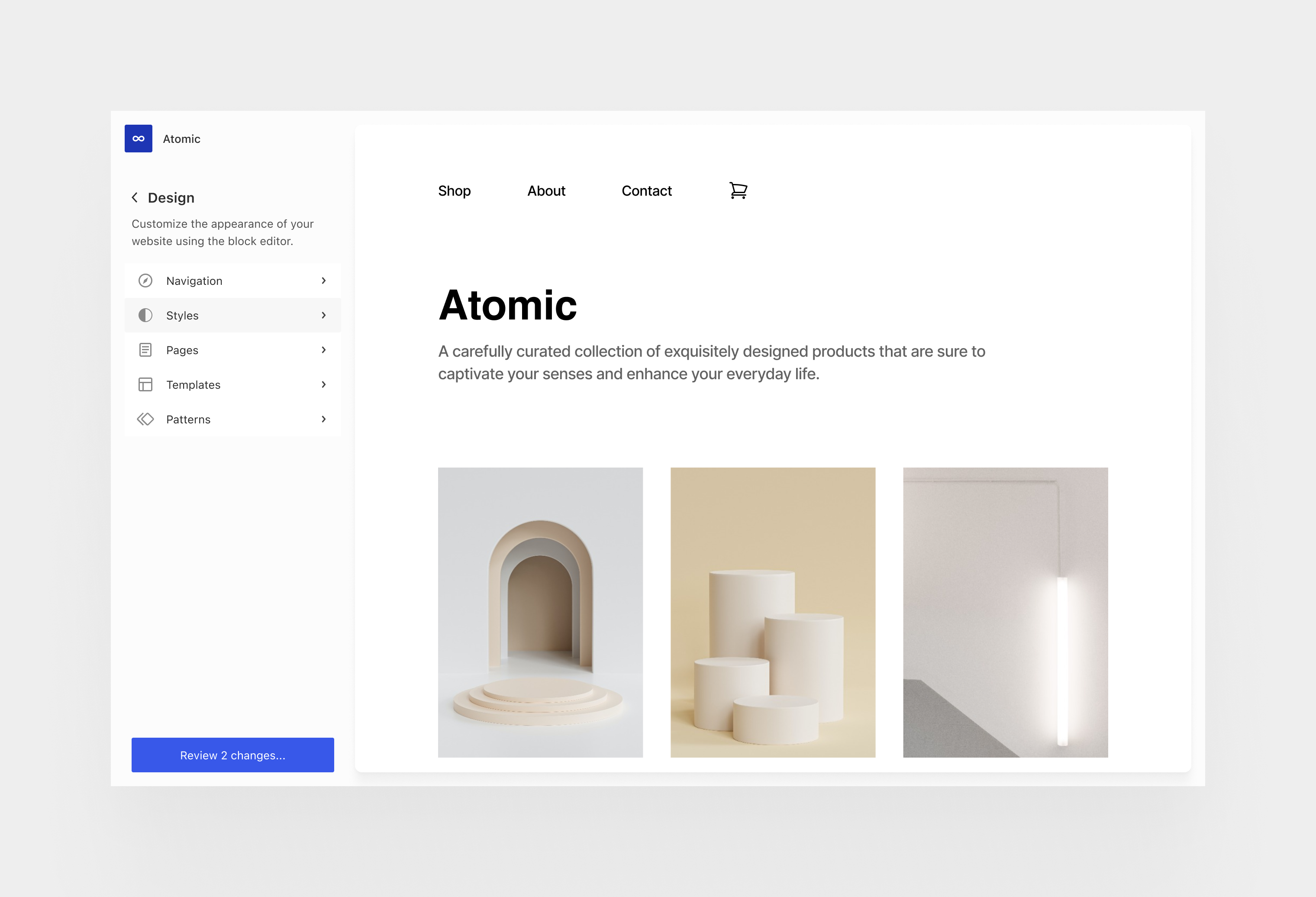


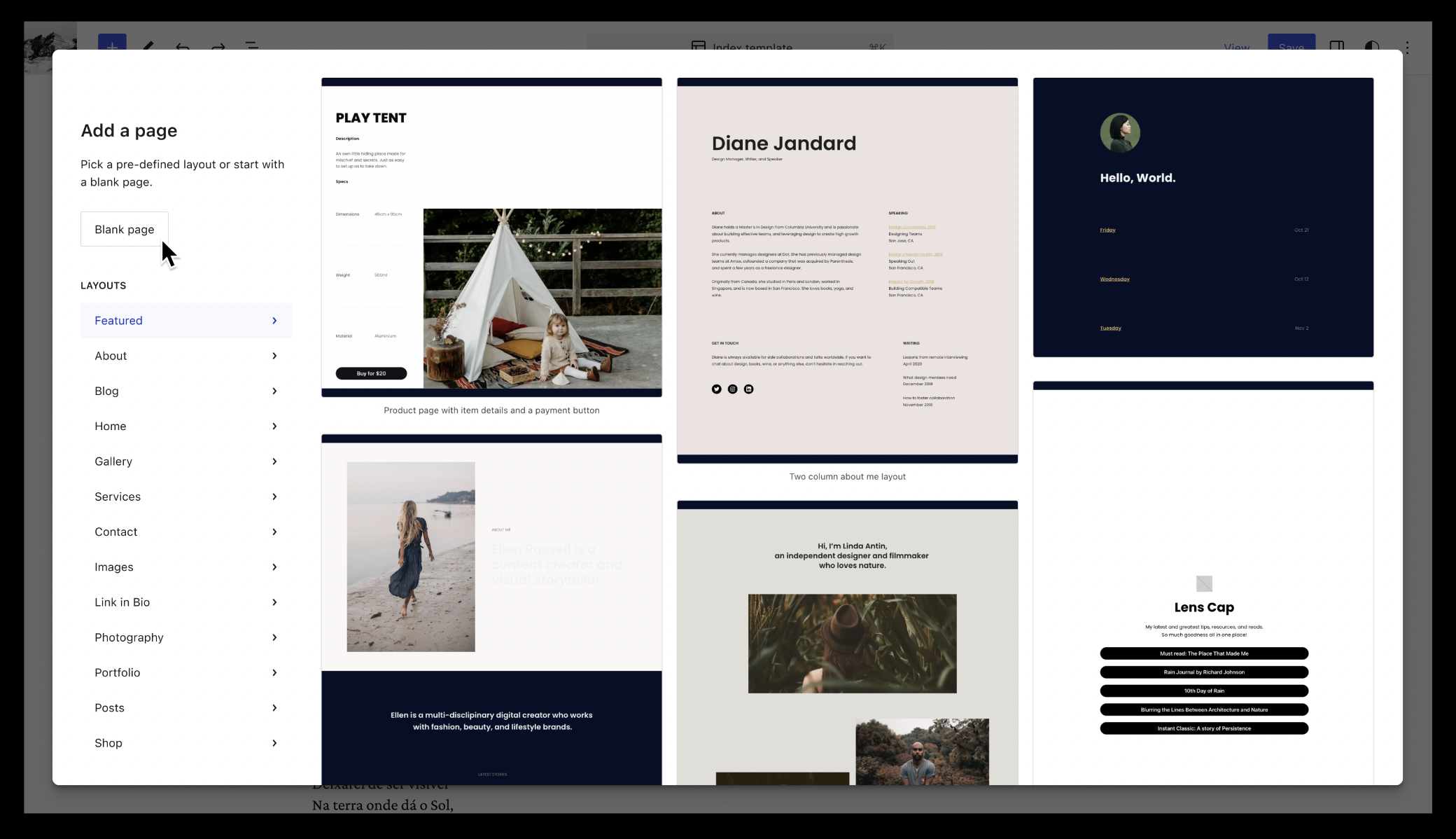


You must be logged in to post a comment.