The WordPress coreCoreCore is the set of software required to run WordPress. The Core Development Team builds WordPress. development team builds WordPress! Follow this site for general updates, status reports, and the occasional code debate. There’s lots of ways to contribute:
Found a bugbugA bug is an error or unexpected result. Performance improvements, code optimization, and are considered enhancements, not defects. After feature freeze, only bugs are dealt with, with regressions (adverse changes from the previous version) being the highest priority.?Create a ticket in the bug tracker.
Allowed disabling autosave support for individual post types
[58201] added a way to allow disabling autosave support for individual post types. Not all post types support autosaving. By making autosave a post type feature, support can be more granularly handled without any workarounds or hardcoded allowlists. For backward compatibility reasons, adding editor support implies autosave support, so one would need to explicitly use remove_post_type_support() to remove it.
Twenty Sixteen: Fixed mismatch of visual and DOM order of elements
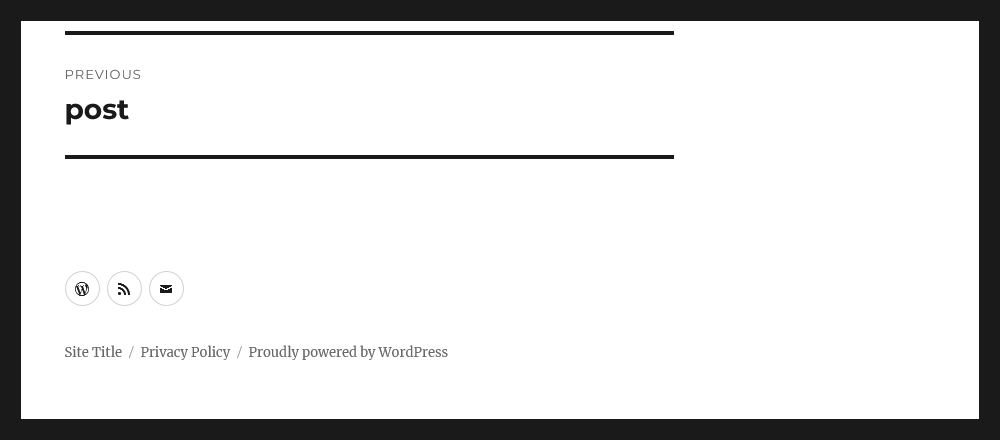
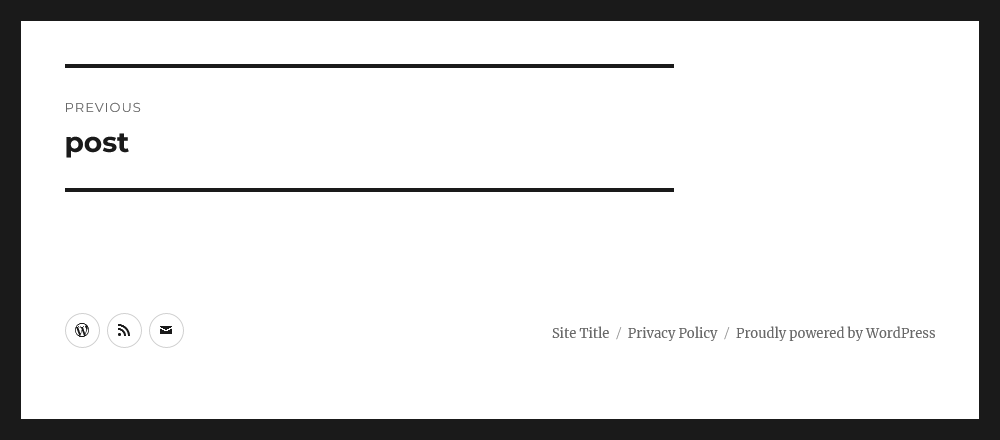
Starting in Twenty Sixteen’s version 3.3 (released with WordPress 6.6), the site information links remain below the social navigation at any screen size. Before that, the social navigation had displayed after the site information on larger screens, which created a mismatch between the visual order and the Document Object Model (DOM) order.
The two footer elements are stacked, now at screen widths larger than 910 pixels.
If you would like to have the two elements side-by-side, with the social navigation first, you could paste styles in a child themeChild themeA Child Theme is a customized theme based upon a Parent Theme. It’s considered best practice to create a child theme if you want to modify the CSS of your theme. https://developer.wordpress.org/themes/advanced-topics/child-themes/ or in the Customizer’s Additional CSS panel.
Check the instructions on how to do this
@media screen and (min-width: 56.875em) {
	/*
	  1. Reset the social navigation width.
	  2. Adjust margins to place site info along the right edge.
	*/
	.site-footer .social-navigation {
		width: auto;
		margin: 0.538461538em auto 0.538461538em 0;
	}
	.site-info {
		margin: 0;
	}


	/* Reverse the margins for right-to-left languages. */
	.rtl .site-footer .social-navigation {
		margin: 0;
	}
	.rtl .site-info {
		margin: 0.538461538em auto 0.538461538em 0;
	}
}
Custom CSSCSSCascading Style Sheets. could place the site information links on the right side.
Default length of time for comment author cookies has changed
[58401] changed the default length of time for comment author cookies from 0.95129375951 of a year to 1 year by taking advantage of the YEAR_IN_SECONDS constant. The comment_cookie_lifetimefilterFilterFilters are one of the two types of Hooks https://codex.wordpress.org/Plugin_API/Hooks. They provide a way for functions to modify data of other functions. They are the counterpart to Actions. Unlike Actions, filters are meant to work in an isolated manner, and should never have side effects such as affecting global variables and output. can still be used to change this value.
#61109 now directs a classic theme’s Appearance > Patterns menu to the site editor Patterns view (/wp-admin/site-editor.php?path=/patterns), providing a consistent pattern and template management experience regardless of theme type. For themes with block-template-parts support, the Appearance > Template Parts menu has been removed, with template parts now accessible under the site editor’s Patterns > Template Parts view.
Fluid Typography
Some theme.json presets require custom logic to generate their values, for example, when converting font size preset values to clamp() values.
The custom logic is handled by callback functions defined against the value_func key in WP_Theme_JSON::PRESETS_METADATA. The callback functions are invoked in WP_Theme_JSON::get_settings_values_by_slug().
In WordPress 6.6, settings of the current WP_Theme_JSON instance, are now passed to these callback functions. The permits callback functions to return values that rely on other settings in the theme.jsonJSONJSON, or JavaScript Object Notation, is a minimal, readable format for structuring data. It is used primarily to transmit data between a server and web application, as an alternative to XML. tree.
In the case of font sizes presets, it fixes a bug whereby the callback function — wp_get_typography_font_size_value() — was not taking into account settings values passed directly to the WP_Theme_JSON class.
External libraries
jQuery UIUIUser interface library update
The jQuery UI library was updated to version 1.13.3. For more information on the changes included, see jQuery UI 1.13.3 release notes.
Login and Registration
New array arguments for wp_login_form
The wp_login_form() function has two new array arguments: required_username and required_password. Passing true to these arguments adds the ‘required’ attribute to the input fields.
MultisitemultisiteUsed to describe a WordPress installation with a network of multiple blogs, grouped by sites. This installation type has shared users tables, and creates separate database tables for each blog (wp_posts becomes wp_0_posts). See also network, blog, site
Custom ports for multisite site addresses
#21077 made it possible to install and operate a Multisite installation on a host name that includes a port number, and the corresponding #52088 added full support for this to the local development environment. This means it’s now possible to run Multisite on an address such as localhost:8889.
Update enabled mime types for new multisite installs
In #53167, the list of mime types that are enabled for upload were aligned to those enabled by regular sites by switching from a hard-coded list of types (that had become outdated) to using coreCoreCore is the set of software required to run WordPress. The Core Development Team builds WordPress.’s get_allowed_mime_types function. This ensures that new multisite installs are up to date with the current mime types supported in core, including the recently enabled image/webp and image/avif types.
Note that, since this is only used to populate the schema for new networks, it will only affect newly created multisite networks – it does not change the allowed mime types for existing networks. To adjust the mime types allowed for existing sites, developers can continue to use an approach as follows for filtering the upload_filetypes option:
Script Loader
Obsolete polyfills dependencies have been removed
In [57981], now obsolete polyfills such as wp-polyfill, wp-polyfill-inert and regenerator-runtime were removed from the react script dependency in WordPress, as they are no longer needed in modern browsers supported by WordPress. Developers relying on wp-polyfill need to manually add it as a dependency to their scripts.
Script modules can now be used in the WordPress adminadmin(and super admin)
With #61086, script modules can now be used in the WordPress admin. Before WordPress 6.6, script modules were only available on the front end.
Toolbar
Search has a much later priority
In [58215], the search input on the front-end admin bar is added at a different priority. It was previously inserted at priority 4 and then floated to appear at the end of the admin bar. It is now inserted at priority 9999 to load at the end of the admin bar without CSS manipulation.
Extenders placing admin bar nodes after the search or replacing core search should take the new priority into consideration.
Example: Assign different priority based on WordPress version
WordPress 6.6 includes a helpful maintenance release to the HTMLHTMLHyperText Markup Language. The semantic scripting language primarily used for outputting content in web browsers.APIAPIAn API or Application Programming Interface is a software intermediary that allows programs to interact with each other and share data in limited, clearly defined ways.. Included in this work are a few new features and a major improvement to the usability of the HTML Processor. This continues paced development since WordPress 6.5.
This may be surprising, but PHPPHPThe web scripting language in which WordPress is primarily architected. WordPress requires PHP 7.4 or higher leaves us hanging if we want to properly read the text content of an HTML document. The html_entity_decode() and htmlspecialchars_decode() functions work somewhat well for pure XML documents, but HTML contains more complicated rules for decoding, rules which change depending on whether the text is found inside an attribute value or normal text. These functions default to XML and HTML4 parsing rules and require manually setting the ENT_HTML5 flag on every invocation (for example, HTML5 redefined two of HTML4’s character references), but are still wrong in many cases.
Luckily you shouldn’t need to know about or call the new decoder, developed in Core-61072. It fits into get_modified_text(), further improving the HTML API’s implementation without requiring you to change any of your existing code. With WordPress 6.6 your existing code becomes more reliable for free.
One part of this change you might want to know about is WP_HTML_Decoder::attribute_starts_with(). This new method takes a plaintext prefix and a raw attribute value and indicates if the decoded value starts with the given prefix. This can be invaluable for efficiently detecting strings at the start of an attribute, as some attributes can be extremely large, and if not careful, naive parsers can overlook content hidden behind long slides of zeros.
In the case of extremely long attribute values (for example, when pasting content from cloud document editors which send images as data URIs), the attribute_starts_with() can avoid megabytes of memory overhead and return much quicker than when calling functions which entirely decode the attribute value.
The new text decoder will mostly help ensure that the HTML API remains safe and reliable. There are complicated rules in parsing HTML, so as always, it’s best to leave the low-level work to the HTML API, preferring to call functions like get_attribute() and get_modified_text() directly instead of parsing raw text segments.
An idealized view of an HTML document.
The Tag Processor was initially designed to jump from tagtagA directory in Subversion. WordPress uses tags to store a single snapshot of a version (3.6, 3.6.1, etc.), the common convention of tags in version control systems. (Not to be confused with post tags.) to tag, then it was refactored to allow scanning every kind of syntax token in an HTML document. Likewise, the HTML Processor was initially designed to jump from tag to tag, all the while also acknowledging the complex HTML parsing rules. These rules largely exist in the form of a stack machine that tracks which elements are currently open. While the HTML Processor has always maintained this stack, it has never exposed it to calling code.
In WordPress 6.6 the HTML Processor underwent a major internal refactor to report those stack events (when an element opens and when an element closes) rather than when it finds raw text that represents things like tag openers and tag closers. This is a really big change for calling code! Previously, the HTML Processor would track all elements, but only return when a tag or token appeared in an HTML document. For instance, it always knew that <p><p> represents two sibling P elements, but it only presented each opening P tag to calling code. Now, the HTML processor is going to present not only the tags and tokens that exist in the raw HTML text, but also the “virtual nodes” that are implied but not textually present.
Let’s compare the output in WordPress 6.5 against the output in WordPress 6.6.
HTML Processor in WordPress 6.5
H1:
#text: One
/H3:
H2:
#text: Two
P:
#text: Three
P:
#text: Four
H3:
#text: Five
HTML Processor in WordPress 6.6
3: H1:
4: #text: One
2: /H1:
3: H2:
4: #text: Two
4: P:
5: #text: Three
4: /P:
4: P:
5: #text: Four
3: /P:
3: /H2:
3: H3:
4: #text: Five
0: /H3:
With the HTML API in WordPress 6.6, it’s possible to treat an HTML document in the idealized way we often think about it: where every tag has an appropriate corresponding closing tag in the right place, and no tags overlap. In WordPress 6.5, only the opening tags which appeared in the document return from next_tag(), and the </h3> closing tag appears as an H3 closing tag, even though the HTML specification indicates that it closes the already-open H1 element. In WordPress 6.6, every opening tag gets its closer, and the </h3> appears as if it were an </h1>. This is because the HTML Processor is exposing the document structure instead of the raw text.
Two new methods make working with HTML even easier:
WP_HTML_Processor->get_current_depth() returns the depth into the HTML structure where the current node is found.
WP_HTML_Processor->expects_closer() indicates if the opened node expects a closing tag or if it will close automatically when proceeding to the next token in the document. For example, text nodes and HTML comments and void elements never expect a closer.
With the help of these methods it’s possible to trivially detect when an element opens and closes, because the HTML Processor guarantees a “perfect” view of the structure.
$processor = WP_HTML_Processor( $block_html );
if ( ! $processor->next_tag( 'DIV' ) ) {
	return $block_html;
}

$depth = $processor->get_current_depth();
while ( $processor->get_current_depth() >= $depth && $processor->next_token() ) {
	// Everything inside of here is inside the open DIV.
}
if ( ! isset( $processor->get_last_error() ) ) {
	// This is where the DIV closed.
}
An optimized class for looking up string tokens and their associated mappings.
As part of the text decoder work the WP_Token_Map was introduced. This is a handy and efficient utility class for mapping between keys or tokens and their replacements. It’s also handy for efficient set membership; for example, to determine if a given username is found within a set of known usernames.
The HTML Processor will now return the depth of the current node in the stack of open elements with get_current_depth(). [58191]
The HTML Processor now includes expects_closer() to indicate the currently-matched node expect a closing token. For example, no HTML void element expects a closer, no text node expects a closer, and none of the elements treated specially in the HTML API as atomic elements (such as SCRIPT, STYLE, TITLE, or TEXTAREA) expect a closer. [58192]
The WP_HTML_Decoder class can take a raw HTML attribute or text value and decode it, assuming that the source and destination are UTF-8. The HTML API now uses this instead of html_entity_decode() for more reliable parsing of HTML text content. [58281]
The HTML Processor now visits all real and virtual nodes, not only those which are also present in the text of the HTML, but those which are implied by what’s there or not there. [58304]
Bug Fixes
Funky-comments whose contents are only a single character are now properly recognized. Previously the parser would get off track in these situations, consuming text until the next > after the funky comment. [58040]
The HTML Processor now respects the class_name argument if passed to next_tag(). Formerly it was overlooking this constraint. [58190]
The Tag Processor was incorrectly tracking the position of the last character in some tokens, internally and when bookmarking. While this bugbugA bug is an error or unexpected result. Performance improvements, code optimization, and are considered enhancements, not defects. After feature freeze, only bugs are dealt with, with regressions (adverse changes from the previous version) being the highest priority. did not affect the operation of the Tag Processor, it has been fixed so that future code which might rely upon it will work properly. [58233]
When subclassing WP_HTML_Processor the ::create_fragment() method will return the subclass instance instead of a WP_HTML_Processor instance. [58365]
There’s a new data structure coming in WordPress 6.6: the WP_Token_Map, but what is it? The ongoing work in the HTML API required the ability to find named character references like … in an HTMLHTMLHyperText Markup Language. The semantic scripting language primarily used for outputting content in web browsers. document, but given that there are 2,231 names this is no easy task. The WP_Token_Map is a purpose-built class designed to take a large set of static string tokens with static string replacements, and then be used as a lookup and replacement mechanism. That’s all very technical, so let’s see it in action and consider how it might be useful to you.
As an important note: you probably don’t need this because it’s an optimized data structure built for lookup with a very large set of tokens. The examples are unrealistically short but are meant only to illustrate the class usage in a readable form. If working with small datasets it’s possibly faster for most purposes to stick with familiar tools like in_array() or associative arrays.
The Token Map, in short, is a new semantic utility meant to answer one simple question: given a string and a byte offset into that string, does the next sequence of bytes match one of a known set of tokens, and if so, what is the replacement for that token? It’s designed as a low-level utility for use in combination with other string parsing logic.
To provide an easy way for blockBlockBlock is the abstract term used to describe units of markup that, composed together, form the content or layout of a webpage using the WordPress editor. The idea combines concepts of what in the past may have achieved with shortcodes, custom HTML, and embed discovery into a single consistent API and user experience. authors to specify variations of a given block that only differ in some attributes and/or inner blocks, WordPress has been providing the Block Variations mechanism, first introduced in version 5.4. This mechanism is widely used in CoreCoreCore is the set of software required to run WordPress. The Core Development Team builds WordPress. itself; for example, the Group block has “Row”, “Stack”, and “Grid” variations (that can be selected from the block inspector); the Social Icon block has variations for individual social networks, e.g. wordpress, tumblr, etc.
For WordPress 6.7, we’d like to propose some changes to Block Variations, most notably the following:
Add a variation-specific class name to the block wrapper (i.e. wp-block-${blockName}-${variationName} in addition to the existing wp-block-${blockName}).
Implement server-side detection of the active block variation.
Include the variation name in block markup persisted in the database (e.g. <!-- wp:core/social-link/wordpress {"url":"wordpress.org","service":"wordpress"} /-->).
Below, we discuss each of these suggested changes in more detail.
Add a variation-specific class name to the block wrapper
TracTracAn open source project by Edgewall Software that serves as a bug tracker and project management tool for WordPress.TicketticketCreated for both bug reports and feature development on the bug tracker.: #61265. GutenbergGutenbergThe Gutenberg project is the new Editor Interface for WordPress. The editor improves the process and experience of creating new content, making writing rich content much simpler. It uses ‘blocks’ to add richness rather than shortcodes, custom HTML etc.
https://wordpress.org/gutenberg/ PR: #61864.
Adding a variation-specific class name will allow block authors to style individual variations of their blocks differently. Some blocks do this already on an individual basis, e.g. the Social Icon block adds a wp-block-social-link-${service} class name.
There is a number of questions that need to be answered here:
First, should a block need to opt in to having the variation class name added, or should it be added automatically? Since there’s already the className block-supports flag – which also controls the addition of the “default” wp-block-${blockName} class name – it might make sense to couple the variation class name to the same flag.
Second, how should existing block markup be handled? There’s the precedent of block deprecations (and migrations) which applies changes to existing blocks when they’re edited – and leaves them otherwise unchanged. If we follow this pattern (albeit probably not on an individual block level but more globally), blocks won’t get the variation class name added as long as the existing markup is not edited.
A different strategy was chosen for the List block whose wrapper element was only recently given the wp-block-list default class name. Here, a server-side render callback was added to inject the new class name into the (otherwise static) existing block markup; i.e., existing List blocks now have the wp-block-list class name added to their wrapper element on the frontend, even if they’re never edited.
In Gutenberg PR #61864, we’ve opted against introducing a new block-supports flag for the variation-specific class name; furthermore, the new class name is currently only added to existing markup when editing it.
If we want a mechanism to add the wp-block-${blockName}-${variationName} class name on the frontend, we need to be able to infer the active block variation for a given block on the server side. This problem is covered in the next section.
Implement server-side detection of the active block variation
Block variations support an isActive property to determine if a given block instance matches the variation, i.e. if the variation is active. That property can either be a JavaScriptJavaScriptJavaScript or JS is an object-oriented computer programming language commonly used to create interactive effects within web browsers. WordPress makes extensive use of JS for a better user experience. While PHP is executed on the server, JS executes within a user’s browser.
https://www.javascript.com function (only if registration of the variation happens on the client side) or an array of block attribute names to compare.
In order for the block variation class name to be added on the server side – which is required to include it on the frontend for dynamic blocks, or for existing static blocks (see previous section) – the server needs to be able to determine which variation is active. To that end, there needs to be a server-side counterpart to the client’s getActiveBlockVariation function that, given the same set of variations, yields the same result. (Note some recent improvements made to the client-side function that the server would need to reproduce.)
Include the variation name in block markup persisted in the database
Finally, we propose to append the variation name (separated by a slash) to the block type name that’s used in block delimiters when persisting markup to the database, so that e.g. <!-- wp:social-link {"url":"wordpress.org","service":"wordpress"} /--> becomes <!-- wp:core/social-link/wordpress {"url":"wordpress.org","service":"wordpress"} /-->.
This was first proposed by #43743 for the following reasons:
To allow theme developers and users to customize block variations’ styles granularly, e.g. in theme.json, or in the Global Styles panel (#40621). As a corollary, this would allow for an optimization, by attaching variation-specific CSSCSSCascading Style Sheets. only when the corresponding block variation is present.
Developers could furthermore benefit from all other Block APIAPIAn API or Application Programming Interface is a software intermediary that allows programs to interact with each other and share data in limited, clearly defined ways. tools that work on a block type basis. For example, it could be possible to limit usage of a given block variation as another block’s child block via the allowedBlocks field, or to limit the number of instances of a variation in a given post via multiple block support.
One particularly noteworthy example of how block variations can unlock some desirable enhancements for other features is the Block Hooks API: It is currently not possible to use it to insert multiple blocks in the same position if they share the same block type (and are only distinguished by their attributes). Including variation names in the persisted block names can solve this problem, allowing multiple different variations of the same block to be inserted as hooked blocks in the same position.
Finally, using named block variations in persisted markup would give easier access for site owners to the content analysis to determine which blocks and variations are used in posts and templates.
Architecture
Note that while this change would affect the persisted markup, we would seek to contain it there, so that it becomes at once available to some tooling but doesn’t affect everything else adversely. Specifically, we’re not planning to introduce a separate WP_Block_Type object for every single variation; even for WP_Block class instances, we’re currently thinking to strip the /${variationName} part from the block type name upon construction. This way, the appended variation name would be confined to the lowest level of block markup processing, i.e. the “parsed block format” that parses block markup into nested arrays that look as follows:
Note that this parsing step – unlike the later creation of WP_Block objects – is “dumb” in that it doesn’t have any knowledge of what blocks and block variations are registered.
Furthermore, we would shield the client from this new format by simply removing the appended /${variationName} upon loading the markup in the editor, and by re-appending it upon saving, i.e. when loading markup like <!-- wp:core/social-link/wordpress {"url":"wordpress.org","service":"wordpress"} /--> , it will be transformed into <!-- wp:social-link {"url":"wordpress.org","service":"wordpress"} /--> (and back when saving it).
Generated vs arbitrary aliases
Note that #43743 originally proposed allowing arbitrary aliases (e.g. wp:core/wordpress-link). Arbitrary aliases would allow some further improvements that go beyond what is possible with generated aliases. For example, a number of Core blocks could be redefined as variations of other (simpler) Core blocks, by using Block Bindings: For instance, the Post Title block could be redefined as an alias of a variation of the Heading block, where the latter’s content is bound to the current post’s title (which is done via the block’s metadata.bindings attribute and can thus be used to define the variation).
Another benefit of arbitrary aliases is that they do not require the server to determine the active block variation based on the block’s attribute values, as that information is already contained in the alias.
While we’re considering arbitrary aliases for a later stage, we’d like to start by using the information that’s readily available (the block and variation names) rather than introducing a new alias field; it also simplifies the required transformation in the editor (which can simply remove the /${variationName} suffix; inferring the correct variation name on the client side to re-attach it upon saving is no different than determining the active variation via getActiveBlockVariation).
Conclusion
We’re curious to hear your thoughts and feedback on these suggestions, and on the architecture we’re having in mind. Please use the comments below this post to share your feedback on this proposal. Alternatively, you can comment on the individual Trac tickets, issues, and pull requests linked from it.
The feedback period for this proposal will end in three weeks’ time, on 2024-07-14, in order to give us enough time for implementation.
In this post, you will find dev notesdev noteEach important change in WordPress Core is documented in a developers note, (usually called dev note). Good dev notes generally include a description of the change, the decision that led to this change, and a description of how developers are supposed to work with that change. Dev notes are published on Make/Core blog during the beta phase of WordPress release cycle. Publishing dev notes is particularly important when plugin/theme authors and WordPress developers need to be aware of those changes.In general, all dev notes are compiled into a Field Guide at the beginning of the release candidate phase. for smaller changes to the editor in WordPress 6.6.
Added wp-block-list class to the list blockBlockBlock is the abstract term used to describe units of markup that, composed together, form the content or layout of a webpage using the WordPress editor. The idea combines concepts of what in the past may have achieved with shortcodes, custom HTML, and embed discovery into a single consistent API and user experience.
Styling a list block using the Site Editor or theme.jsonJSONJSON, or JavaScript Object Notation, is a minimal, readable format for structuring data. It is used primarily to transmit data between a server and web application, as an alternative to XML. also applied the style to other lists, partially or in full. This caused styling conflicts with blocks that use lists internally and with lists in the editor interface.
The problem has been fixed by adding the CSSCSSCascading Style Sheets. class wp-block-list to the <ul> and <ol> elements of the list block, and only applying the styling to lists with this class name.
If you have relied on the list block styles to style generic lists, you may need to update your CSS.
GitHubGitHubGitHub is a website that offers online implementation of git repositories that can easily be shared, copied and modified by other developers. Public repositories are free to host, private repositories require a paid subscription. GitHub introduced the concept of the ‘pull request’ where code changes done in branches by contributors can be reviewed and discussed before being merged by the repository owner. https://github.com/ pull request: #56469
Props to @poena for writing the dev notedev noteEach important change in WordPress Core is documented in a developers note, (usually called dev note). Good dev notes generally include a description of the change, the decision that led to this change, and a description of how developers are supposed to work with that change. Dev notes are published on Make/Core blog during the beta phase of WordPress release cycle. Publishing dev notes is particularly important when plugin/theme authors and WordPress developers need to be aware of those changes.In general, all dev notes are compiled into a Field Guide at the beginning of the release candidate phase..
Allow view access of the template REST APIREST APIThe REST API is an acronym for the RESTful Application Program Interface (API) that uses HTTP requests to GET, PUT, POST and DELETE data. It is how the front end of an application (think “phone app” or “website”) can communicate with the data store (think “database” or “file system”)
https://developer.wordpress.org/rest-api/ endpoint to anyone with the edit_postcapabilitycapabilityA capability is permission to perform one or more types of task. Checking if a user has a capability is performed by the current_user_can function. Each user of a WordPress site might have some permissions but not others, depending on their role. For example, users who have the Author role usually have permission to edit their own posts (the “edit_posts” capability), but not permission to edit other users’ posts (the “edit_others_posts” capability).
Before WordPress 6.6 the templates and template-parts REST API endpoints were restricted to only be viewed/edited by anyone with the edit_theme_options capability (Administrators). WordPress 6.6 changes the permission checks to allow any user role with the edit_post capability to view these endpoints. Editing is still restricted to the edit_theme_options capability.
This change is because the post editor now includes the ability to preview a post’s template while editing the post. In WordPress 6.5, this option was limited to administrators only. However, WordPress 6.6 now supports previewing the template for all user roles.
RichText’s optional onSplit prop was deprecated and replaced with a block.json support key called splitting. The onSplit prop was only used by a few coreCoreCore is the set of software required to run WordPress. The Core Development Team builds WordPress. blocks (paragraph, heading, list item, and button), so it’s not expected that this affects a lot of third-party blocks.
In any case, when the onSplit is used, splitting will still work but can’t be controlled as granularly as before: the callback won’t be called, and the block will split in a generic way.
Add filterFilterFilters are one of the two types of Hooks https://codex.wordpress.org/Plugin_API/Hooks. They provide a way for functions to modify data of other functions. They are the counterpart to Actions. Unlike Actions, filters are meant to work in an isolated manner, and should never have side effects such as affecting global variables and output. to modify the list of post content block types
When WordPress renders a post/page’s template at the same time as the content, most template blocks are disabled/locked. However, some blocks, like the Post Title, Post Content, and Post Featured ImageFeatured imageA featured image is the main image used on your blog archive page and is pulled when the post or page is shared on social media. The image can be used to display in widget areas on your site or in a summary list of posts., still allow users to edit the content within them. They get rendered in the contentOnly rendering mode.
WordPress 6.6 now adds a filter to modify this list of blocks that should get the contentOnly rendering mode applied when rendered as part of the template preview.
It is important that only settings that store their data in custom ways are exposed when rendered in this contentOnly mode. An example is a block that stores a subtitle in post metaMetaMeta is a term that refers to the inside workings of a group. For us, this is the team that works on internal WordPress sites like WordCamp Central and Make WordPress.. Anything that gets stored to the standard block attributes won’t persist.
Global Styles: Filter out color and typography variations
In addition to style variations, WordPress 6.6 adds the ability for themes to create color and typography presets. These are subsets of style variations and give users the ability to replace the color or typography of a site without all the other changes that come in a style variation.
To add color and typography presets to a theme, developers follow the same process as adding style variations, except that each variation must contain only color or typography rules. Any style variations that contain only these rules will be treated as presets and will appear under Global Styles > Typography or Global Styles > Colors > Palette.
Style variations that already conform to this requirement, i.e. they contain only color or typography rules, will automatically be treated in this way. That means these style variations will no longer appear under Global Styles > Browse styles, but instead in the relevant section for either colors or typography.
Add custom Aspect Ratio presets through theme.json
WordPress 6.6 adds a new two new properties to the settings.dimensions object in theme.json. settings.dimensions.aspectRatios allows defining your own custom Aspect Ratio presets. These presets will be used by any block that uses the aspectRatio block support. In core that means the Image, Featured Image, and Cover block.
Root padding styles have been updated to address inconsistencies in pattern display and make the application of padding more predictable across different sets of markup. It’s now expected that:
Padding is applied to the outermost block with constrained layout (this is the layout enabled when “Inner blocks use content width” is set).
Padding is applied to all blocks with constrained layout that are full width or wide width.
Padding is applied to all blocks with constrained layout inside a full width flow layout (this is the layout enabled when “Inner blocks use content width” is unset) block.
Nested full width blocks will always be full width: a full width block inside another full width block will extend to the edges of the viewport.
WordPress 6.6 adds new block support for setting the horizontal alignment of text.
This support is controlled by settings.typography.textAlign in theme.json, which defaults to true. To opt-in to this support for a block, add the supports.typography.textAlign field in block.json. For example:
Currently, core blocks do not support textAlign and the Text Alignment UIUIUser interface is implemented separately without this block support. In the future, it is planned to gradually migrate core blocks to this support as well, and progress will be tracked in this Github issue: #60763.
The default horizontal alignment style can also be defined via theme.json. For example:
There is a known issue where the default horizontal alignment defined in the global styles or theme.json cannot be overridden on a block instance, which is currently being addressed in #62260.
Enhanced support for only using PHPPHPThe web scripting language in which WordPress is primarily architected. WordPress requires PHP 7.4 or highertranslationtranslationThe process (or result) of changing text, words, and display formatting to support another language. Also see localization, internationalization. files
WordPress 6.5 shipped with a completely new localization system with improved performance, which uses .l10n.php files in addition to .po and .mo files. This system was slightly enhanced in 6.6 to better support scenarios where only these PHP translation files exist, but not the others. This specifically applies to wp_get_installed_translations(), which is used to check which translations are installed, and the Language_Pack_Upgrader for updating translations.
New lang_dir_for_domainfilterFilterFilters are one of the two types of Hooks https://codex.wordpress.org/Plugin_API/Hooks. They provide a way for functions to modify data of other functions. They are the counterpart to Actions. Unlike Actions, filters are meant to work in an isolated manner, and should never have side effects such as affecting global variables and output.
A new lang_dir_for_domain filter has been added to WP_Textdomain_Registry, allowing plugins to override the determined languages folder when using just-in-time translation loading. This is mostly useful for multilingual plugins.
Additional context for the load_translation_file filter
The load_translation_file filter was introduced in WordPress 6.5 to support changing the file path when loading translation files, regardless if it’s a PHP or an MO translation file. In 6.6, the localeLocaleA locale is a combination of language and regional dialect. Usually locales correspond to countries, as is the case with Portuguese (Portugal) and Portuguese (Brazil). Other examples of locales include Canadian English and U.S. English. is passed as an additional argument to this filter, bringing it more in line with similar i18ni18nInternationalization, or the act of writing and preparing code to be fully translatable into other languages. Also see localization. Often written with a lowercase i so it is not confused with a lowercase L or the numeral 1. Often an acquired skill. filters.
In WordPress 6.6, Section Styles simplify the process of styling individual sections of a webpage by offering users a one-click application of curated styles, eliminating the need for repetitive manual configuration.
Section-based styling has been enabled by extending the existing Block Styles feature (aka blockBlockBlock is the abstract term used to describe units of markup that, composed together, form the content or layout of a webpage using the WordPress editor. The idea combines concepts of what in the past may have achieved with shortcodes, custom HTML, and embed discovery into a single consistent API and user experience. style variations) to support styling inner elements and blocks. These enhanced block style variations can even be applied in a nested fashion due to uniform CSS specificity (0-1-0) for Global Styles introduced in WP 6.6.
In addition block style variations can now be:
registered across multiple block types at the same time
defined via multiple methods; primarily through theme.jsonJSONJSON, or JavaScript Object Notation, is a minimal, readable format for structuring data. It is used primarily to transmit data between a server and web application, as an alternative to XML. partials, or by passing a theme.json shaped object in the style’s data given to existing block style registration functions
customized via Global Styles (see also current limitations)
Usage
Registration of Block Style Variations
The block style variations that can be defined and manipulated through Global Styles are limited to those that have been registered with the WP_Block_Styles_Registry or via a block type’s styles property, such as Outline for the Button block. If a block style variation has not been registered, any theme.json or global styles data for it will be stripped out.
Any unregistered block style variation defined within a theme.json partial with be automatically registered.
Outlined below are three approaches to registering extended block style variations. The approaches leveraging theme.json definitions will automatically register the block style variation with the WP_Block_Styles_Registry.
Defining Block Style Variations
Outlined below are recommended approaches to registering extended block style variations.
Theme.json Partial Files
With the extension of block style variations to support inner element and block type styles, they essentially are their own theme.json file much like theme style variations. As such, block style variations also reside under a theme’s /styles directory. They are differentiated from theme style variations however by the introduction of a new top-level property called blockTypes. The blockTypes property is an array of block types the block style variation can be applied to.
A new slug property was also added to provide consistency between the different sources that may define block style variations and to decouple the slug from the translatable title property.
Within a theme’s functions.php or a pluginPluginA plugin is a piece of software containing a group of functions that can be added to a WordPress website. They can extend functionality or add new features to your WordPress websites. WordPress plugins are written in the PHP programming language and integrate seamlessly with WordPress. These can be free in the WordPress.org Plugin Directory https://wordpress.org/plugins/ or can be cost-based plugin from a third-party., a call can be made to register_block_style, passing it an array of block types the variation can be used with as well as a theme.json shaped style object defining the variation’s styles. The style object provided here will be absorbed into the theme’s theme.json data.
This approach has been enabled as a temporary means to facilitate ergonomic definitions of shared block style variations through theme style variations. It is being flagged here for transparency however it will likely be deprecated soon as the Global Styles architecture is updated to address growing complexity and simplify its mental model.
More details on what’s ahead for Global Styles can be found in this issue.
Shared block style variations can be defined via styles.variations. Style data defined under styles.variations will be copied to, and merged with, variation data stored at the block type level for all block types that have a matching variation registered for it.
Additionally, a new translatable title property has been added here to mirror the capabilitiescapabilityA capability is permission to perform one or more types of task. Checking if a user has a capability is performed by the current_user_can function. Each user of a WordPress site might have some permissions but not others, depending on their role. For example, users who have the Author role usually have permission to edit their own posts (the “edit_posts” capability), but not permission to edit other users’ posts (the “edit_others_posts” capability). of the theme.json partial files outlined above.
The key for the variation correlates to the slug property for theme.json partials. In the example below, this would be variation-a.
As the Section Styles feature was implemented via extensions to block style variations rather than as a replacement, existing block style variations will continue to work as before.
Limitations
The following limitations for block style variations in WordPress 6.6 should be noted:
Only root styles, i.e. those that apply directly to the block type the block style variation belongs to, can be configured via Global Styles.
Block style variations do not support their own custom settings values (yet).
Custom block style variations cannot be applied and previewed within the Style Book.
What’s Next?
The Global Styles UIUIUser interface for block style variations will be updated to facilitate the customization of all available styles for inner elements and block types. This includes potentially enhancing the Style Book to support block style variations.
Another future enhancementenhancementEnhancements are simple improvements to WordPress, such as the addition of a hook, a new feature, or an improvement to an existing feature. is the possible support for settings per block style variations.
One of the goals of WordPress 6.6 is to simplify the process for theme authors to override coreCoreCore is the set of software required to run WordPress. The Core Development Team builds WordPress. styles while also maintaining support for Global Styles.
Historically, high CSSCSSCascading Style Sheets. specificity in core styles has made customization challenging and unpredictable, often requiring complex CSS rules to achieve desired outcomes. Development of the new section styles feature also highlighted a need for uniform CSS specificity to support nesting such styles, facilitating the creation of sophisticated, layered designs.
Uniform 0-1-0 Specificity
WordPress 6.6 introduces several changes aimed at broadly reducing CSS specificity and making it more uniform. These changes generally fall into two categories:
Core BlockBlockBlock is the abstract term used to describe units of markup that, composed together, form the content or layout of a webpage using the WordPress editor. The idea combines concepts of what in the past may have achieved with shortcodes, custom HTML, and embed discovery into a single consistent API and user experience. Styles
Theme.jsonJSONJSON, or JavaScript Object Notation, is a minimal, readable format for structuring data. It is used primarily to transmit data between a server and web application, as an alternative to XML. / Global Styles:
Where adjustments to CSS specificity were required, they were achieved by wrapping the existing selector within :root :where(...).
Core Block Styles
The choice of 0-1-0 specificity greatly reduced the changes required to existing core block styles as blocks targeting their default .wp-block- class already have the desired specificity.
Any blocks with Global Styles support using higher specificity selectors had those selectors wrapped in :root :where(...). This also applied to Block Styles (aka block style variations) and their default styles e.g., .wp-block-image.is-style-rounded img was updated to :root :where(.wp-block-image.is-style-rounded img).
Theme.json / Global Styles:
All block styles, including block style variation styles, output by theme.json and Global Styles are now limited to 0-1-0 specificity. Layout styles, e.g., constrained, flex, flow` etc., have also been limited however depending on the specific layout type and definition the final specificity varies slightly from 0-1-0 so they apply correctly.
Usage
The alignment of 0-1-0 specificity for Global Styles to default block selectors, e.g. .wp-block-, greatly reduces the need for updates. It’s recommended for theme and block authors to double-check their designs if they rely on custom CSS using more complex selectors.
Custom blocks
Authors of custom blocks that opt into global styles and apply default styling via a selector with greater than 0-1-0 specificity, should update those selectors wrapping them in :root :where().
An example could be a custom list block that opts into padding block support but defines default padding via:
ul.wp-block-custom-list {
    padding: 0;
}
Without adjusting the specificity of this rule, any customizations of the block type’s padding in Global Styles would be overridden. Wrapping the selector in :root :where() here would allow the style load order to determine which rule takes precedence.
// Block's stylesheet
:root :where(ul.wp-block-custom-list) { // This is a contrived example and could simply be `.wp-block-custom-list`
    padding: 0;
}

// Global Styles - Loaded after the block styles
:root :where(.wp-block-custom-list) {
    padding: 1em;
}
Block Styles (aka Block Style Variations)
Theme authors customizing Block Styles for a core block will need to limit their style’s specificity, so the block style continues to be configurable via Global Styles.
For example, take a theme that tweaks the border radius for the Image block’s rounded block style:
Without adjustment, this style would override any customizations made to the Rounded block style within Global Styles.
In this case, the theme can tweak its rounded image style to the following:
//. Theme style
:root :where(.wp-block-image.is-style-rounded img) {
    border-radius: 2em;
}

// Global Styles - Loaded after the block styles
:root :where(.wp-block-image.is-style-rounded img) {
    border-radius: 4px;
}
Zero-Specificity, CSS Layers, and the future
Reducing all core styles to zero specificity was explored before settling on 0-1-0 specificity. Zero specificity unfortunately wasn’t robust in the face of common reset stylesheets and required more widespread changes.
CSS Layers were also evaluated but fell short due to not being able to enforce all styles belonged to a layer. This will change in the future at which point a combination of CSS Layers and zero-specificity can be revisited to further the benefits gained in this initial reduction of CSS specificity.
One thing I heard a lot about when talking to the community about Data Liberation was the challenge of WordPress-to-WordPress migrations. Exciting news for anyone who has ever struggled with that: those migrations are now going to be an important part of the Data Liberation project.
As Matt mentioned at his WCEU Keynote, “We need to make WordPress to WordPress easier.” That’s what we’ll aim to do.
Making WordPress sites easier to move could free you from being locked into a specific host, let you set up a local staging site to test changes, or even let you take a copy of your whole site as an archive.
Migrations ≠ Importing
This might seem obvious, but it’s important to point out that the WordPress Importer pluginPluginA plugin is a piece of software containing a group of functions that can be added to a WordPress website. They can extend functionality or add new features to your WordPress websites. WordPress plugins are written in the PHP programming language and integrate seamlessly with WordPress. These can be free in the WordPress.org Plugin Directory https://wordpress.org/plugins/ or can be cost-based plugin from a third-party. is useful for importing content from an XML file and can definitely be used to migrate content from one site (or host) to another.
But, if the goal is to provide a 1:1 migrationMigrationMoving the code, database and media files for a website site from one server to another. Most typically done when changing hosting companies. (or as close as possible), the WordPress Importer is not the tool for the job. No plugins or themes, no settings of wp-config.php, and limited support for media migration mean that we need something more.
Plenty of third-party plugins are filling this gap and meeting user needs, but we should also improve the options within WordPress itself.
Migration challenges
In discussions with hosts and agencies, several recurring challenges emerge regarding migration:
Getting adminadmin(and super admin) access to the source site – incorrect username and password, finding hidden login pages, insufficient user privileges, etc.
Incompatibilities in PHPPHPThe web scripting language in which WordPress is primarily architected. WordPress requires PHP 7.4 or higher version or WP version between source and destination sites.
Incompatibilities in supported plugins between source and destination.
Incompatibilities in database encoding.
Poor server performance/resources of source site (causing backups/migrations to fail or timeout).
Migrations and WordPress Playground
Something I’m particularly excited about is the potential of the WordPress Playground. In fact, the primary proposal for improving WordPress to WordPress migrations, Site Transfer Protocol, leans on the Playground heavily. You can check the details of that proposal in this Trac ticket.
But what about third party platforms to WordPress?
Don’t worry – a focus on WordPress to WordPress doesn’t mean we’re forgetting the need for migration pathways to WP from third-party platforms. There’s more information to come regarding that – but for now you can check out this really interesting proof of concept of a browser extension to copy content from a site and paste it into the editor as Blocks.
Get Involved!
There will be opportunities soon to get your hands dirty in helping build the tools of Data Liberation – but for now, the best way to get involved is to join the Discussion on how best to solve the challenges of migration. I’m really interested in hearing about your experiences with migrating WordPress sites – the challenges, and interesting and clever ways you’ve worked around them!
You can share those experiences in the comments here – or join the #data-liberation channel in Make Slack to share any feedback, ideas, or comments there!
You can also check out the proposal for Site Transfer Protocol (to standardise WP to WP migrations) and join the discussion there.
WordPress 6.6 Beta 3 was released yesterday! Thank you to all the contributors for a successful release. Please continue to test and report any issues you find.
GutenbergGutenbergThe Gutenberg project is the new Editor Interface for WordPress. The editor improves the process and experience of creating new content, making writing rich content much simpler. It uses ‘blocks’ to add richness rather than shortcodes, custom HTML etc.
https://wordpress.org/gutenberg/ 18.6 is scheduled for release today. This release will not be included in WordPress 6.6.
Next major releasemajor releaseA release, identified by the first two numbers (3.6), which is the focus of a full release cycle and feature development. WordPress uses decimaling count for major release versions, so 2.8, 2.9, 3.0, and 3.1 are sequential and comparable in scope.: 6.6
Hello in here, wonderful release squad! I understand that my request about the About Page vs Microsites has gotten confusing, so I’m here to answer whatever questions we have.
In a post-release retrospective a while back, I noticed that we were working on a lot of duplicate content in various places every release. I always want to make sure that we are making the most of the time we put in, so I had asked if we could write/create the content for the microsite first, and then copy/paste highlights from it to the About page in the CMS (+ link to the microsite), and the release post.
@marybaum, @ryelle, and @annezazu are working to update the Google doc to reflect the latest priorities from the microsite for final review ahead of the upcoming string freeze.
@meher raised questions in this thread about whether a BetaBetaA pre-release of software that is given out to a large group of users to trial under real conditions. Beta versions have gone through alpha testing in-house and are generally fairly close in look, feel and function to the final product; however, design changes often occur as part of the process. 4 is needed due to bugbugA bug is an error or unexpected result. Performance improvements, code optimization, and are considered enhancements, not defects. After feature freeze, only bugs are dealt with, with regressions (adverse changes from the previous version) being the highest priority. fixes that didn’t make it into Beta 3?
@joemcgill said that there is no requirement to do an extra Beta release to test commits that happen between Beta 3 and RCrelease candidateOne of the final stages in the version release cycle, this version signals the potential to be a final release to the public. Also see alpha (beta). 1.
@hellofromtonya mentioned that there have also been times when an unscheduled Beta release has been done when there is a fix that needs more exposure and testing before RC 1.
After the meeting, @jorbin suggested that we codify the philosophy so we can make it easier to make these decisions in the future, and shared the following thoughts:
There needs to be a large enough change (either quantity or quality) for the investment to make sense.
It’s a not insignificant amount of work for each beta release. Between an announcement post, package creation, package testing and commits, it’s an investment.
The investment should pay for itself in increased confidence. This confidence comes in the way of time that people can test and bug reports or bug elimination confirmations.
If possible, others investments such as a make post or a GB release may make the most sense since those can allow for increased confidence with a lower amount of required work.
Open Floor
There was no time for open floor today.
Note: Anyone reading this summary outside of the meeting, please drop a comment in the post summary, if you can/want to help with something.



You must be logged in to post a comment.